As NAG’s resident keyboard expert, I take my keys seriously. Last week, an interesting product crossed my desk, and for a moment, I thought I was caught in a time warp.
Believe it or not, after using mechanical keyboards almost exclusively over the past few years, I find myself writing this review on an old-school keyboard technology: a membrane keyboard. No, this is not a retro product; this is the Genius GX Scorpion K20 Gaming Keyboard.
Why call this a gaming keyboard I hear you ask, well, it has RGB.

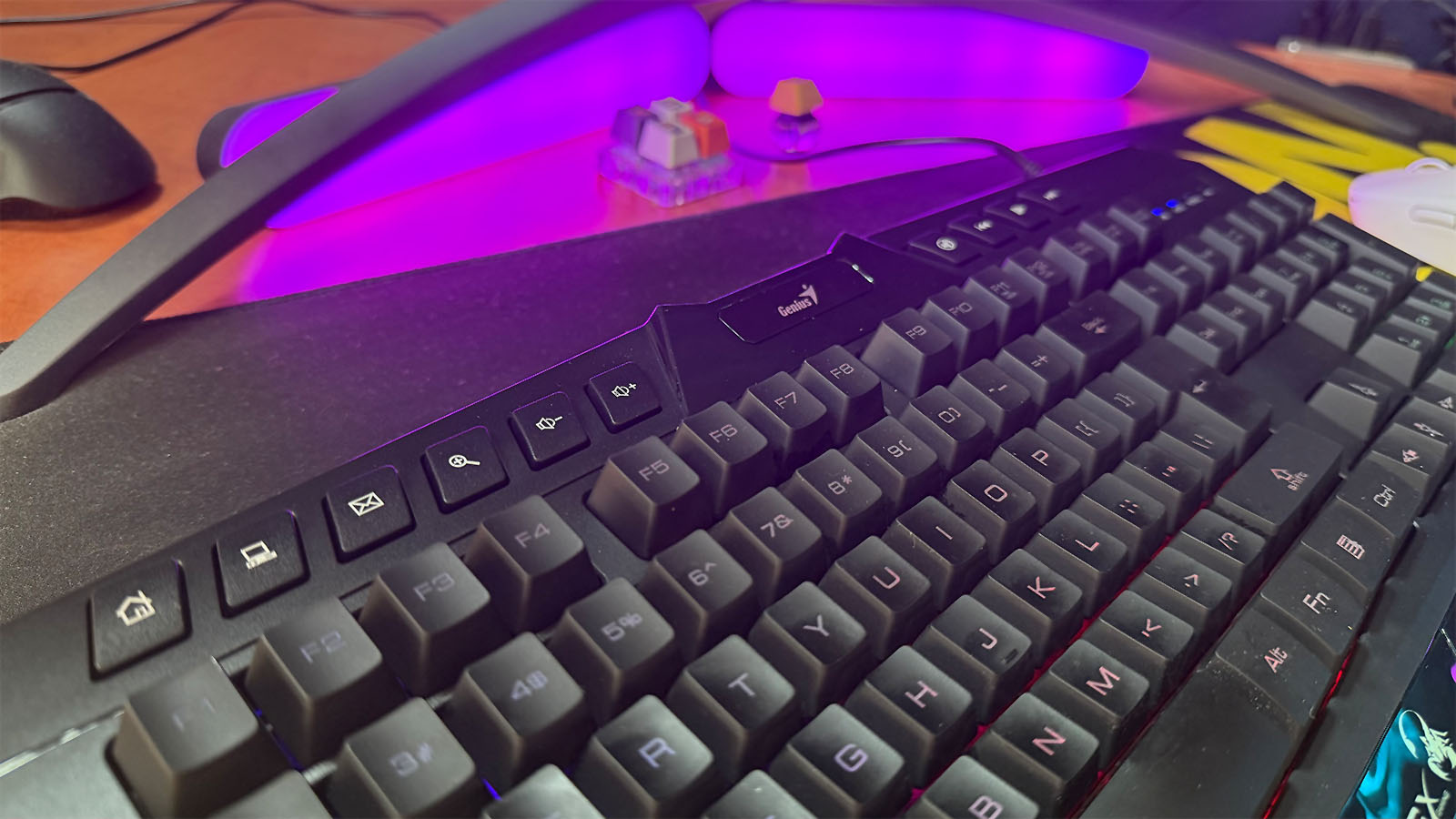
At its core, the Genius GX Scorpion K20 is a simple keyboard pulled straight out of the early 2000’s when we just started getting integrated media keys. It’s a full-size board with a numpad on the right. It also has media buttons strewn across the top of the keyboard for volume adjustment, internet access and media control. Beneath the keys are some RGB lights that boast seven different colours and four different RGB patterns: Normal, Bright, Breathing and Off.
Like I said, simple.
The RGB is pretty dim and hardly shines through any of the keys, meaning anything on the blue side of the keyboard is hard to see unless you know exactly where each key is. The two RGB bars on the bottom of the keyboard are great, though, so I’ll give them that.
The Genius GX Scorpion K20 Gaming Keyboard is completely plastic but still feels pretty sturdy. While I’m typing away, I don’t feel any bending or hear any chatter from the boards’ insides, which are essentially jelly buttons anyway.
Without sounding too spoilt, while probably still sounding so, I can’t picture myself using a membrane keyboard again. I immediately felt the harsh pushback from the membrane keys, especially when gaming, trying to perform acrobatic-like crouch slides in Apex Legends. While I don’t really mind the typing experience so much, it still feels like my fingers are being somewhat magnetically forced away from the keys as I press them.
Don’t get me wrong. This isn’t a bad keyboard. It does exactly what’s on the box, and it does it pretty well, considering. And, yes, there are arguments to be made for membrane keyboards, but if the Genius GX Scorpion K20 is one of those arguments, you certainly aren’t going to win me over.

This is a keyboard. It’s not good. It’s not bad. It just is.
This might leave you wondering where this kind of keyboard fits. Well, the Genius GX Scorpion K20 Gaming Keyboard is made for those who are just starting their journey in the PC gaming world. For one, it has a gamer aesthetic with its angled edges, RGB light bars, and black colour pallet. Secondly, it’s pretty affordable, sitting around the R500 mark, and finally, it does what a keyboard should do, type.
If you do pick up this keyboard, and keep PC gaming as a hobby, you’ll certainly look at an upgrade shortly after. Alternatively, this is one to get for the kids’ PC; either way, the Genius GX Scorpion K20 Gaming Keyboard is a starting point, and, at the very least, it’s better than your Grandma’s typewriter.