The office has been obsessed with portable gaming consoles this year, and we even managed to secure a couple of MSI Claws for gaming in and around the office.
You can check out our full review of the MSI Claw here – while it got off to a rocky start, the MSI Claw is now starting to show its real capabilities after a few driver and firmware updates that improved the console’s performance.
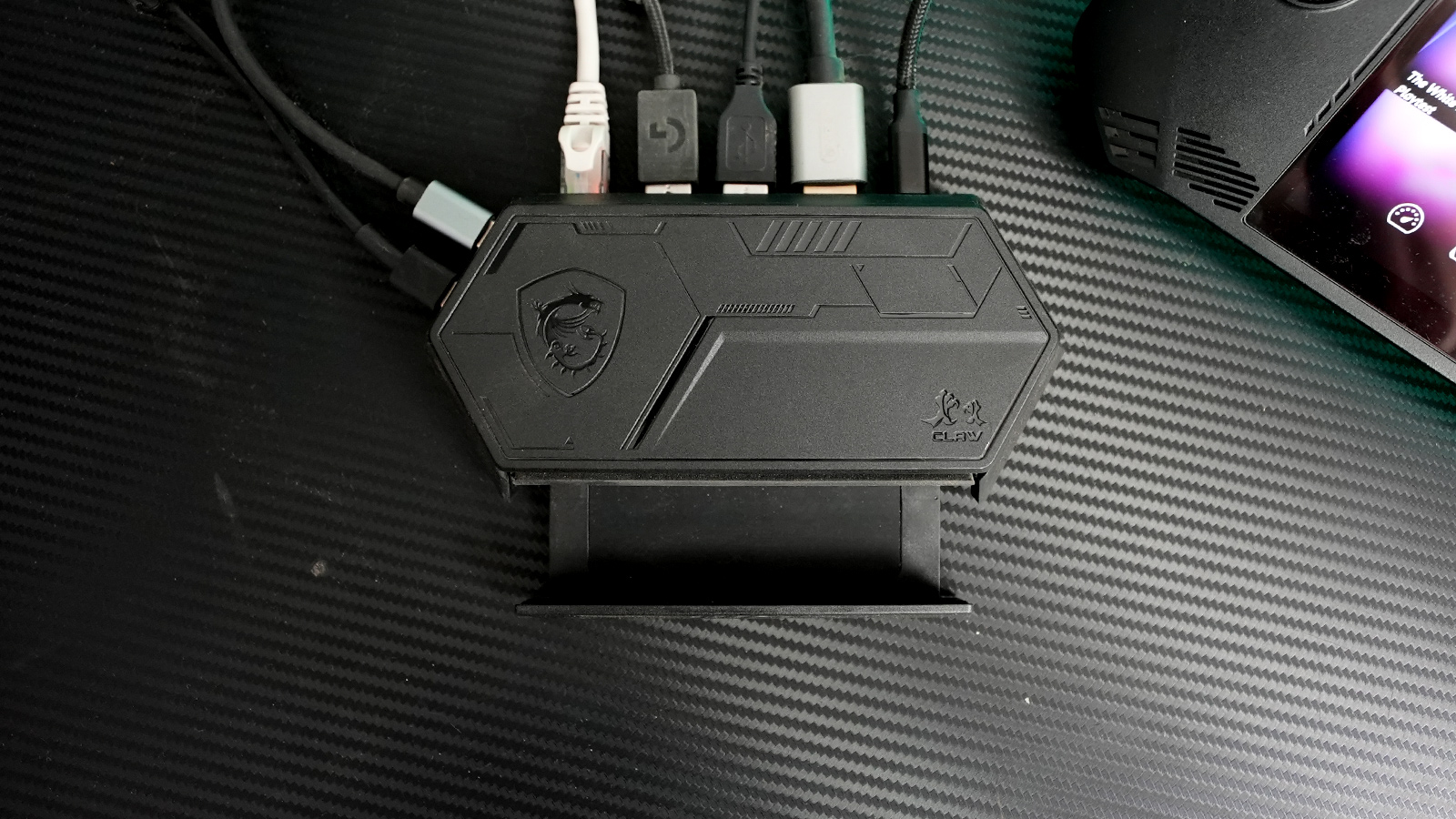
We also saw the introduction of two add-ons for the MSI Claw that you can buy for your console. The first one is the MSI Claw Accessory Kit, which contains a very solid carry pouch, lanyard, screen protector, and keyring. The second is a docking station called Nest, which turns your Claw into a desktop PC with all the connectors you’d need to run a big monitor, keyboard, mouse, and a few other peripherals.
Now, if you were to call me sceptical before we tested this product, I’d say that would be an understatement.
The MSI Nest is a small, unassuming black box with a small slide-out drawer and several I/O ports on the back and side. It functions as a console stand and charging docking station with power passthrough using the 65w USB Type-C charger you’ll find in the MSI Claw box. Interestingly, even though MSI recommends a 100W charger when you use all the ports, we did not run into any issues using the MSI Claw’s bundled 65W charger.

With power connected to the Nest, your next move is to connect the MSI Claw to the Nest using the supplied USB cable. This cable features a low-profile USB plug that is easy to remove when you want to take your MSI Claw with you.

Under normal conditions, you’d simply connect a screen, keyboard, mouse, network cable, and maybe an external SSD. But our dear publisher, Len, who is a sim racing fanatic, had the bright idea to hook the MSI Claw up to his sim rig. I was sceptical from the get-go but was quickly proved wrong when Len showed me his setup with the MSI Claw running his entire sim rig.
The rig consists of the Cooler Master DynX racing sim, a 34-inch LCD monitor and the Logitech G923 Trueforce Sim Racing wheel and pedals. Of course, a keyboard and mouse are also connected.

Setting up the MSI Claw with the Nest is pretty straightforward. The only real work you’ll need to do is install the drivers for your peripherals. Luckily, the MSI Claw runs Windows 11, so most desktop drivers will work. We got Logitech’s G Hub up and running in no time, made sure Asseto Corsa was updated and were up and running within minutes.

The response time from the peripherals to the MSI Claw is what you’d expect from your desktop PC. The only discernable difference you may notice is the slightly lower graphics performance compared to your high-end gaming rig. The MSI Claw runs Intel Arc graphics alongside the Intel Core Ultra 5 processor, and while I never thought it would run a sim rig like this, the proof is in the pudding.
Check out the video below for a closer look at how the MSI Claw with the Nest docking station runs a full gaming rig.