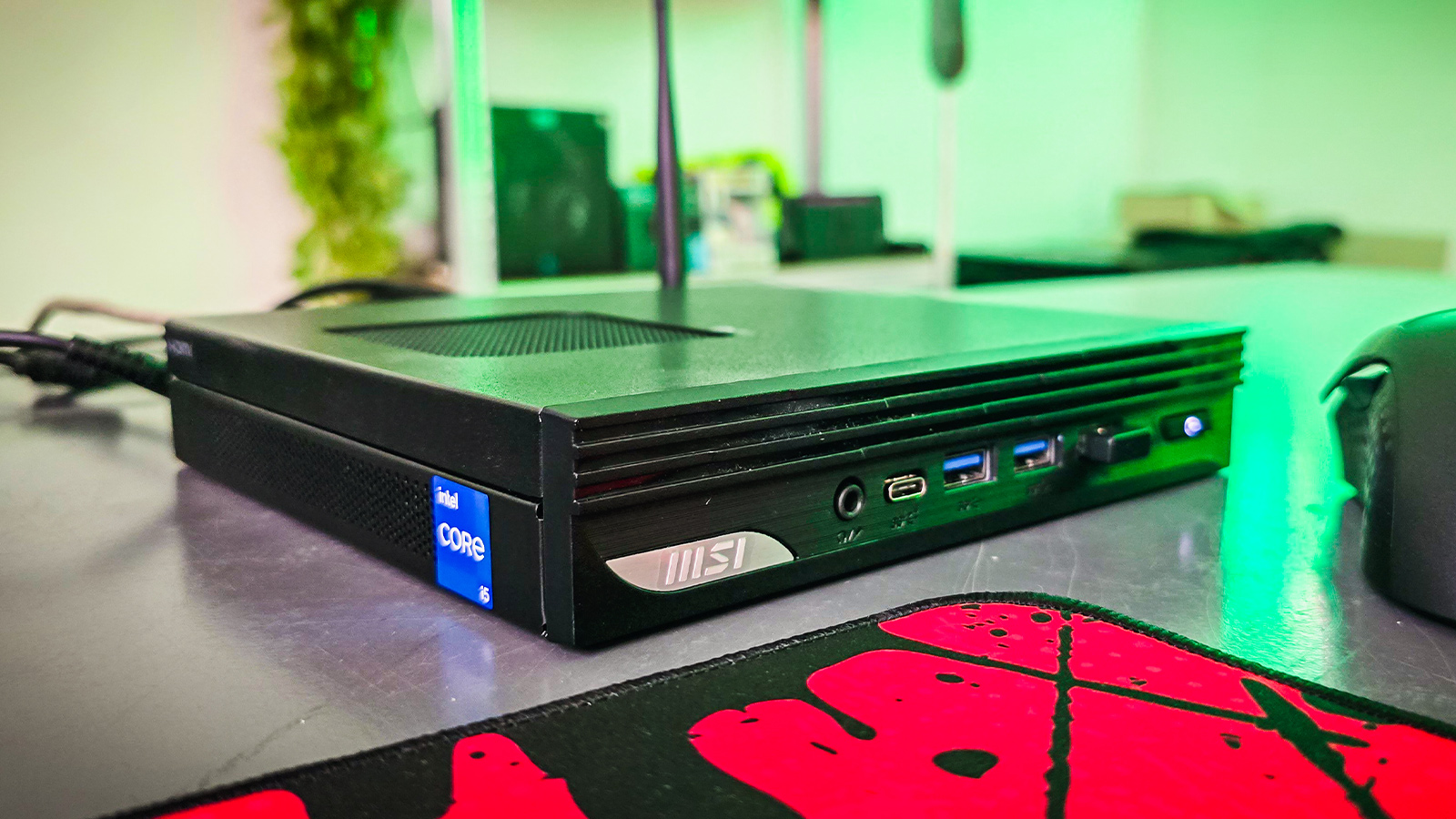
The latest MSI Pro DP10 landed on my desk recently, and if you’ve not yet held one in your hand, let me paint the picture for you.
Aimed at business and productivity users, the MSI Pro DP10 is a micro desktop PC that weighs just over 1kg. It’s rather portable from a size point of view, but these PCs aren’t built to be carried around; they are built to be mounted out of sight under the desk or behind your monitor.
For this purpose, the MSI Pro DP10 bundles a Vesa mount for mounting behind a monitor and a desk stand so that you can stand it vertically on your desk if needed. A bundled external power switch will give you easy access to your PC’s power button when you mount it out of sight—something I wish other chassis manufacturers would consider.
The MSI Pro DP10 is a cute-looking PC with plenty of I/O ports on the front and back to connect peripherals. This includes USB C, a Displayport and a mic-in/headphone-out port on the front of the PC. For applications that require an old VGA D-Sub, like point-of-sale, banking, or even that arcade cabinet you have sitting in the garage, the DP10 has one spare for you to use.
For users who have multiple monitors connected to their PCs, the MSI DP10 can power up to four displays if you use each of the ports: Thunderbolt, Displayport, HDMI, and that VGA port. Practically, you can connect up to three LCD panels using the first three display technologies listed. If you want to use 4k or 8k resolution panels, you’ll have to stick to the Thunderbolt port.
When it comes to performance, the DP10 will manage every business application you throw at it. While it ultimately delivers entry-level performance, you can add more RAM and a faster SSD to squeeze out more performance from the Intel chipset. Sitting at the heart of the MSI Pro DP10 is an Intel Core i5-1340P processor featuring 4 Performance Cores and 8 Efficient Cores. This processor can run at a maximum frequency of 4.60GHz and draws about 64W at maximum power.
Speaking of power draw, the entire system draws a maximum of 120w, so it’s handy for lower-power applications, too.
Driving the graphics on the SoC (System on Chip) is Intel UHD, which won’t give you much raw power for gaming, but if you are a Geforce Now subscriber, you’ll be able to stream games with ease. The MSI Pro DP10 will also function really well as a retro game emulator if you are into that sort of thing.

If network performance is important for your use case scenario, you’ll be happy to know that the MSI DP10 features an RJ45 port that supports 2.5G LAN, and it has Wi-Fi 6E support.
Further emphasising the productivity angle, the MSI Cloud Center app is supported on the DP10. This software allows you to backup and transfer files between this PC and an Android or iOS smartphone. It’s a handy tool if you want to access your files remotely.

Looking at the performance benchmarks, this is what you can expect from this little PC.
Running PCMark 10, an all-round office productivity benchmark, resulted in an overall score of 4,981, while 3DMark’s CPU Benchmark gave the MSI DP10 M13 a Max threads score of 4,696.
It is still impressive that micro PCs give us this much power in such a small form factor. Besides office use, these small PCs have many other practical uses in the real world. Just bump up the RAM from 8GB to 16GB to ensure you get the best from this little machine.