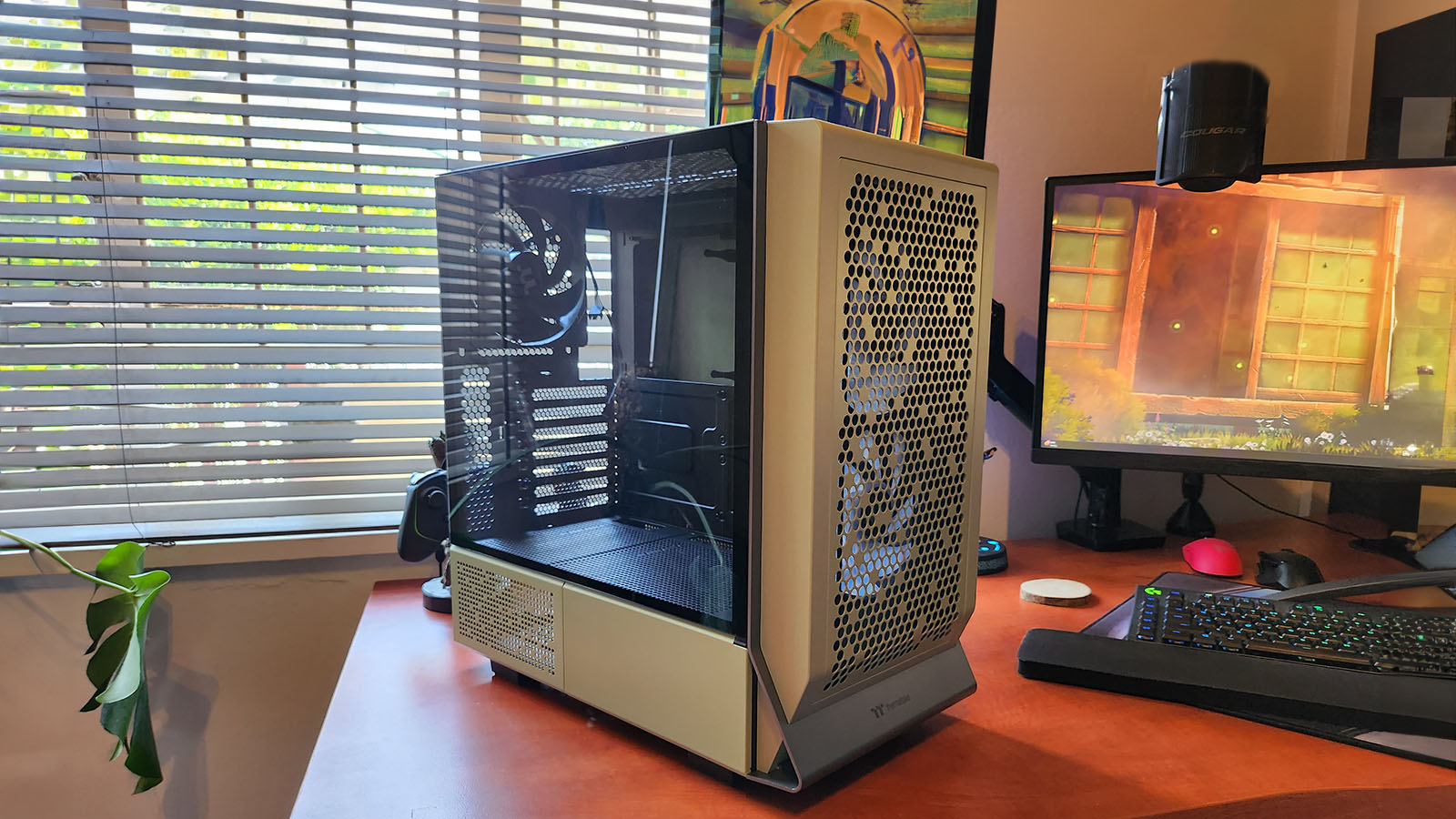
There comes a time in every gamer’s life when their significant other tells them that the gaming room- err, I mean office – has too many figurines on the shelf, too many game posters on the wall and their dusty black PC case just doesn’t fit the aesthetics of the rest of the house.
Fret not, my gamer friend, because we have just the thing you need to simultaneously keep your rig out on display and keep your interior designer partner happy.
The Thermaltake Ceres 300 TG ARGB Mid Tower Chassis.
In Matcha Green.
It was just a few months ago that we had the slightly larger Thermaltake Ceres 500 ARGB in our offices, and while the Thermaltake Ceres 300 TG ARGB might be just that little bit smaller, roughly 10%, it doesn’t lose any of the great things you get from the Ceres range of cases.
The Thermaltake Ceres 300 TG ARGB features a split housing design, meaning your PSU is kept in a separate compartment at the bottom of the case, and the rest of your components are housed above. This design allows for a neater internal look, especially considering the top compartment can be shown off via the tempered glass side panel.
The Ceres range of cases also comes with the optional LCD Panel, which can be inserted in the bottom panel where the power supply lives. For those wondering, yes, you can get a Thermaltake PSU in Matcha Green too, so you won’t need to worry about ruining the overall aesthetic. I’d also get the optional LCD panel, I’m a sucker for all those non-necessary things, but it will cost you just as matcha the case itself, and it’s currently not stocked in the country. [I see what you did there 🙂 – Ed]

The decrease in overall size compared to the Thermaltake Ceres 500 ARGB does, of course, mean there will be some trade-offs. For one, you can’t fit a full 360mm radiator on the top of the case, just one in the front, but a 280/240mm radiator will still fit on the top of your case if you are dead set on two radiators. You’ll also need to bear in mind that if you do install a radiator on the top of the case, there will be a bit of overlap of the motherboard behind it. It’s not too much of a train smash, but it does hide the motherboard a bit, and it does make future modifications a little more complicated.
The smaller size also means you can only include two extra hard drives in your build. Either one 3.5-inch drive and one 2.5-inch drive or two 2.5-inch drives.
Other than a top radiator getting in the way, building into the machine isn’t too much of a hassle. The main compartment is nice and deep, and there are quite a few cable access ways feeding both to the back and the bottom of the case. The back side does seem a bit narrow for cable stashing, but there’s ample space in the PSU compartment to hide all that extra length, should you need it.
There are two velcro straps attached to the case, and a small pack of cable ties included as well to help keep things neat and tidy, too.
The I/O ports now sit on top of the case, which I much prefer to the Thermaltake Ceres 500 ARGB, which has them on the left. You get two USB 3.0 ports, a USB-C port, a headphone jack, a microphone jack, the RGB switch and, obviously, the power button.

The expansion panel at the rear of the case also features Thermaltake’s patented rotating design, which allows you to mount your GPU and other expansion cards in the usual horizontal fashion or vertically using a riser.
The Thermaltake Ceres 300 TG ARGB also comes standard with two 140mm CT140 ARGB fans in the front and a 140mm CT140 in the rear. I don’t really like that they’ve included a fan without RGB here. I feel like most people would either want all of their fans to have RGB or none of them, not both. Personally, the Matcha Green colour looks best without any RGB included, and I’m sure your significant other would appreciate fewer lights, too.
The best part is, even though the Thermaltake Ceres 300 TG ARGB is only a tad smaller than its bigger sibling, it’s less than two-thirds of the price. You can pick it up for around R2,199, although this gorgeously green version will cost you a little bit extra, coming in at around R2,350.
At the end of the day, the Thermaltake Ceres 300 TG ARGB is an excellent mid-tower case that would look stunning in any setup you build it into. From cosy, Matcha Green builds to full black, Arkham night vibes. The added grey-accented lip also goes well with all three of the colours. There’s a good amount of room inside to house almost any build you can imagine, and the separate compartments make for a clean look that helps us messy builders hide all our cables with ease.