There’s nothing like heading to your parent’s home and enjoying your mum’s cooking. Returning to your roots floods your system with good memories and those blissful emotions of being young again — the good old days, as we like to call them.
A well-rooted memory of mine is how much enjoyment I got out of my SteelSeries Rival 110. It was a simple mouse with six buttons, a bit of RGB, a comfortable grip and, at the time, was lightweight, coming in at around 80g. I used that mouse until it failed on me, and then when hunting for a new one, I noticed it had reached End of Life. It was gone.
Fast forward seven years and the Razer Cobra just landed on my desk. Like a slang falling from a boom, it kurplunked and slid across the surface before unexpectedly knipping me on the elbow.
As I began to unbox it, I immediately noticed a few similarities to that old SteelSeries Rival of mine. The Razer Cobra looked too simple, sophisticated, and superb. After plugging it in and using it, I was taken straight back to those before-mentioned good old days – pwning noobs under never to be used again aliases and being king of Dust 2, maintaining a 26.3 KDA.
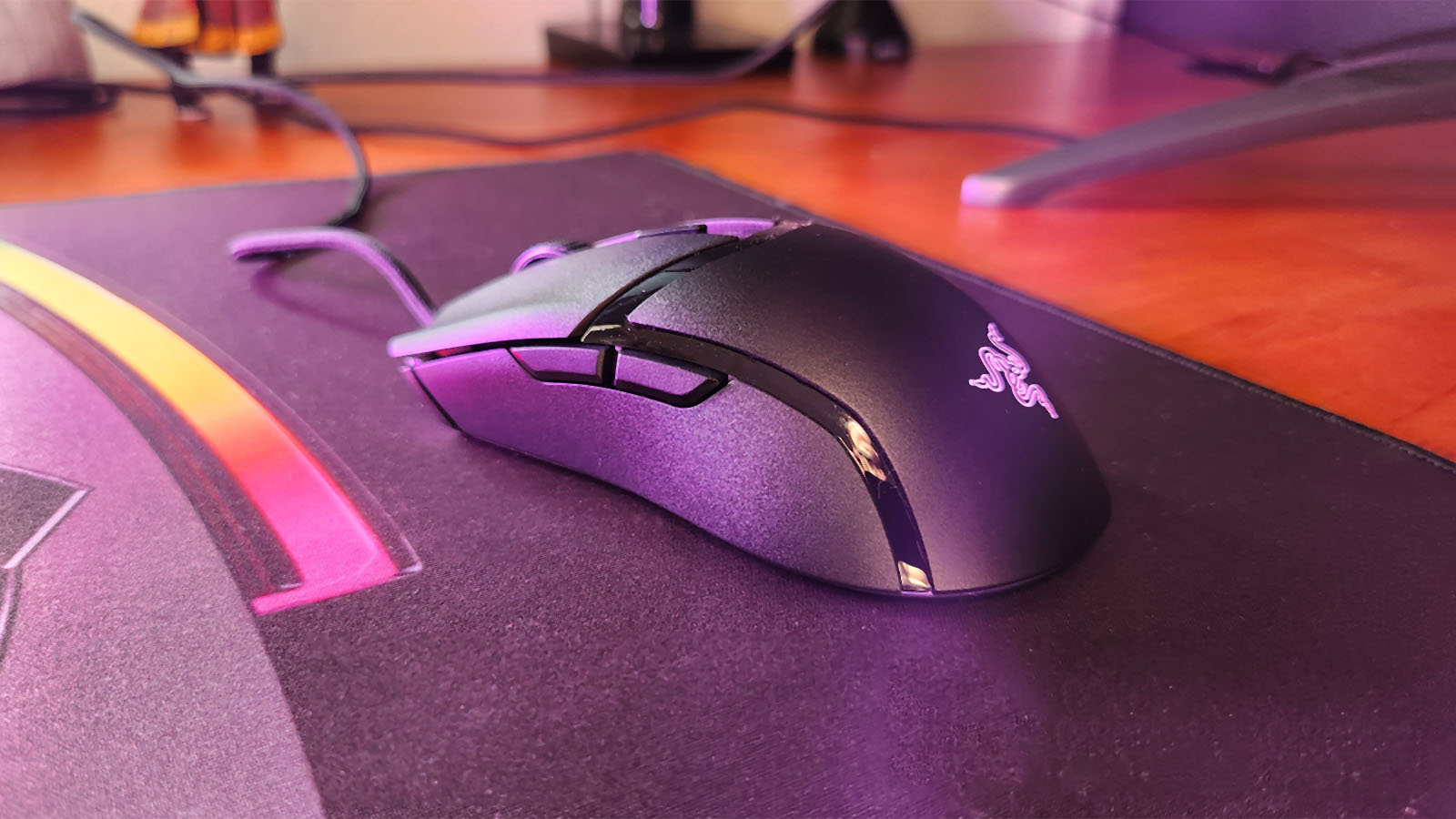
The Razer Cobra is not show-offy or gimmicky in any way. It’s black, it has two side buttons, and it has a little bit of RGB. It’s comfortable to play with whether you use a claw grip, like I do, or a full palm grip, like an orangutan [You are challenging my fu. This calls for war – Ed], and believe it or not, it is lighter than a Superlight.
 Weighing in at 58g, shaving off two whole grams from the Logitech Superlight 2, the Razer Cobra effortlessly skates across the mouse pad, making for nice, quick movements from one enemy’s head to another. Pair this with two easy-to-access side buttons and two main buttons that have very satisfying and firm clicks, thanks to Razers Gen-3 Optical Switches, and you’ve got yourself a decent mouse. Throw in the 100% PTFE feet, onboard memory for a single profile and Razer’s 8500 DPI sensor that can be adjusted granularly in 50 DPI increments, and now you’ve got yourself a decent gaming mouse.
Besides all that, what really gives this mouse something to brag about is the Speedflex cable. It was almost too light to feel when I held it in my hand, and if I had to close my eyes and move the Razer Cobra around, I wouldn’t have been able to tell you that the mouse was wired at all.
The Razer Cobra was very easy to pick up and play with by default but was also very easy to adjust with Razer Synapse. I quickly loaded my three different DPI settings, work, FPS, and MOBA, and jumped straight into a game, enjoying every minute further. Those firm clicks from the main buttons provide a good amount of feedback without sounding tinny, and knife kills aplenty were coming from those side buttons. I might not have gotten the chicken dinner on my first round, but I was sufficiently satiated by how many deaths I managed to dish out.

I guess that just leaves how much this wired yet wireless, simple killing device costs. Well, it’s priced pretty similarly to other brands of mice in the same category. You can expect to spend R999 on the Razer Cobra. For comparison, the Logitech G Pro sits around R1,249, while the SteelSeries Rival 3 comes in at R799.
Sure, the Razer Cobra doesn’t have much slapped under the hood. It doesn’t have wireless capabilities, eleven different RGB zones, 56 programmable buttons or a freewheeling mouse wheel nestled between its buttons. What it does have, it utilises excellently. It’s a good mouse that you’ll enjoy using for years to come, and when something eventually breaks, you’ll certainly miss it… so maybe get two, just in case.