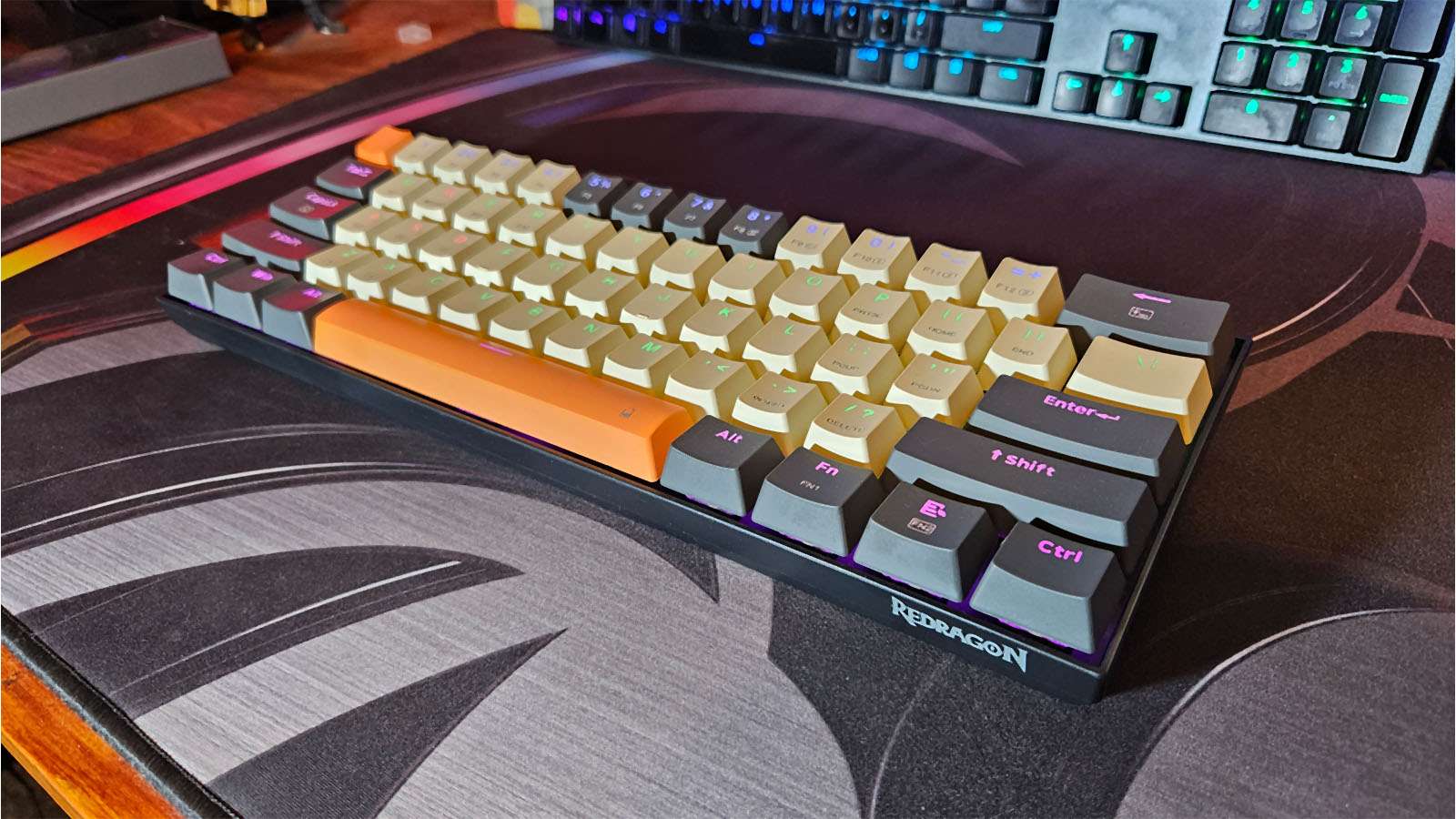
The 60% mechanical keyboard is probably the keyboard you dream about when you conjure up thoughts of yourself as a professional gamer. Its sleek and compact design, packaged with your key and keycap of choice, makes it an excellent tool for serious gamers. As to be expected, brands have copped on, and now everyone and their mama is making one, so it’s crucial to find out which ones are good and which ones aren’t.
The Redragon K644 Caraxes Pro 65% RGB Wireless Gaming Keyboard is one of these mechanical keyboards, but is it worth your time? Let’s find out.
To start off, the Redragon K644 Caraxes Pro is technically not a 60% keyboard; it’s actually a 65%, and that’s because Redragon has opted for slightly larger keycaps over every other keyboard out there. The layout is exactly the same as a 60% keyboard, but the keycaps are 1.2x larger. Why? Well, some people have larger hands and fingers than others, and this keyboard is made for them.

This doesn’t mean we regular-handed folk won’t be able to use the keyboard, but it does take some time to get used to where all your fingers need to go. I often found myself trying to crouch down but landed up accidentally hitting the Windows key.
These bigger keycaps have another downside to them, though; no one makes replaceable 1.2x-sized keycaps. While I do think the standard caps that it comes with are pretty stylish and have an excellent feel to them, half of the fun when it comes to mechanical keyboards is customising it your way. These keycaps also mean the fittings for the bigger keys, like Shift, Enter and Backspace, don’t quite align with other keycaps from a standard-sized set, should you try to fit normal keycaps to the board.
That’s pretty much the only downside when it comes to the Redragon Caraxes, though. The rest of the time is a completely blissful experience.
I know I say this often, but this time it’s different. Generally, I’m a clicky blue-switch kind of guy, but I found the Redragon red switches that the keyboard comes standard with quite a pleasant experience to use. They have a very satisfying glide to them on the way down; the thud at the bottom doesn’t feel springy, and they pop the keys back up nice and quick.
It’s also got a nice, sturdy build to it. I could bang around on the keys all day, and it sat there, nice and still, on my desk, not budging.
You have three options when it comes to connectivity, the first being a braided USB-C cable, the second being via Bluetooth, and the third is by using a 2.4GHz wireless dongle. I did find that when connected to a USB 2.0 port, the wireless dongle had a bit of a connectivity issue. Sometimes it worked, sometimes it didn’t. However, when I moved it to one of my USB3 ports, there was no issue. Bluetooth connectivity also worked as well as you’d expect, but for gaming, I’d stick to the dongle or the direct cable connection.

I found the battery life quite impressive, too. After about a week of gaming, I still had 60% left in the tank. To check the battery life, you hold down the function key and hit space, and the numbers light up at the top, showing you how full the battery is. That might sound so simple, but it was such a neat little feature that I had to mention it.
Speaking of RGB, each key has a customisable RGB light beneath it, so you can create your own light pattern on the keyboard using the Redragon software. Sadly the software could use a little work if you asked me, but it gets the job done.
Round it off with the low price of only R1,199, and you’ve got yourself an awesome keyboard for almost half the cost of any competing product.