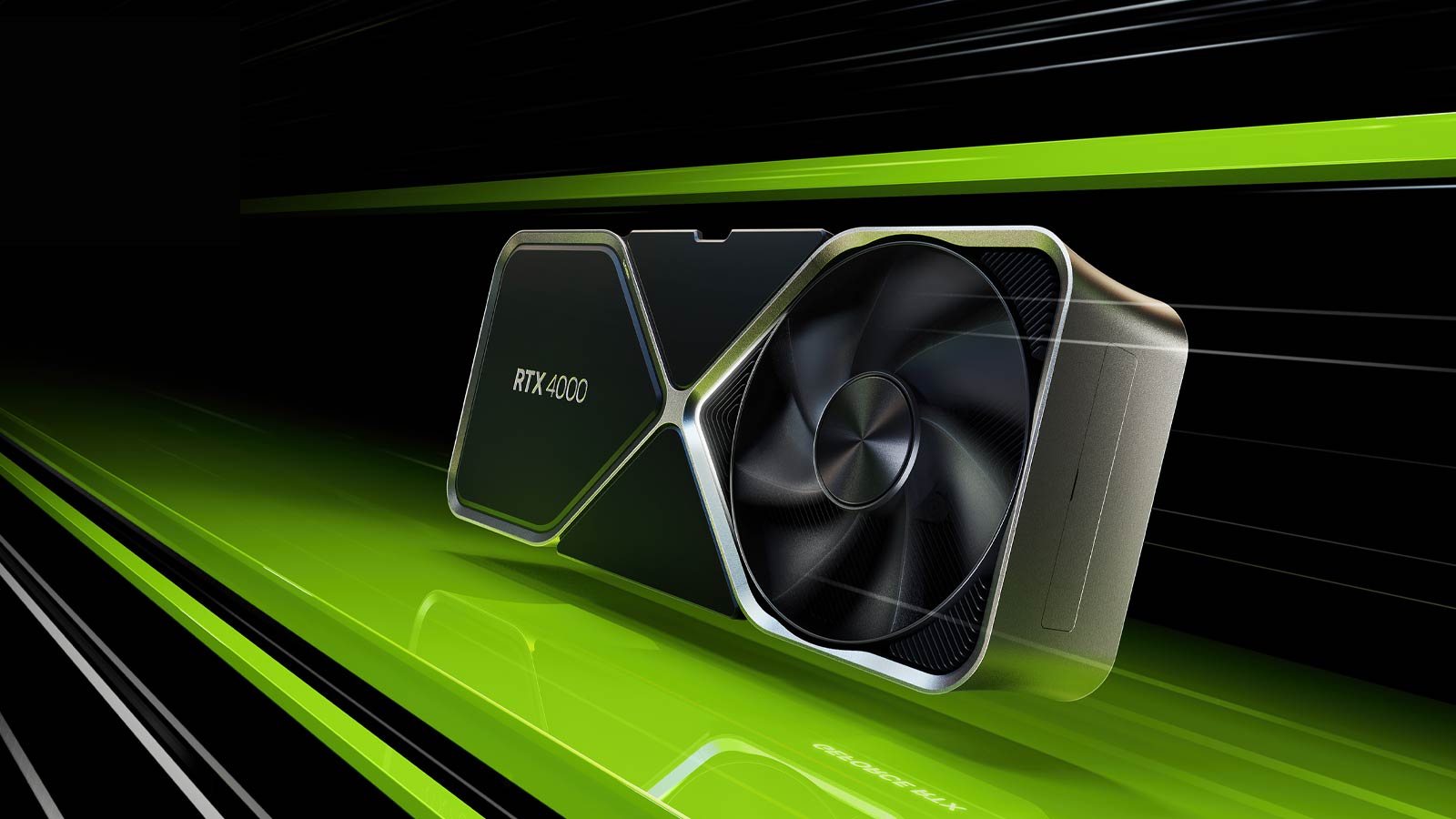
Have you ever wondered what, in practical terms, is the best bang-for-buck graphics card in the Nvidia GeForce RTX 4000 lineup?
We debate this often at the NAG office despite numerous reviews on many of the available SKUs. It’s not clear at a glance which GPU in the family represents the best value for money among them.
When NVIDIA announced the RTX 4000 series in 2022, the biggest shock to gamers and enthusiasts came by way of pricing. Barring the range-topping GeForce RTX 4090, the rest of the lineup ushered in record-high prices, while performance outside of ray-tracing-related contexts was underwhelming.
Months later, things have improved, not only where overall performance is concerned but in pricing as well. Outside of the A-tier brands, GeForce RTX 4000 series cards can be had from as little as R6,700 all the way to R36,000 for the range-topping card.
In light of this, we gathered a number of graphics cards from MSI, Gigabyte and Asus in order to find out which GPU in the RTX 4000 series offers the most bang for your buck.
The Nvidia RTX 4000 Family
All graphics cards were tested on the same system, with the same settings, using the same version of the testing software. Your graphics card may perform better or worse depending on your system, but the following cards are a reliable representation of each SKU. Factory overclocking does not change the product stack in any way. You can see more details on the test bench further down.
Note: There is another GPU in the RTX 4000 family; the RTX 4050 is a laptop GPU that offers mid-range performance for portable computers. We did not include it in this roundup.
MSI GeForce RTX 4060 Ventus 2X
Price: R8,499
Where to buy: Evetech
The MSI GeForce Ventus 2X RTX 4060 Card is a basic, no-frills graphics card that sells itself on affordability above all else. Where GeForce RTX 4060 cards go, there’s no need to splash out on the factory OC models, as performance variations between the models are next to zero in real-world tests.

GIigabyte GeForce RTX 4060 Ti Gaming OC
Price: R12,000
Where to buy: Progenix
GIGABYTE’s GeForce RTX 4060 Ti 8GB Gaming OC features the largest power draw headroom, allowing an impressive 35% more power draw than the reference specification. This seemingly small advantage allows the graphics card to draw over 170W of power during load, meaning the clock frequency is higher, and so too is performance versus other models. That said if you don’t need that slight clock advantage, you can pick up the equally impressive Gigabyte GeForce RTX 4060 Ti EAGLE 8G for R10,202.

MSI GeForce RTX 4070 Gaming X Trio
Price: R15, 699
Where to buy: Evetech
MSI’s Gaming X Trio GeForce RTX 4070 is about as impressive an RTX 4070 as you’re ever going to get. It features a massive cooler that’s twice the size of the card, stylish RGB lighting and, most importantly, plenty of performance to boot. Add MSI’s Afterburner utility for extracting even more performance, and you have, at least, on paper, one of the best GeForce RTX 4070 cards money can buy.

Asus TUF Gaming GeForce RTX 4070 TI
Price: R22,499
Where to buy: Computermania
Let’s all remember that the GeForce RTX 4070 Ti began life as the GeForce RTX 4080 12GB. This matters simply because it uses a different die than the regular GeForce RTX 4070, bringing its performance closer to that of the RTX 4080 than the RTX 4070. This particular Asus TUF Gaming model is built incredibly well and, for most users, will just be as impressive as the STRIX model. The price is steep, but there’s no denying the performance on tap.

MSI GeForce RTX 4080 Gaming X TRIO
Price: R28, 950
Where to buy: Wootware
MSI’s Gaming X Trio GeForce RTX 4080 is about as powerful a graphics card as anyone is likely going to need. The price is high, but so too is performance, capable of powering most games at 4K. If there’s a title that isn’t able to attain 60FPS+ at 4K, it’s nothing DLSS can’t fix set to the highest quality mode.

Aorus GeForce RTX 4090 MASTER
Price: 47,900
Where to buy: Wootware
The Aorus card is reserved exclusively for those who will spare no cent in their pursuit of gaming nirvana. Packing in 24GB of memory and the most powerful desktop GPU money can buy, there’s less than a handful of titles on the market that won’t produce 60FPS+ at 4K native without DLSS. The GeForce RTX 4090 is quite simply the fastest desktop GPU ever to exist and it looks as if it’ll remain so for some time. As for the price, let’s just say you can buy an entire gaming PC powered by the GeForce RTX 4070 Ti for less.
Test System
| CPU | Intel Core i9 13900 K |
|---|---|
| Memory | G.SKILL Trident Z5 RGB DDR5 6000 |
| Motherboard | ASUS ROG Maximus Z790 Apex |
| Power Supply | CORSAIR 1500i |
| Operating System | Windows 11 (22H2) |
| CPU Cooling | EKWB Phoenix 360mm CLC |
Benchmarks
- CDPR – CyberPunk 2077 version 1.63
- Unigine Super Position Benchmark version 1.1
- UL 3DMark Benchmark Suite version 2.27-8160
Benchmark Results
CyberPunk 2077
CyberPunk 2077 represents the latest in graphics rendering technologies, including the much-vaunted Path tracing, which, in layman’s terms, is an advanced version of Ray Tracing. While the game isn’t built on the most capable game engine on the market (that honour rightfully belongs to UE5), it does represent a tough workload in a popular game with some of the best visuals in any shipping title. The game also allows us to make use of key technologies for the RTX 4000 family in the various iterations of Deep Learning Super Sampling (DLSS).
With every generation of graphics card, NVIDIA increasingly relies on DLSS, as each version brings new features and in the case of DLSS3, Frame Generation. A new way of utilising specific maths accelerating silicon within the GPUs to bring even greater performance than before.
It is in light of this we chose to test the raw performance of each card at 1080P (For the sake of the 8GB graphics cards) without the use of DLSS. The three most relevant cards in the lineup at each resolution (FHD, QHD and UHD) were tested again to determine what were the best settings for each and which technologies to employ for the best balance between visuals and performance. The performance we are looking for is 60FPS+ at the target resolution.

UL 3Dmark Benchmark Suite
3DMark needs no introduction. It is by far the most popular graphics card benchmark suite, with roots stretching back to 1998 under the Mad Onion moniker.
In this test, we chose tests that best represent modern GPU gaming workloads, such as CyberPunk 2077. In light of this, we selected the pure ray tracing 3DMark Speed Way test and the slightly older but still relevant 3DMark Port Royal.
3DMark Port Royal takes advantage of Ray tracing to produce realistic, perspective-correct – specular reflections. The test scene accurately reflects objects that appear outside screen space (the part of the world directly visible to you) and others that are hidden from view within screen space. Port Royal utilizes DirectX Raytracing to render accurate shadows, which is otherwise not possible with traditional techniques.
3DMark Speedway adds to the techniques employed in Port Royal by way of real-time global illumination and improved real-time raytraced reflections, courtesy of DirectX Raytracing 1.1. This test is a more complex workload for GPUs because it is forward-looking, using advanced techniques to achieve the desired look. As such, the lower performance compared to Port Royal is to be expected. Visual enhancements aren’t the only change the test brings, as it features performance optimizations like the use of Mesh Shaders.

Unigine SuperPosition 1080P Extreme
Unigine’s SuperPosition benchmark may not be as popular as 3DMark among gamers, but enthusiasts and overclockers should be familiar with it. It’s the oldest application in this roundup, representing some of the best visuals in any benchmark, even today. While the benchmark was made with DirectX 11 hardware in mind and uses exclusively that API (at least the free version). It does feature a custom Screen-Space Raytraced Global Illumination technique that’s usable on hardware that isn’t DirectX 12 Raytracing compatible. Despite using an older APIU and custom lighting solution, benchmark renders a detailed and well-lit scene that looks incredible even by today’s standards.
We chose the 1080P Extreme profile because it is the most taxing and should remain relevant for a few more years.

Interpreting Results
Ideally, we’d have preferred to standardise playable settings across all three graphics cards and resolutions, and we would have. However, we wanted to avoid frame generation where possible because not everyone is happy with the technology yet, dubbing it ‘fake frames’ (We aren’t partial to this, but the sentiment among some gamers is noted). That aside, the technology is fantastic and is obviously here to stay. The visual artefacts it introduces in some scenarios will be sorted, and there will be a time when they are minimal, if not completely eradicated.
True as that may be, we aren’t quite there yet, so we settled on DLSS2 set to Quality mode as our preferred image reconstruction setting. Where we couldn’t reach 60FPS, we turned to DLSS3 frame generation with the Quality preset selected.

NAG Editor’s Choice Awards
Best for 1080P – Full HD Gaming
GIGABYTE GeForce RTX 4060 Ti Gaming OC
Based on the results, it’s clear that the GeForce RTX 4060 Ti is the most cost-effective when balancing performance against price for 1080P gaming. From the recorded figures, it’s clear that the best combination of settings in CyberPunk 2077 is using DLSS2 in Quality mode at 1080P, which delivers a comfortable 82fps.
Best for 1440P – Quad HD Gaming
MSI GeForce RTX 4070 GAMING X TRIO
The GeForce RTX 4070 is the middle-of-the-range GPU that strikes the best balance, it seems, between performance and price. While we do wish it was a smidgen cheaper (R500 would make a difference), it still stands head and shoulder above the others when all things are considered. For 1080P gaming, you need not use DLSS at all, as it produces 60fps on average. However, at 1440P, when utilising DLSS2 Quality mode, the performance increases to 68fps. Visually, it looks better at 1440P and is buttery smooth, able to maintain 60fps even when rendering the most intense scenes.
Best for 2160P – Ultra HD Gaming
MSI GeForce RTX 4080 GAMING X TRIO
For the GeForce RTX 4080, things are a little more complex than we would have thought. The graphics card just falls short of the 60fps mark when using DLSS2 in Quality mode and a 4K setting, delivering a still playable 54fps on average. Still, our target was 60fps, and as such, it’s best to use the Auto or Balanced preset, which does just enough to bring the performance to an average 65fps, hitting our target frame rate with no visible compromise to image quality during gameplay.
NAG Recommended Settings
| GPU | Resolution | DLSS Mode | Frame Generation | Avg FPS |
|---|---|---|---|---|
| GeForce RTX 4060 Ti | 1080 | FHD | Quality | No | 82 |
| GeForce RTX 4070 | 1440 | QHD | Quality | No | 68 |
| GeForce RTX 4080 | 2160 | UHD | Balanced | No | 65 |
The Verdict
After all the testing, we found the most appropriate graphics card for each resolution and used our self-imposed constraints regarding image quality and performance. What is clear, however is that the GeForce RTX 4070 is the best bang for the buck graphics card in the entire lineup and perhaps the most balanced as well.
At 1080p, it will deal with anything without the assistance of DLSS. At 1440p, it pretty much does the same but leans on the DLSS2 at its highest setting. It is only at 4K where you will have to use DLSS3’s frame generation technology in Auto mode. While this setting was not part of the testing criteria, it does allow the GeForce RTX 4070 to record 74fps on average. This represents adaptable graphics that rely on raw power at a lower resolution and, as the pixel count increases, resort to image reconstruction techniques to various degrees and visual quality.
Best of all, if you’re willing to purchase outside the A-tier manufacturers whose graphics cards we used for this roundup. You can save quite a bit of money if you shop around specifically where the GeForce RTX 4070 GPU is concerned; you can these cards for as little as R13,000. If it could win the roundup at R15,699, it makes an even stronger case for itself at lower prices. The GeForce RTX 4070 12GB is by far the best value-for-money card in the GeForce RTX 4000 family.