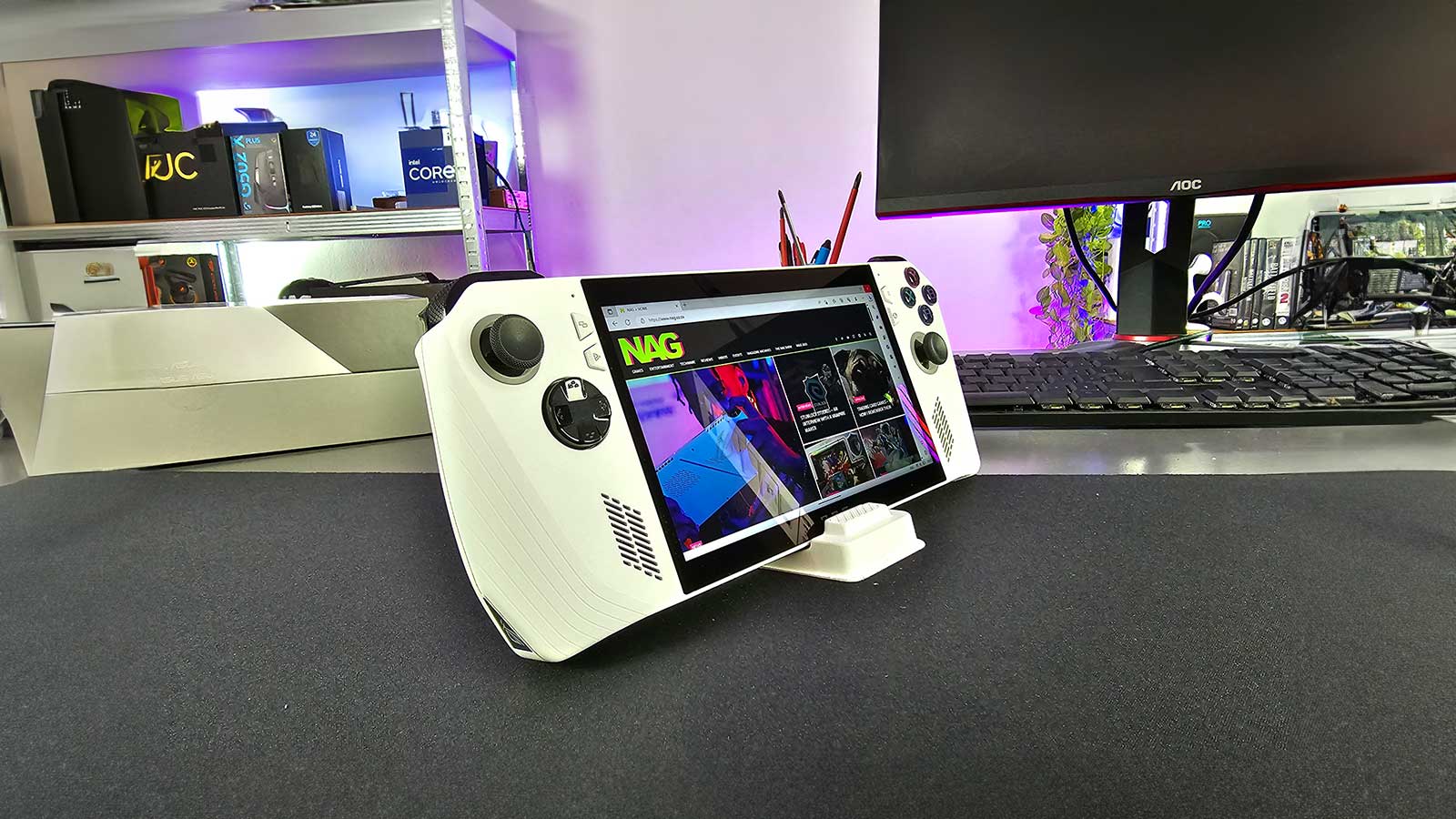
Handheld gaming devices make so much sense when you consider how far computing technology has brought us. So when Valve launched its Steam Deck last year, we all got excited about the potential of carrying our Steam library with us wherever we go. On paper, this sounds amazing but as a notebook gamer, with a deep love for mobile gaming on my smartphone, I know the realities of what is possible often overshine the marketing speak that is sold to us. For once, it seems, the promise is real and barring a few minor issues with this device, the Asus ROG Ally has shown me the light.
So, what is this the Asus ROG Ally? In short, it’s a handheld gaming device with enough power to run most of your PC game library. Unlike the Steam Deck, this one actually runs a full instance of Windows 11 allowing you to run much more than just games. Even though it has dedicated software called Armour Crate, you can still access and run games for each respective game library.
The Asus ROG Ally has a beautiful 7-inch touchscreen with a respectable resolution of 1920 x 1080 pixels at 120Hz. The screen is really bright and more than adequate for the task at hand. Wrapped around each end of the screen is the controller. No surprise that it takes the Xbox controller layout which made me feel right at home. There are also a set of two shortcut buttons on either side of the screen as well as a bumper and trigger to keep your index finger busy. On the back you’ll find two customisable macro buttons.
At the heart of the ROG Ally sits the AMD Ryzen Z1 Extreme processor with integrated RDNA 3 graphics. This processor was purpose-built for handheld PCs and the ROG Ally is the first Windows-based console to integrate this new line of chips. The clock speeds of this little chipset are rather impressive with a base clock of 3.3GHz on the CPU and 2.7GHz on the GPU. There is also 16GB of LPDDR5 RAM and 512GB of NVMe storage – expandable by way of a UHS-II MicroSD slot. All-in-all great specifications.
The unboxing experience, as you’ll see from The NAG Show episode 16 is a pretty straightforward one and only contains the device, a 65W USB-C power brick, some paperwork and a cardboard stand. It’s functional, but odd I know. I was surprised at how lightweight the ROG Ally was and at just over 600g you can understand why.
Holding this gaming device in your hand is comfortable with all the buttons easily accessible. The USB-C power connector sits at the top of the Ally and this is important because you’ll likely be doing a lot of gaming with it plugged in, and I’ll explain later. The air vents are also situated on top and while the ROG Ally does get hot, it never got uncomfortably so.

For audio, you can connect Bluetooth or 3.5mm wired headphones but the onboard speakers performed really well with decent game audio that was loud enough for personal enjoyment.
In terms of hardware, the ROG Ally is an impressive piece of engineering and as a PC geek, my mind runs wild with all the capabilities that this device has to offer me beyond gaming. Running Windows was a really smart move here and it’s what gives the ROG Ally an edge over Valve’s Steam Deck.
You can install all of the major gaming platforms but out of the box, the ROG Ally supports EA, Steam, Epic Games, and most importantly, Xbox Game Pass. Microsoft is pumping a lot of effort into its gaming platform which is by far one of the most accessible and offers great value for money to gamers. If you are into older games, you can also play games from your GoG (Good Old Games) library.

As I booted up the Ally for the first time I was excited but not quite sure what to expect. Having seen the Steam Deck, I was envisaging a lick user interface that manages everything I’d like to do but instead, I was greeted by Armoury Crate SE. While this app does a great job of giving you easy access to your game libraries, controlling various settings and modes and your RGB lighting, I found the user experience not as slick as I would have liked, even frustrating at times. You are still heavily reliant on using the Windows 11 user interface for anything else you’d like to manage, and this is easier said than done. I think the solution should be a handheld mode in Windows or a more entrenched Armoury Crate app that will let me enjoy a better Windows experience with this form factor. I do think we’ll see more software solutions to these problems as these devices become more popular. In fact, you may even be able to run Valve’s Steam OS in the near future.
It’s also worth noting that our review unit had pre-release software which, according to Asus, meant that battery life and performance are not as good as what the retail version should be with an estimated 15% to 20% performance improvement expected. We’ll certainly compare notes once we have our hands on a new revision.

When it comes to gaming, the Asus ROG Ally lets you play at 1080p or 720p. Then you have a few performance modes that you can pick but to be honest, Performance and Turbo modes are where it’s at. Anything that gives you lower performance will help with battery life but you will dislike the experience. I found the sweet spot to be 720p and sadly, staying plugged in. This unlocks the Turbo mode and gives you a few percent better performance in game. Gaming in Performance mode on battery will give you between one and two hours of game time depending on the game you are playing. Charging on the other hand will take just over an hour to give you a full battery.
Most of the games we threw at the Asus ROG Ally performed well while the more demanding games needed some tweaking in the game’s graphic settings to play. Depending on the game and settings, you can expect anywhere from about 30fps up to around 60fps for newer games while older and less intensive games will make it easier to hit that 120fps mark. We played everything from Cyberpunk 2077 to Fortnite, Forza Horizon 5, Stray and Knight Crawlers. The overall consensus in the office was that the ROG Ally holds its own and we were suitably impressed.
One of the things that really excited me the most about the ROG Ally was the ability to run virtually any emulator to bring back older games that are perfect for this device format. Yes, it’s great to play Red Dead Redemption 2 on the go but I had the most fun playing platformers like Cuphead while laying on the couch. Indie games also seem to be a hit among gamers, and they also seem to work well, my favourite was Zombie Driver.

As a keyboard and mouse gamer, I took a little longer to get used to the wider gamepad feel but after a few games, I felt right at home, though your mileage may vary with this form factor.
There will be some accessories available for the ROG Ally, like the ROG Raikiri Pro and more importantly, the ROG Gaming Charger Dock that will let you hook up your device to a big screen but sadly it’s not something I was able to test this time around.
It’s really hard not to like what Asus has built here. It works well even though the Asus UI and Windows interface needs work to be more accessible on portable PCs like this. At just under R16,000 it won’t be everyone’s cup of tea but there is not doubt it will be really loved among gamers who get one. With some more development work on the software, I can see my next favourite mobile gaming device as the Asus ROG Ally.