Mmmmm, new tasty things! I know some of you may be scared of updates, a lot of the time they bring more pain than anything else. Personally, I love ’em, let me see what new things you have brought us O’ Lord of the Update!
This time around, said lord hath brought for us some juicy, new Steam UI updates. They are currently being tested by anyone who has signed up for the Beta Client, but after a few tweaks and changes from the feedback the updates should hit the general populace pretty soon.
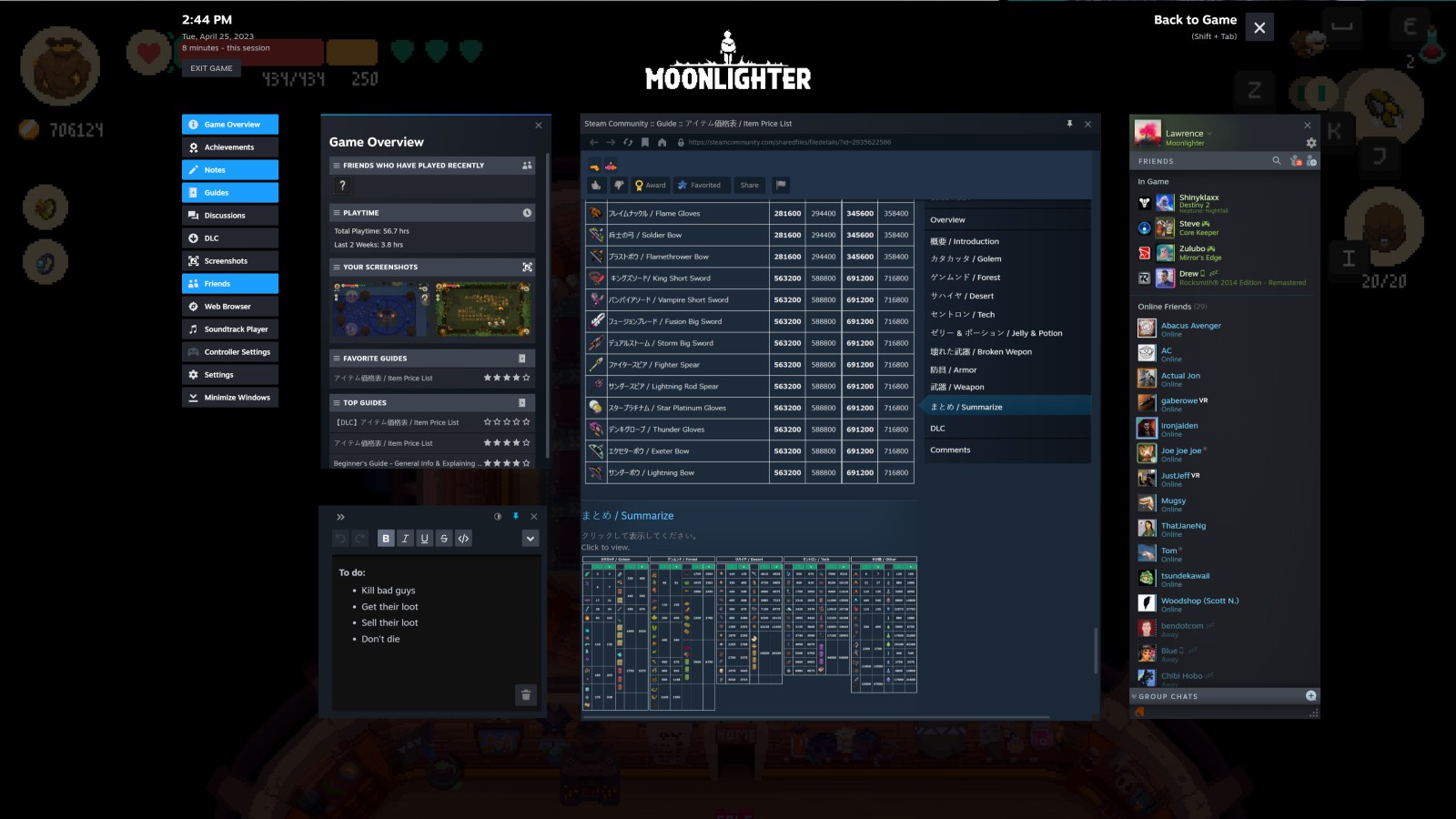
The in-game overlay features most of the updates. Steam says ” Originally created to be a quick way to chat with friends or check on game-related questions or content, we’ve built a brand-new user interface, adding new utility and allowing for more customisability.”. They boast that the in-game overlay will provide you with, well, pretty much everything we currently have access to, but I do like that the UI can be customized and saved between games. Meaning that if I want to have user-guides up while I play Elden Ring I can, and if I want to only have my Friends Chat up while I play Counter Strike 2 (eventually @Valve?) I can have that as well, and I won’t have to customize it every time I launch said game.
While this is just a nice thing to have, the two coolest new features are nicer.
The new UI features a new Notes app, which allows you to add notes for whatever you please, but most probably, for tasks, ideas, secret codes or anything related to the game you’re currently playing. It comes with rich text formatting so you can make it rich, you can have multiple notes per game and it will still work in offline mode. As stated above, the UI is saved per game, so these notes will only hang around for the current game you’re playing and you can have a completely separate set of notes for any other game.

The other cool feature is Pinning. Steam will allow you to pin the windows from the overlay so that they are still visible while in game. Using the Notes App as an example, the pinned app will only show the content you have written down, all the extra jazz like the title bar and text editing will be hidden as to not take up all your screens real estate. Opacity levels are also adjustable for that added customisability. With any window being pinnable you can have user guides, group chats or even “movies playing in the background”, as Steam says, pinned to your game while you play.

Other new features to the UI can be found on Steams blog post here.
What will you be doing with this new found pin-power? Watching Netflix? Same.