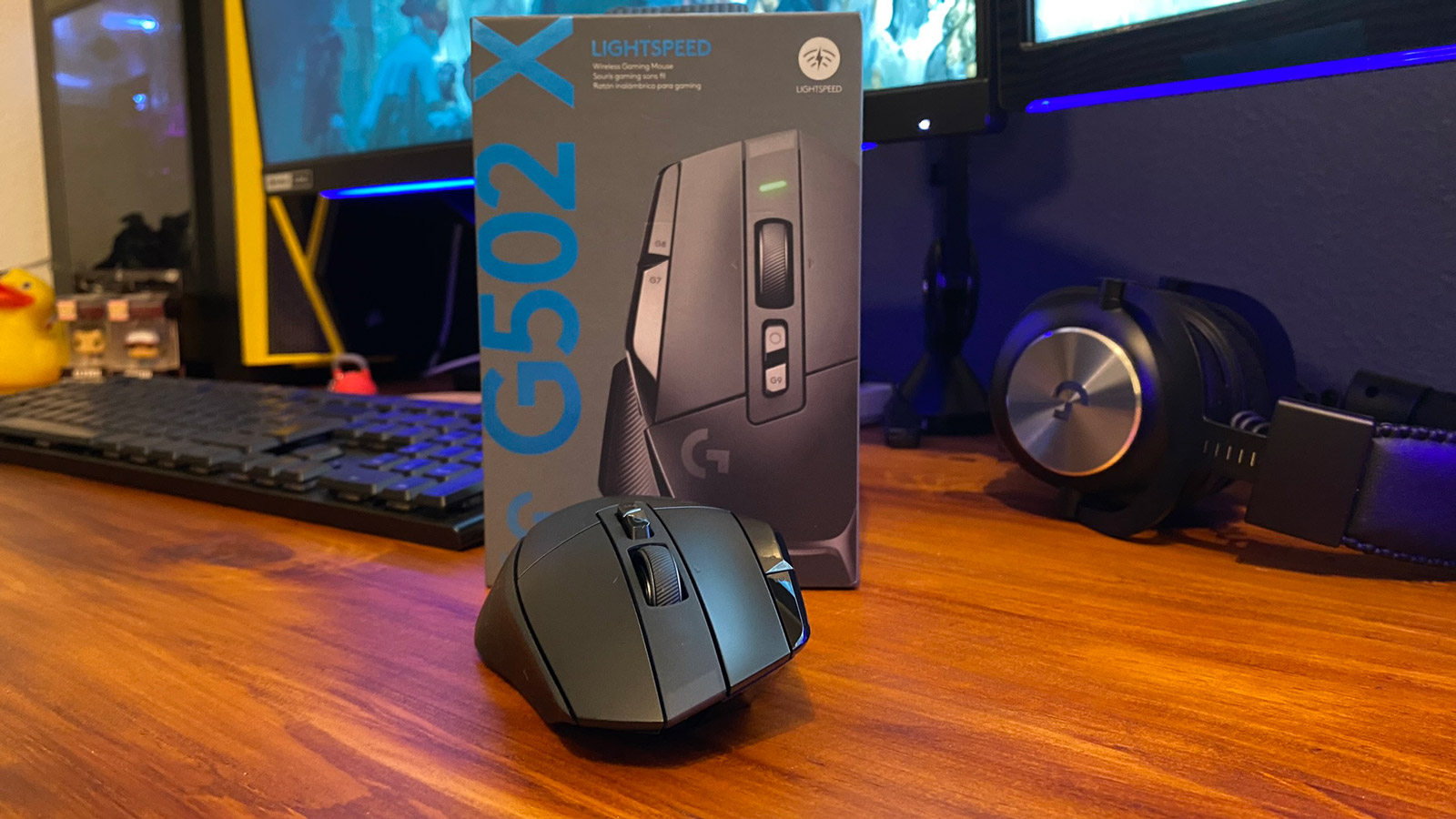
The Logitech G502 is an iconic gaming mouse that’s been hanging around mouse pads since 2014. Twenty-fourteen! That’s 8 whole years. For a piece of technology to hang around for that long, in a world where one Tweet could affect whether the lines in the Matrix go up or down, is a testament on its own.
Each new iteration of the G502 feels like Logitech have taken what works from the last generation and upgraded a few things that didn’t, releasing this classic mouse with the same body kit as before but with new parts under the hood. I am happy to confirm the same is true for the new G502 X range.
At first glance, you would immediately recognise the G502 X as the G502. Logitech found the perfect asymmetric, right-handed design on its first release and they are not planning on changing it any time soon (by the looks of things, I mean, I don’t work for the secret G502 department of design and stuff).

They have slightly altered a few things, like removing the light bar thing under the G7 button, while the design also feels more organic on the shell. Although not much has changed in terms of looks, the new X range does feel like it’s been given a more natural and elegant body kit. Logitech has also made a neat little change to the DPI Shift button, it’s now a magnetic button that can be rotated 180 degrees allowing for people with normal-length thumbs the ability to press it without it feeling like you’re sneaking your thumb up the Stairs of Cirith Ungol, OR, if you’re not a fan of the button at all, you can close it up with a nice little cover plate. While we’re on looks, they’ve dropped all the RGB from the G502 X Wired and the G502 X Lightspeed, so if that’s your thing, you’re going to want to pick up the G502 X Plus, which comes with 8 RGB Lights neatly packed into the rivers of the shell. It does look awesome, and if you’re building one of those only-clean-for-Instagram all-white looks, the whole range comes in white too.
But I’m sure you don’t want to know that the G502 X looks pretty much like the G502 you currently have, you want to know what they’ve done on the inside to make this one better…
Well, one of the biggest changes to the G502 X, is the weight reduction. They’ve shaved about 10g off the old model, which may not look like much on paper, but it feels like much on pad. Logitech also completely removed the added weights system under the mouse, so, for better or for worse, the G502 X is now a lightweight mouse. It’s no Pro X Superlight, my current daily driver, but it is much lighter than before. (You can sneak in the old G502 weight system into the Power Play Disc at the bottom of the mouse, but that will probably throw the balance off).
The G502 X range weights are 89g for the wired G502 X, 102g for the wireless G502 X Lightspeed and 106g for the G502 X Lightspeed with RGB.

A big issue that a lot of users have had with the G502 in the past was that the switches died out pretty quickly, causing a double-click problem. Well, Logitech has finally decided to change the switches for something they’re calling “Lightforce”. Lightforce is a hybrid optical mechanical switch system that Logitech has designed in the hopes of creating a better switch, but still satisfying the mechanical feel that you get when you click your click. It does have a spongier feel to it than my Pro X Superlight, but it also has the tinny click of a “clicky” style keyboard key. Personally, I’m a clicky fan, so the tinnier click is something that goes hand in hand with my clicky clacky keyboard, but some may find it annoying. Honestly, every mouse clicks and you probably won’t even notice it.
Logitech also decided that their Lightspeed wireless technology also needed a bit of an upgrade. It’s faster, so there’s a much quicker polling rate and it’s more stable. I haven’t had an issue with Lightspeed before and I can’t really tell the difference between the “older” Lightspeed and the updated version, but what is nice about the upgrade is that it will give Logitech the ability to connect their newer Lightspeed devices to ONE SINGLE DONGLE! We can finally throw our cheaply bought USB2.0 hubs in the bin! Ok, maybe not right away, for now, it will only allow for two devices to connect to a single dongle and again it will only be for the newer generation Lightspeed devices. I did ask if this was something that could be fixed with a software update, but Logitech said that they had to do a few hardware tweaks to the Lightspeed sensor, so it’s unlikely that we’ll see this magical two devices one dongle show on any of our current tech.
All in all, the new Logitech G502 X is a stunning, comfortable mouse, that is packed with more features than a Lamborghini, and the best part about it is that it feels like Logitech is listening to the complaints of their consumers and making the changes to make the number one bestselling gaming mouse (on Amazon as of the time I am typing this very sentence) even better.
If you’re a G502 fan, I’m handing you the top item for your Christmas Wishlist.

Here’s a TLDR table of some of the major features of the new G502 X Range vs the current G502:
| Current G502 | G502 X | G502 X Lightspeed | G502 X Plus | |
| Weight | 116g | 89g | 102g | 106g |
| RGB | 2 Zone | None | None | 8 Zone |
| Scroll Wheel | Infinite/Ratchet Switch | Infinite/Ratchet Switch | Infinite/Ratchet Switch | Infinite/Ratchet Switch |
| Power Play | Yes | Yes | Yes | Yes |
| Programmable Buttons | 11 | 13 | 13 | 13 |
| Sensor | Hero 25K | Hero 25K | Hero 25K | Hero 25K |
| Connectivity | Wired/Lightspeed | Wired | Upgraded Lightspeed | Upgraded Lightspeed |
| Feet | PTFE Feet | PTFE Feet | PTFE Feet | PTFE Feet |
| Weight System | Yes | None | None | None |
| Switches | Mechanical | Lightforce Optical/Mechanical Hybrid | Lightforce Optical/Mechanical Hybrid | Lightforce Optical/Mechanical Hybrid |
| Price | R1,199 | R1,499 | R2,699 | R2,999 |