There are two types of mobile gamers, those who drop bundles of cash on their device, and those who don’t. Whatever your lane is, or the reason for being in that lane, it’s important for me to disclose my vibe before getting into this review. Don’t hate, but I’m a, he who dies with the most toys at the end, wins, type of guy. Suffice to say, even if I must sell a kidney race to the front door of the NAG office and get the high-end device, I undoubtedly will, so, when the Samsung Galaxy Z Fold3 arrived on the same day a budget phone did, Regardt got the budget unit, because, well, toys… [It’s not the speed of your processor that matters, it’s how hard you can beat down the other player in a round of or two. I challenge you to a duel, sir! – ed]

The Fold3 is the type of phone most people will be impressed with, in every detail. The fact that it is a stunning foldable device, capable of running a refresh rate of 120Hz at 2268 x 832, is an obvious rubberneck, but the thing that geeks me out is the digitiser and how Samsung managed to produce a product that accurately recognises the S Pen on a foldable. You see, a stylus needs a digitiser that sits underneath the LCD to recognise exactly where the pen is touching the screen, where it is heading and even how hard you are pushing down.
However, a digitiser is a fragile grid that sucks at being bendy, especially multiple bends. This third generation of the Z Fold does not have a bendable digitiser, it has separate digitisers underneath each screen that connects to a smartboard running complex coding that tracks a stylus from the edge of one to the other. Even when the S Pen draws over the teeny-tiny gap, in between the two screens. This ingenious solution took years of development together with Wacom, and works perfectly in all my day-to-day activities, doodling, Pierneef paintings, and gaming.
The S Pen Fold Edition and S Pen Pro are the only stylus options that will work on the Fold3 and have been re-engineered with a soft tip and is spring-loaded to prevent screen damage. Only the S Pen Pro has Bluetooth, so if you do use gesture control, the Pro is the one you want on your Santa list. For anyone upgrading to the Z Fold3, you will also want to purchase the cover that includes a holder, because it does not have a slide-in slot for the S Pen.
The Galaxy Z Fold3 has a 5-nanometre, 64-bit Octa-Core processor, an Adreno 660 GPU, 12Gb RAM, running Android 11 and feels ultra-smooth.
After charging the Galaxy to 100%, I disconnected the power cable and made sure all apps were closed, before running a range of benchmarks using 3DMark Wild Life. As a matter of interest, we run all our mobile phone benchmarks in this exact way.
The scores yielded 5654 on standard and 1489 on Extreme. Ultimately, the scores are great, and comfortably cements this unit in the high-end segment.

The 3DMark stress test dropped the battery from 100% to 88% and showed stability of 60% in the result. The temperature maxed at 35 degrees Celsius whilst the ambient temperature in my office was at 21 degrees C. The frame rate maxed at 12FPS and dropped to 4FPS during the duration of the stress test.
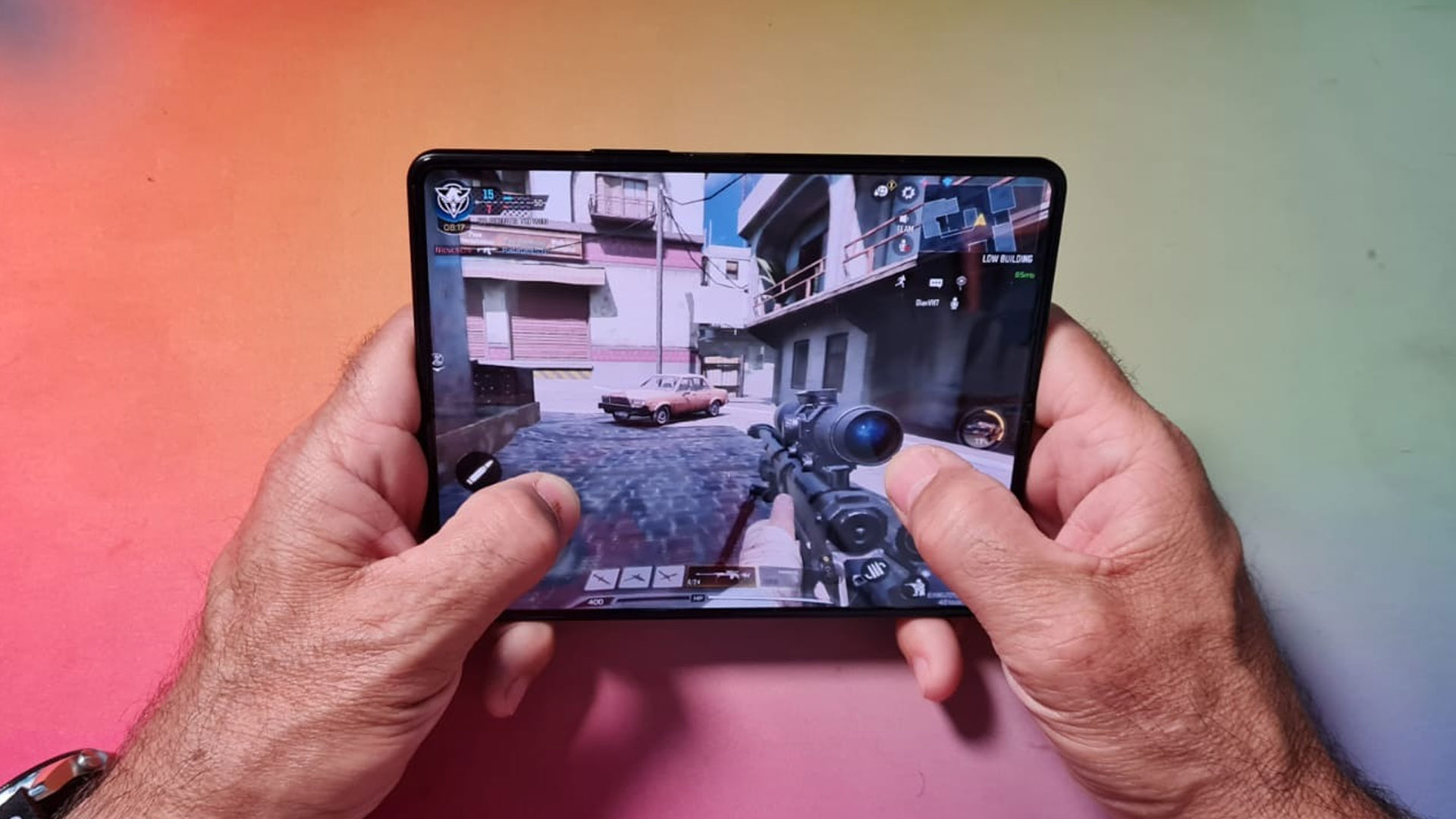
The Galaxy Z Fold 3 ran games, ranging from Minion Rush, Mario Run, Asphalt 9, COD Mobile and PUBG Mobile smoothly and without a single glitch, (oh, and Sodoku, because I have the S Pen clever people apparently do indeed run faster).
The graphics on PUBG Mobile and COD Mobile are not as crisp as I have experienced on other high-end devices. I am not saying the graphics were terrible, but as a gamer, I do always opt for better graphics, no matter how small the increments are, and don’t ever want to miss a peek or barrel due to graphic disadvantages. Clutch snapshot = win, right?

Here is the enigma, the size of the screen, the way it rests perfectly in hand, the button layout and spread thereof on PUBGM, CODM, heck all of them, is superb and an advantage in my view. So, I had a better playing experience on this phone than on a “normal” mobile phone. It doesn’t feel like all the graphics are plunged into a handheld, no matter how good the graphics are on a smaller screen. Never once, did I accidentally hit crouch, when I needed that PK, however, I did that many times on other devices. True story. #n00bme.
Multitasking on this phone, as a direct result of the massive 7.6-inch screen smacking your eyeballs when folded open, is a thing of beauty, I must warn you though, you will be switching views on this baby until well after your honeymoon period, it is an incredibly rewarding experience. And then there’s the opening, just enough to have it snap-close again, like clicking a pen or popping bubble wrap. You will love it, unless #misophonia.
Let’s talk about the outside screen for a bit. Yes, there is a third screen!

It is a 6.2inch, HD+, Dynamic AMOLED 2X display that runs up to 120Hz, yes indeed. This means that the screen is great for gaming and anything else that you’d normally do on a “normal” phone, or is it? Well, we ran all the same bench tests on the outer screen and, non-surprisingly, the scores are on par. That said, the screen looked crisper in graphic intense games, however, due to the aspect ratio of this screen, I felt a tad cramped. So, in my view, this won’t be the go-to screen for grabbing a quick chicken dinner. Anything else, perfecto and gets a double thumbs up.

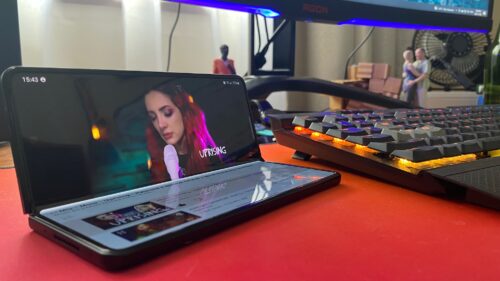
I spent hours on my PC with the Galaxy Z Fold3, half-open next to my keyboard, like a notebook, streaming content, and when AFK, I didn’t feel at odds working on the Fold3, as it offers such a seamless transition from my desktop PC. Especially nice when you connect a Bluetooth keyboard and mouse to the device but note that should you want to game using your connected device, not all games support it, and should you find a workaround to play a game against people using their thumbs on-screen, shame on you!