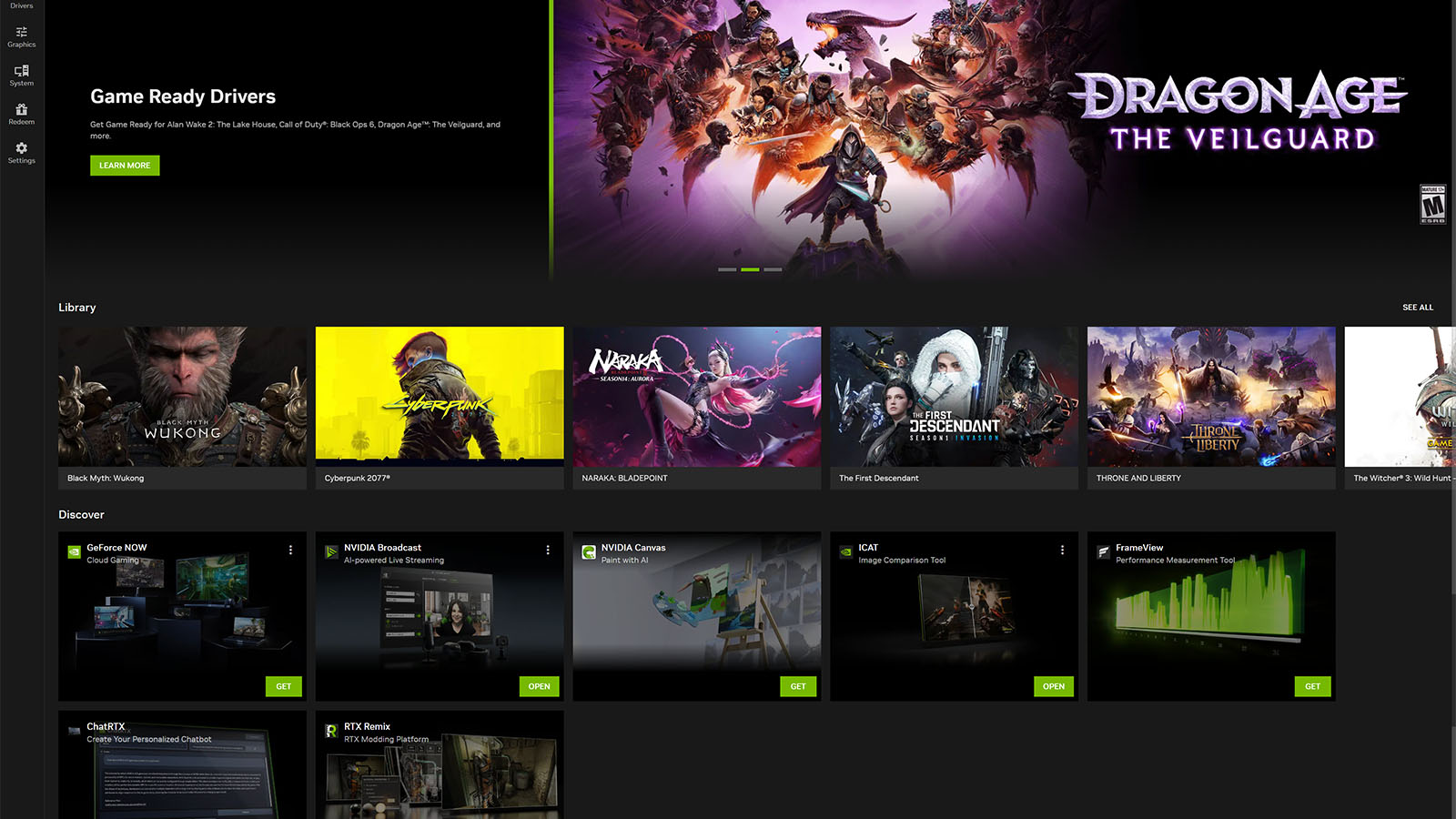
It’s finally happening. After months of being in the beta stages, Nvidia is releasing its new and improved Nvidia App.
The Nvidia App is set to combine the features from the Geforce Experience, which many of us use to update our Nvidia drivers, and the Nvidia Control Panel, the entirely separate app that you use to control your displays. It also brings with it an upgraded UI that is clean and easy to use.
The Nvidia App allows for automatic game optimisations, similar to how the GeForce Experience App did. Still, with the new in-game overlay, you can quickly switch between visual filters that include some of Nvidia’s AI technology, like RTX Dynamic Vibrance, Depth of Field alteration and image sharpening.
The in-game overlay also gives you access to a customisable on-screen performance monitor and quick access to screen recording, photo mode, instant replays, and highlights. This feature automatically captures video of epic moments in certain games.
The new app also makes it easy to overclock your GPU and has an “automatic” feature that boosts GPU performance depending on the task at hand, such as video editing or gaming. The automatic tuning happens once a month while your PC is idle, but it can also be manually done at any time.
Best of all, you now have access to the display settings, which allow you to adjust the resolution, HDR, refresh rates, and orientation of your monitors without opening a separate app. Nvidia says that they will be porting more of the settings over from the Nvidia Control Panel app as time passes, which makes us at NAG even happier. Why use two programs when you could just use one?
Nvidia has also included a Discover tab at the bottom of the home page, which shows off some of the other apps that Nvidia is currently working on. Currently, the Discover tab shows off GeForce Now, Nvidia Broadcast, Nvidia Omniverse, Nvidia Canvas, ICAT, FrameView and ChatRTX. Most of these are Nvidia’s new AI tools that you can use to make your work and gaming lives easier.
The Nvidia App will be an optional add-on to the Game Ready Driver and it no longer requires you to have an Nvidia account to login and use the platform.
For all the details on everything that the new Nvidia App encompasses, check out the blog post on the Nvidia website.