I’ve been playing around with 3D printing for a couple of years now, yet most of my time has been spent with resin printing. I’ve fiddled a bit here and there with a friend’s filament printer, but I’ve not really spent a reasonable amount of time tinkering, printing, and enjoying the results.
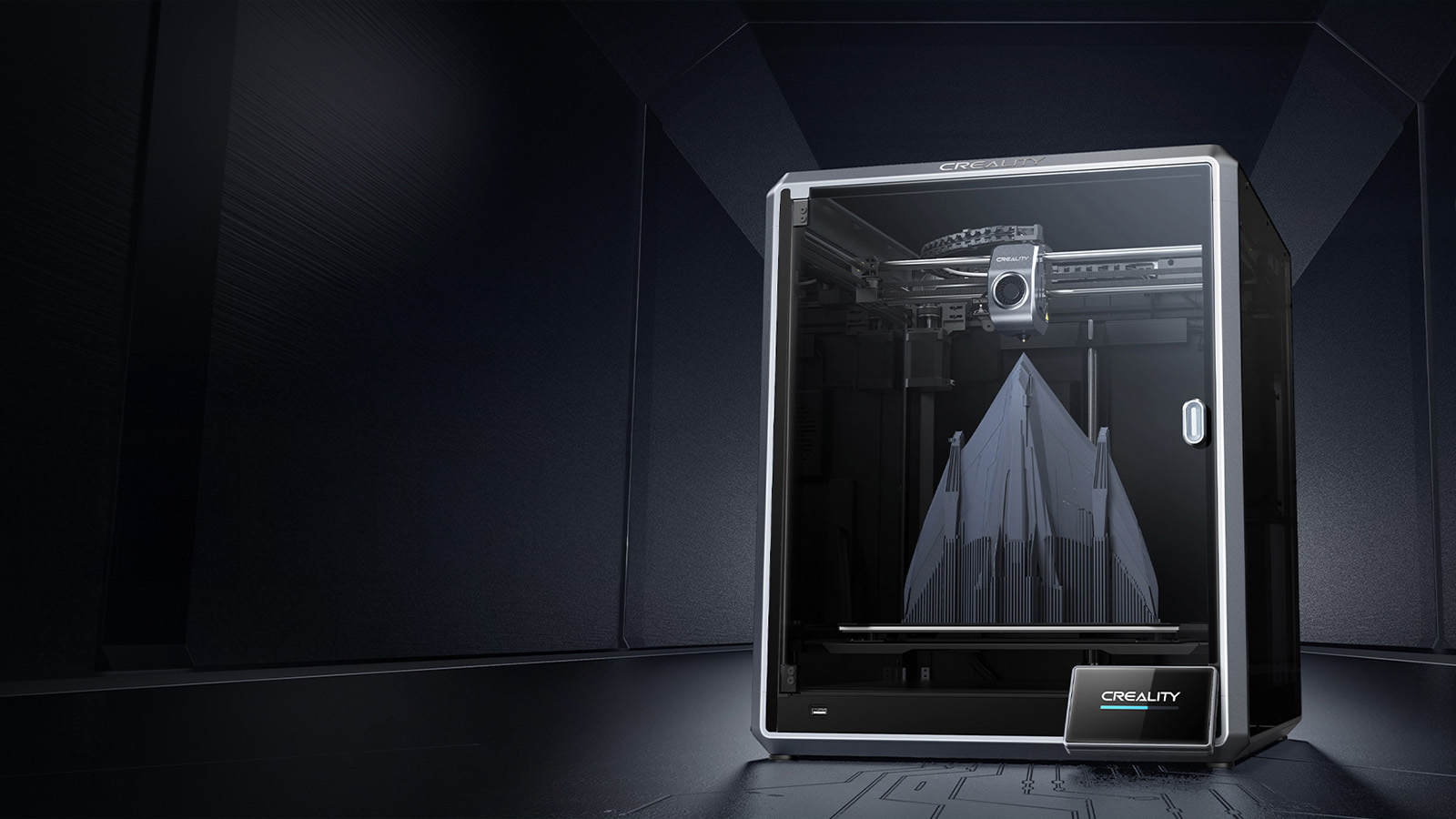
Now, thanks to the good ol’ chaps at 3D Store, I’ve had more than enough time to get stuck in with an absolute dream of a filament printer, the Creality K1 Max.
When I got my first resin printer, I spent months researching how it all works, what I’d need to do before my first print, what my first print should be, where to house my printer, what to do with prints when they are done, and so much more. For the Creality K1 Max, I went in relatively blind. Sure, I’d picked up one or two things from being in the hobby, but I’ve never owned a filament printer, so I was expecting my first time with the thing to be an overwhelming experience. To my surprise, it wasn’t.
The quick guide is two pages long, and all it told me was to unscrew the securing screws on the print bed and connect up the touch panel in the front before powering up the printer. Fifteen minutes later, I was done and a little worried that I’d forgotten something very important. I hadn’t. The Creality K1 Max is so user-friendly that those fifteen minutes were all it took for me to be ready to print my first benchmark. Honestly, the hardest part of the whole thing was finding a table to put the printer on.
From here on out, the printing experience just got better and better.
The Creality K1 Max supports both an ethernet and WiFi connection, which means it quite seamlessly connects to the network, allowing you to connect to the device from the slicing software, Creality Print 5, from any device on the same network. Creality also has a cloud-based system called Creality Cloud, which lets you monitor, start, stop and pause prints from anywhere with internet access.
 Add these remote capabilities to the built-in camera, and you have my favourite bit of this printer. In the past, I was used to driving to my printer, starting a print, hanging out for an hour, getting bored, leaving and then returning to a failed print multiple times a week. Being able to watch the print from anywhere and stop it should I need to was a dream come true.
The printer even has the neat little feature of saving a time-lapse of the whole print for you to check out later, show off to your friends, or even post on social media at a later date.
Creality is even working on a few AI features that use the camera to auto-detect errors in the print and pause it for you in case you aren’t watching. The AI features are in beta, though, and don’t always work, as I’ve personally experienced once or twice when using the K1 Max.

Yet another impressive feature of the Creality K1 Max is the print speed. Pushing a whopping 600mm/s, this beast will literally shake the legs off a flimsy table, so make sure it’s sitting on something nice and sturdy.
While not something you always use, the 600mm/s maximum print speed allows for a benchmark print to start and end before you can even make a cup of coffee. In our tests, the Benchy benchmark print took around 12 minutes at half this speed. Most prints will be set to around one-third of the maximum speed to help maintain detail and minimise errors. However, if you’re confident that all the variables are in place, feel free to drop the breaks and pump the accelerator.
Keeping on with more of its amazing features, the K1 Max is a wholly enclosed structure, keeping the build surface as clean and dust-free as possible. It also comes standard with a relatively flexible, magnetic build plate, which releases prints easily and is a dream to clean. The K1 Max has a maximum build volume of 30cm*30cm*30cm, which is large enough to print almost anything in one go, and its dual cooling fans ensure that more prints come out less stringy because of overheating than other printers.
When it comes to consumables, the Creality K1 Max handles a variety of filaments, from ABS, PLA, and TPU to harder carbon fibre-reinforced plastics. The nozzle on the K1 Max can heat to 300 degrees Celsius, allowing it to melt the harder plastics. However, the stock bronze nozzle will quickly wear out, so it is recommended that you upgrade to a steel nozzle if you plan on using these.
For your standard PLA spool, you’ll spend around R300 for a kilogram roll, which equates to around 330m of filament. We printed a life-sized T800 head with a hexagon infill pattern, which took almost 250m of filament to print.
 While using the Creality K1 Max over the past few months, the only downside I can think of is probably its price tag. While I honestly think the K1 Max has everything a beginner 3D printer would want from a 3D printing machine, it doesn’t necessarily have a beginner-friendly price tag. At R16,499, it’s not something you would pick up on your way home from Checkers. I will say, though, that every Rand spent on this device is worth it. However, if you are looking to spend a little less, perhaps the K1 Max’s little brother, the K1, might just be the printer for you.
After just these few months with the K1 Max chugging along, printing anything we can think of at the NAG office, I can honestly say this is the easiest 3D printing experience I’ve ever had, and I can’t wait to just keep printing more.