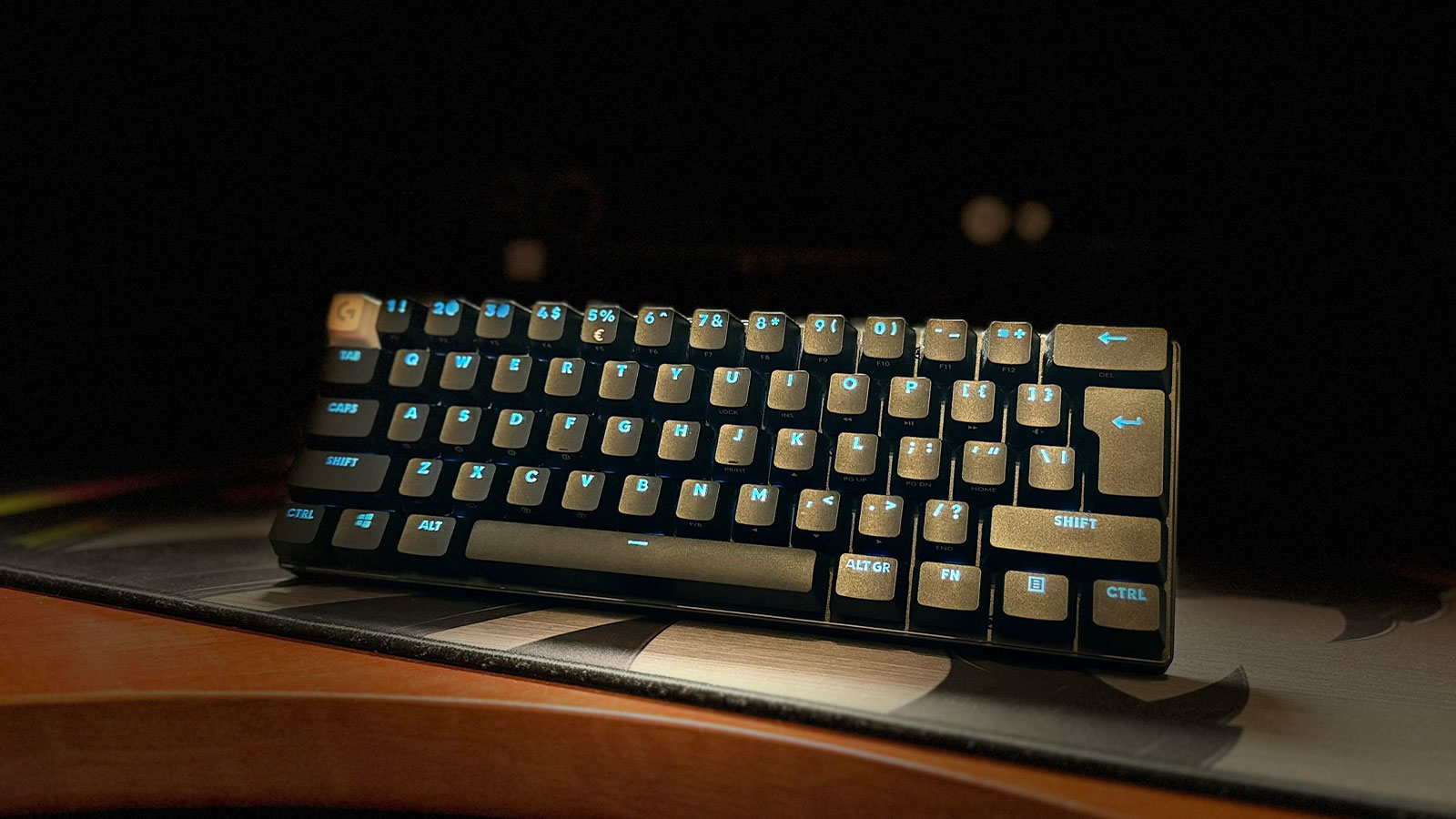
Logitech recently launched their Pro X 60, their first 60% keyboard. Some of you may be shocked to read that statement, considering 60% keyboards have been floating around the market for years.
Yet, while 60% boards have filtered through the keyboard realm, popping up on modders’ and even typists’ desks, this specific 60% has its sites set on pro-level gamers only.
But I’ll touch on that later. First, let’s talk about the Pro X 60 itself.
As with the Logitech G Pro X TKL, the Pro X 60 comes with an extremely luxurious carry case. I absolutely love the case. It’s perfect for quickly throwing your keyboard in and packing it into your bag if you’re heading to an event or some overseas tournament like the pro-level esports athlete you are. I can easily see a case of this quality costing a few grand, but if you’re not going to be taking your keyboard with you anywhere, it may be wasted on you.
The keyboard itself has three connection methods: Logitech’s Lightspeed, Bluetooth, and wired via 1.5m USB-C. Plugging it in with the included USB-C cable is also how it charges, naturally. The Logitech Pro X 60 has the updated version of the Lightspeed dongle, which will also allow you to connect another lightspeed device, like the Logitech G Pro Superlight 2, to the same dongle. The caveat here is that you will be forced to use the 1000Hz polling rate of the keyboard with the mouse as well. This probably won’t bother most people, and it’s always handy to only have to worry about one used USB port on your PC for two devices.

Looking at the business end of this keyboard, we have dual-shot PBT keycaps, and the keyboard is tight-knit and super compact. Logitech has not opted to throw in any extra keys here, and it works for this kind of layout. They have added a volume roller on the left-hand side of the keyboard, which you can easily access with your pinky finger while still holding firm on the WASD keys, and on the right-hand side, they have added a chunky manual game mode switch. I like that it’s a little big and clunky, which means I won’t accidentally disable game mode while I’m in the zone.
Under the hood, Logitech has opted for a set of their optical switches. You can pick up the Pro X 60 in either tactical or linear flavours, but all this changes is the amount of force required to activate each key. Linear switches require 50g of force, while tactile switches require 60g. Both switches activate at 1.8mm. Weirdly enough, for what I think is the first time ever, Logitech has allowed us to remove the switches from the PCB. Sadly, it’s a bit pointless as the PCB only accepts these specific switches, which you can’t buy separately or in any type other than tactile or linear. Perhaps it’s a bit of future-proofing for some switch products coming to market, but for now, this board is pretty much not hot-swappable.

Even deeper under, Logitech has included one layer of dampening foam, which helps quite a lot but is just one layer short of being perfect. Most custom boards in this price range, and even lower, would allow you to include a second layer of dampening to increase the overall typing satisfaction. I like that they are taking pages from the custom keyboard world, though, and are finally giving keyboard enthusiasts a little of what they enjoy, even if it is a bit late to the party.
Another feature taken from the custom keyboard revolution is the layers, or as Logitech is calling it, Keycontrol. In a nutshell, Logitech allows you to customise any key on the keyboard to perform a different action while holding down an alternating key. My favourite use case here is changing WASD to UP, LEFT, DOWN, and RIGHT when holding down FN and Shift. This allows me to use a 60% keyboard for things I would normally need a full-sized keyboard for. All in all, you can have up to 7 different layers, including the default one, which I found very useful for different applications.

During my review period, I had the linear version of the keyboard, which offers a key switch profile pretty close to my current favourite switches, the Gateron Phantom Yellow, which means I had a great time with this board. In fact, I absolutely loved using it, and it’s still sitting in front of my monitor, begging me not to be put back in its box. The thing is, there are some problems here. As I mentioned earlier, the Logitech Pro X 60 was designed for pro-level gamers only, and here are some reasons why. The choice of optical switches was definitely influenced by pro-level gamers. Usually, optical switches offer faster actuation when both the down and up press of the switch are pressed due to the lack of mechanical elements inside the switch. However, mechanical switches have evolved so much over the past few generations that it seems silly to not have these expensive, not hot-swappable switches on the board.
The Logitech Pro X 60 will more than likely cost you around R5,000 even if you gamer-maths it and subtract the R1,000 case from the coast. You can still very easily build yourself the keyboard of your dreams, with your favourite switches and the perfect amount of dampening for that spine-tingling thock, for less.
Don’t get me wrong, this keyboard is amazing, but it was made for the pros, not mere mortals like your or me.