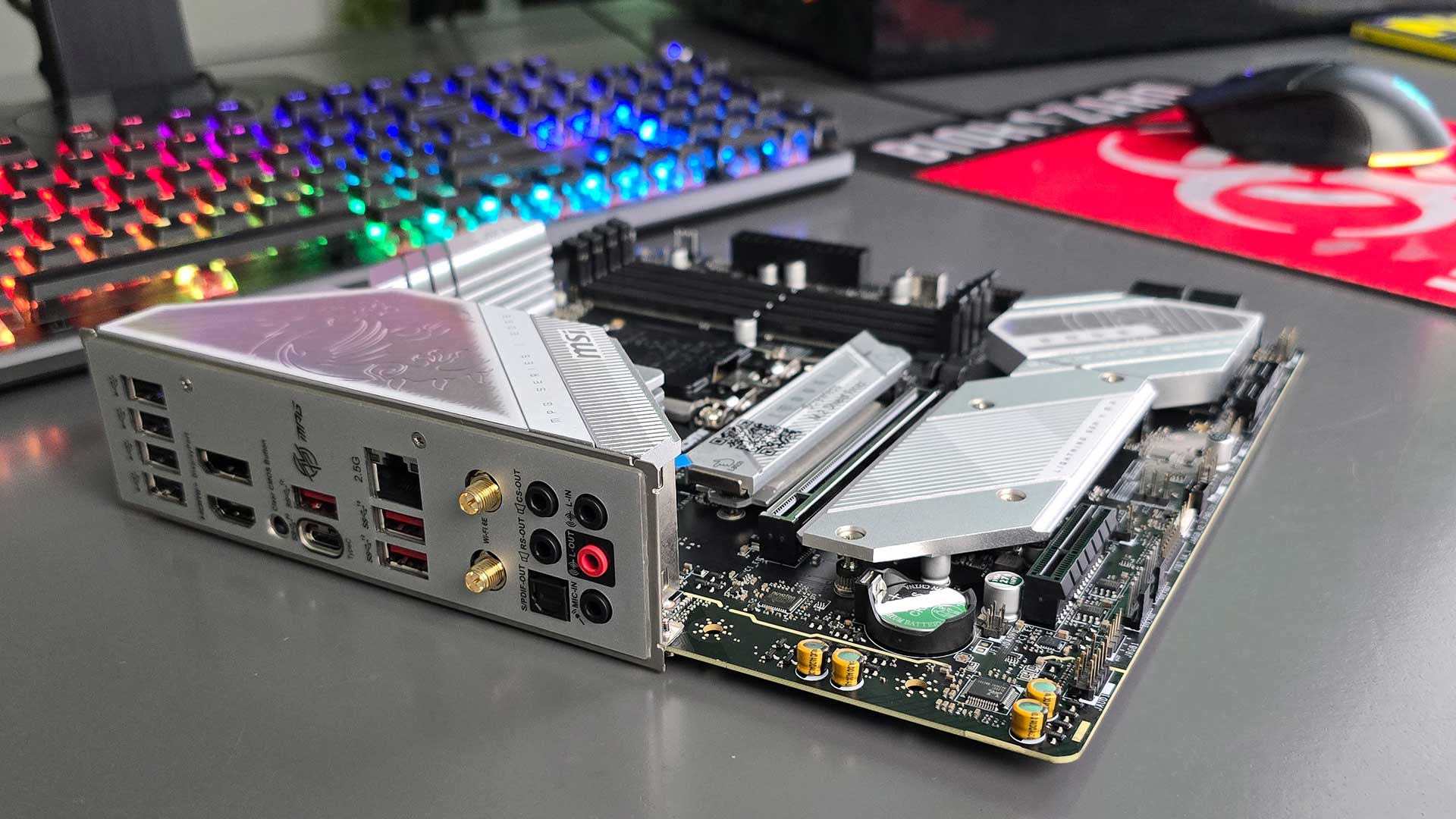
The MSI MAG B760M Edge TI WIFI is hot off the production line. It is a MicroATX motherboard that packs a lot of features into a small form factor design and delivers plenty of I/O options, including support for integrated graphics.
Right out of the box, this motherboard looks like it will play its part in a gaming rig. There’s a lot of heat shielding to protect the sensitive parts, a Gen 5 PCI-E slot, and it supports Intel LGA 1700 socket CPUs back to Intel’s Core 12th generation. Memory support is limited to DDR5, but as prices slowly start to drop, the performance boost you’ll get as part of your next upgrade makes the investment worthwhile.
As a small motherboard, MSI still managed to pack a ton of cool features into it, each one pointing to the fact that this motherboard is aimed at gamers who want high-end performance right out of the box with minimal tweaking. The MSI MAG B760M Edge TI WIFI features dual 8-pin CPU power connectors with a 12+1+1 Duet Rail Power System. This simply means that this motherboard can provide cleaner, more stable voltages to the CPU and better manage the heat that is spread across the multiple VRM (Voltage Regulator Module). Even more simply, this is what you need to get the best performance from your CPU, and this extends to the graphics card, too.
Speaking of which, the MSI MAG B760M Edge TI WIFI comes with onboard graphics. Yup, you can rock out with a graphics card out, but depending on your CPU, this experience could be less than ideal for gaming. So, if your Intel CPU model number ends in a K, such as the Intel Core i7 14700K, you are good to go. If you opt for the KF variety (the letters at the end of your CPU model number), you will not be able to use the onboard HDMI or Display Port. The latter supports up to 8K at 60fps.
Of course, I have no doubt you’ll be adding a real graphics card to your rig, and there is one PCIe 5.0 x16 slot for that. Right below it, you’ll also find a single M.2 slot for storage, which supports PCIe 4.0 x4.

To ensure the best network performance for online gaming, MSI crammed in a 2.5Gbps LAN port and an Intel Wi-Fi 6E wireless module, which is pre-installed in the (Key-E) slot. This means you can also upgrade it when the next generation comes along. In the box, you will also get an external Wi-Fi antenna.

The back panel on the MSI MAG B760M Edge TI WIFI is sprawling with connectivity options, and speed junkies will fall in love with the USB Type C port that supports 20Gbps. Wow! Then, there are six USB ports in total, three of which support USB Type-A at 10Gbps.
In terms of processor performance, the MSI MAG B760M Edge TI WIFI will let you extract every drop of performance from your CPU, adding to that the graphics card of your choice for really great all-around performance. Testing the integrated graphics capabilities with an Intel Core i7 14700K and 16GB of DDR5 RAM, we managed to get 955 in the 3DMark Time Spy Benchmark. If you are looking to build a gaming rig with this motherboard, a Nvidia GeForce RTX 4070 would hit the sweet spot, in my opinion.
When they say dynamite comes in small packages, the MSI MAG B760M Edge TI WIFI can now be safely added to that list of references to use. Even though it is not the cheapest mATX motherboard on the market, it offers a high-end feature list that will bring out the best of your CPU and GPU.