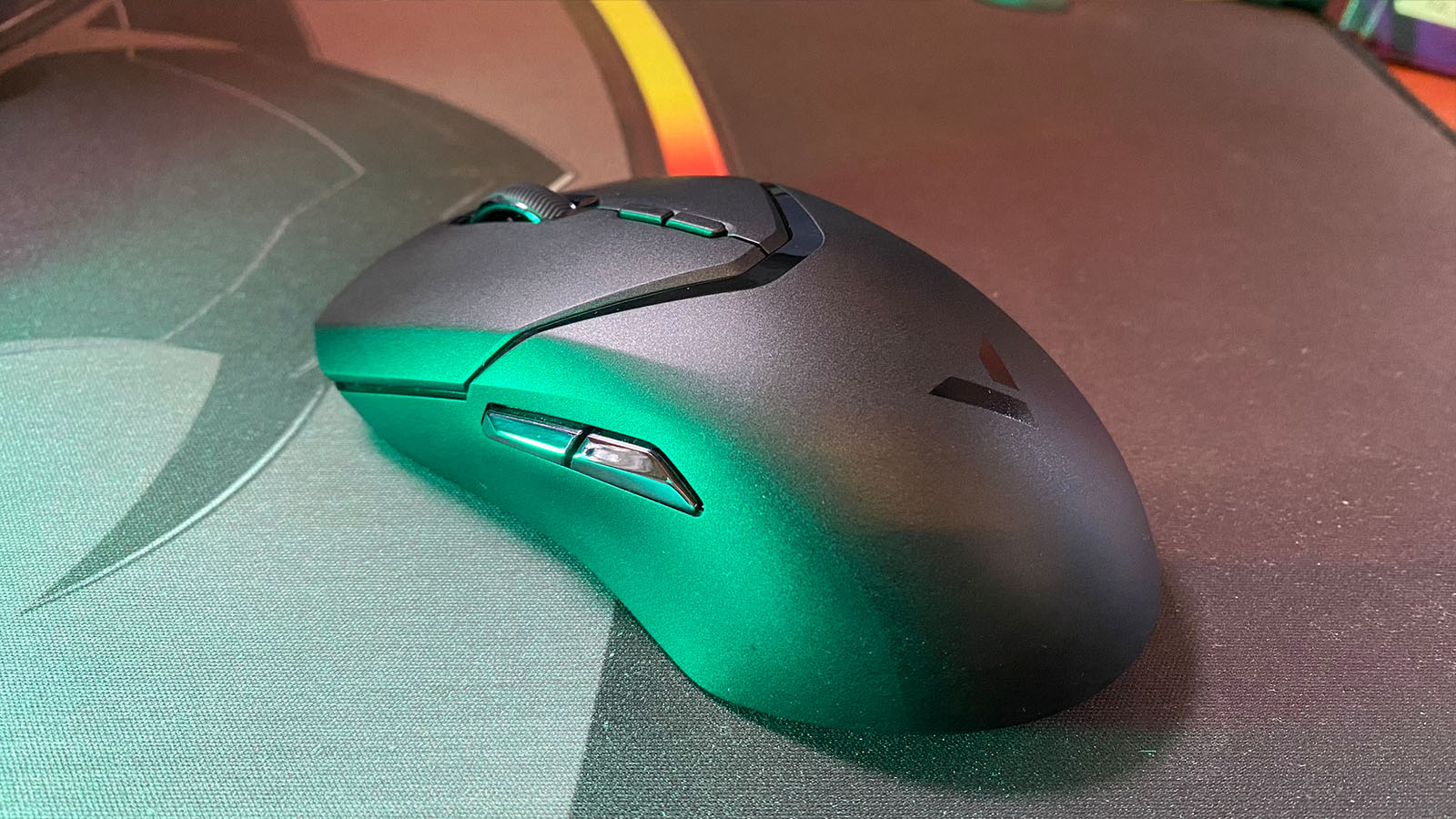
You can’t review a keyboard without trying its equivalent mouse, right? It just makes sense to keep my left and right hands busy.
Luckily, Rapoo thought the same, and along with their V700-8A keyboard, they sent us the Rapoo V9T Pro mouse too.
I’m not going to beat around the bush with this one. I was very impressed by the Rapoo V9T Pro, from unboxing it to both general and gaming use. I even had to show it off to NAG’s own Random Sales Guy on more than one occasion just because it’s that good.
The packaging itself even feels premium. The thick cardboard box is nice and solid, and the pull tabs all over the place give you that satisfying ASMR feeling when you open it up. In the box, you get the VT9 Pro, a 1.8m material-braided USB-A to USB-C cable that feels so light I had to put it on a scale just to make sure I wasn’t losing my mind (it weighs around 15g, just by the way), a little converter that converts the USB-C cable to a USB-A port, extra skates in case you wear through the ones on the mouse already, some grip tape and an instruction booklet for those who have forgotten how to left and/or right click.

Weighing 68g, the Rapoo VT9 Pro is slightly heavier than my daily driver, the Logitech Superlight 2, so it’s not for gamers who enjoy a heavier mouse. Even though it’s super light, the weight doesn’t detract from the very solid build quality.
The design itself is pretty simple, which caveman me, as Arielle would say, quite enjoys. There are two DPI buttons between the left and right clicks and two more buttons on the right side for your thumb to play with. Besides these two buttons on the right, the mouse is symmetrical enough to be used by someone left-handed should they choose to. There is also a small button on the base of the mouse that, by default, is used to cycle through DPI levels.
The hump in the mouse sits a bit to the back, making it excellent for those who like to palm their mouse fully, but it is still perfectly comfortable for normal people who use the finger grip.
Personally, I find the scroll wheel a little clunky, but I did like that you could manually configure the scroll speed in the software. You can also adjust the lift-off distance, up to 2mm, and the polling rate, from 125Hz to 1000Hz. Lift-off distance, or LOD, is the distance at which your computer stops tracking the sensor on the mouse. For most gamers, a low LOD is preferred. However, some of us may habitually lift the mouse when we move it across our desks. If you do lift the mouse slightly and you still want it to track on-screen, increasing the LOD will help you achieve that.
The VT9 Pro can store up to seven different DPI speeds on itself that you are also customisable on the software, and, if you’re some sort of nutter, you can reprogram every button on the mouse, even the left and right click—another helpful feature for those who want to use the mouse left-handed. It would have been handy if I could configure one of the buttons on the mouse, like the small one at the bottom, to cycle through different configurations on the mouse, but unfortunately, that’s not one of the options.

The software is pretty simple and easy to use. As the V9T Pro has no RGB functions, there aren’t many screens to confuse you. What is confusing, though, is that the downloads page gives you the latest beta version of the software by default and we just couldn’t get to work. Luckily, our expert team of investigators, or Random Sales Guy for short, found a link for an older version of the software, which we recommend you use for now.
Rapoo claims the mouse has a 160-hour battery life, and so far, their claim holds water. After about two weeks of use, or roughly 70 hours, the software told me I still had 63% charge.
The mouse also has a few accessories that are sold separately, including a 4K dongle for a crazy 4000Hz polling rate and a wireless charging puck.
Overall, I can’t fault the V9T Pro. Besides finding it a bit hard to pull the USB dongle out from the base of the mouse, the mouse performs well in every aspect that a mouse should. I can easily compare the performance and quality of this mouse to some of the other major brands out there, like Logitech and Razer, and for only R1,499, it’s a bit more budget-friendly too.