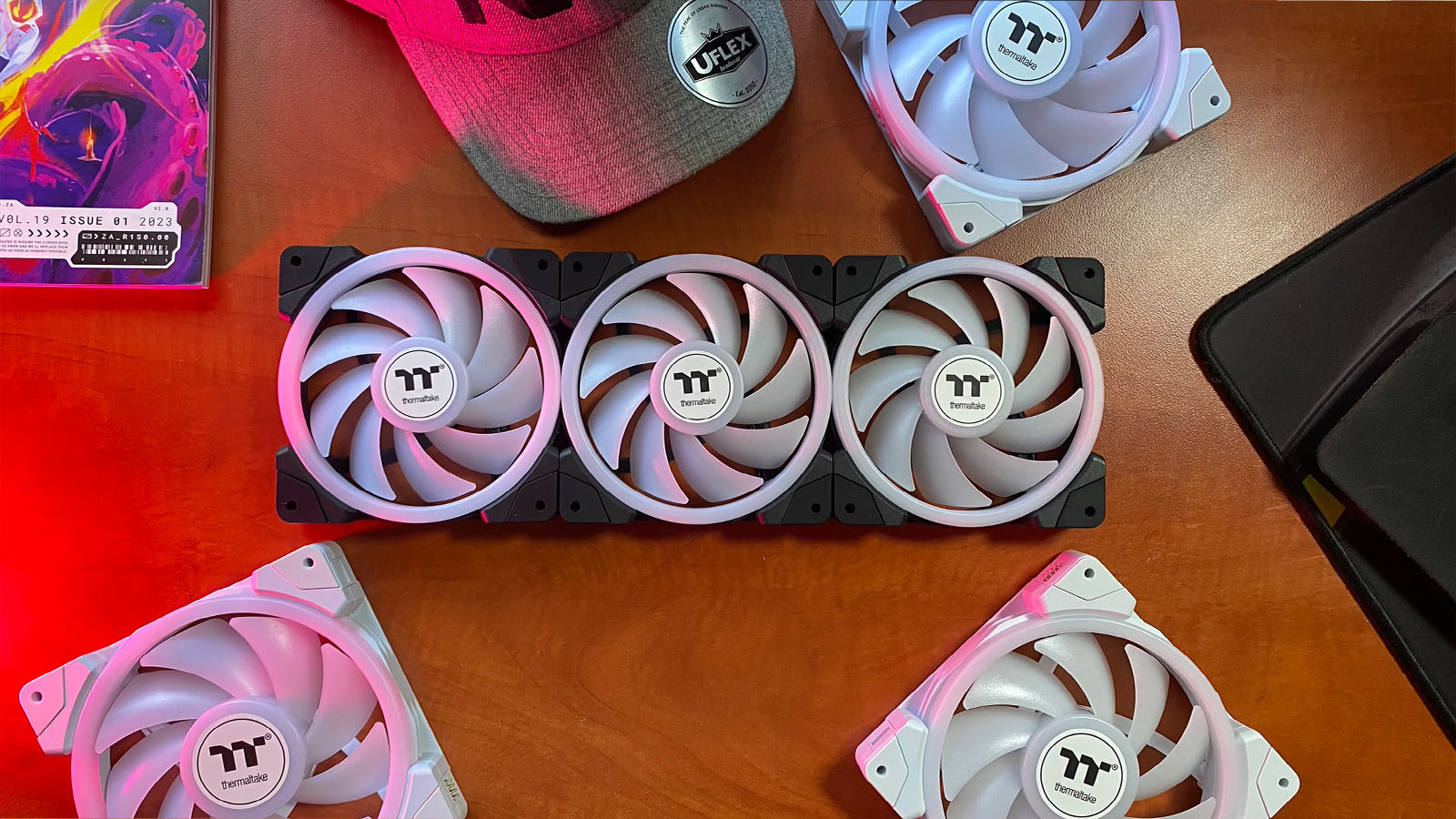
Case fans are always a weird accessory to talk about. Although they create 98% of the look on one’s case and almost all of the required airflow, most people tend to just grab whatever is cheapest, with or without RGB, depending on the vibe they’re going for, and throw it in the case.
For those of us who actually sit down and build our PCs from the ground up, choosing the right fan can make a massive difference, from picking the right brand for software and ease-of-use reasons to getting the correct look.
The latest generation of cooling fans has taken all of this into account, and Thermaltake was nice enough to send us a set of their new SWAFAN EX ARGB Sync Premium Edition PC Fans to play around with.

First, let’s talk about the look. The SWAFAN EX ARGB Sync Premium Edition PC Fans come in both black and white, so they’ll fit in with either of the two colour schemes you’re building. They also come in 120mm and 140mm sizes. The ARGB colouring comes from the blades and the inner halo of the fan, unlike the Toughfan, which lights up around the edges.
The halo effect created by lighting up the inner ring is quite stunning and provides much more impact than the standard light-up blades most of us may be used to.
Probably the most important feature for me when it comes to choosing fans is how easy it is to install and maintain the damn things. Let’s be honest: most of us start naming the dust bunnies that form around the edges of our fans instead of making the effort to clean them out.
This is where the SWAFAN EX ARGB Sync Premium Edition PC Fans shine even brighter than the RGB they provide.

These fans have that new Fandango magnetic connection technology that everyone and their grandmother has seen on Instagram over the past few months. “What does that mean?” You’re asking in your head before you read on to find the answer. Well, it means that the fans can connect to each other magnetically. No cable is required between the fans, and only one cable is needed to power and control up to five fans. The ARGB connections also mean it plugs directly into the USB and Fan headers on your motherboard, meaning no Molex connections are needed for power from my power supply. This makes setup incredibly easy, and fewer cables result in a cleaner look too.
Another great feature, that I predict may have started out as a bug, is the swappable fan blades. Obviously, the magnetic connections mean the fans have certain polarities that allow them to connect to each other without shorting anything out. So, if you want an outlet fan rather than an inlet, you can’t just mount it the other way. The solution was to include swappable blades on the fans which you can pop in and out depending on if you want air to go this way or that. It’s super easy to do in reality, and what’s even more exciting is that the fans are now extremely easy to clean.

Funnily enough, the primary purpose of the fans is to cool your PC, not to make it look cool. But I can see how some people confuse the two cools. I pumped the fans up to 100% for maximum cooling to see their effectiveness.
For general PC use, I could cool my PC down by eight degrees Celsius, which jumped up to twelve degrees Celcius when idling. During more intense tasks like gaming, which is technically work okay, these fans kept the average temperature of the PC down by five degrees Celcius. It may not sound like much, but when you start considering lifespan and bluescreens due to overheating components, every degree counts, and a whole five of them counts a whole lot more. With a pair of headphones on, you’ll barely notice the fans attempting to blow a storm through your PC, but it can get a little loud when you have a few of them all going simultaneously for those without music blasting into their ears. It’s not loud enough to be annoying, but it is certainly noticeable. During normal usage, though, they are as quiet as a mouse.
Lastly, let’s talk about the software and compatibility. On the box, Thermaltake says the SWAFAN EX ARGB Sync Premium Edition PC Fans work with Asus Aura Sync, Gigabyte RGB Fusion 2.0, Biostar Mystic Light, and ASRock Polychrome. Of course, there is TT RGB, the proprietary software that the fans use. The rig these fans were connected to used Gigabyte RGB Fusion, and after an update or two, they were pretty easy to control through the software. Personally, I find the Thermaltake RGB software much more reliable and easy enough to use to control both the speed and colour of the fans. Just note that every fan in the line is treated as one fan. So, if you push the speed to 100%, all the fans will go to 100%. The same applies to RGB colouring.
The only real downside to the SWAFAN EX ARGB Sync Premium Edition PC Fans is their price. Currently, they are only available in a three-set kit, which you can pick up for around R1,700 if you choose the 120mm set or around R1850 for the 140mm set. That works out to around R600 a fan, and that’s comparable to some of the higher-end fans from the likes of Corsair, which comes with a much more substantial software suite and accessories. However, you need to remember that you’re paying for the physical features that this set of fans comes with, which are pretty handy for those who enjoy the act of PC building and keeping their expensive rigs nice and clean.