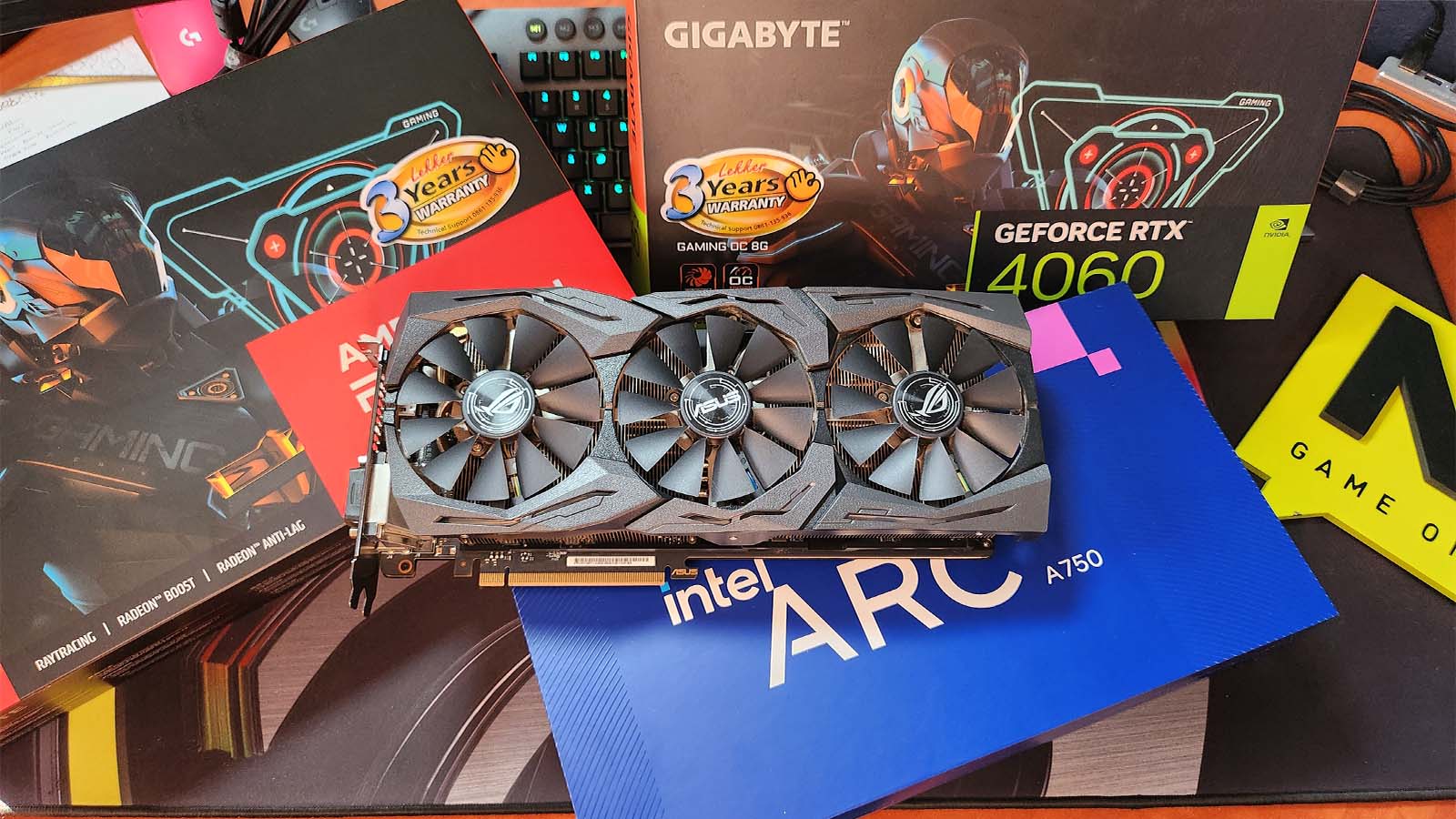
Just under a year ago, I decided to spoil myself with an almost complete PC upgrade. I had been umming and ahhing about it for months. I was upgrading from a 7th-generation Intel 7700, so I had to overhaul my machine completely. A new CPU meant I needed a new motherboard. A new motherboard meant I could upgrade to DDR5 RAM. More powerful tech meant I needed a bigger PSU. A bigger PSU meant I needed more cooling, and more cooling meant I needed a fancy case to show it all off.. err, I mean a larger case for better airflow.
The end result is a pretty kick-ass gaming rig consisting of:
Intel Core i7 13700K CPU
Gigabyte Z790 UD Motherboard
Gigabyte Aorus Waterforce X 240 AIO CPU Cooler
32GB Corsair Vengeance DDR5 6000MHz
1 TB Adata XPG Gammix S70 Blade
Gigabyte P750GM 750W Modular PSU
The cost of all these items added up fast, so I decided to stick with my Nvidia GeForce GTX 1080 Ti, the only piece of kit remaining from my old build.
One day, while I was dusting the NAG store room [“dusting” – Ed], I found a few of the latest generation GPUs just lying there, all alone in their boxes. So I took them, not for me, but for science. I thought I would test each one and see if my decision to stick with my trusty 1080 Ti was right or if I should’ve dropped a good couple of grand on some fancy new tech with FSR, DLSS or XeSS, and maybe a little Raytracing.
Quickly sneaking to the car, I had in my arms a Gigabyte Nvidia GeForce RTX 4060, a Gigabyte AMD Radeon RX 7600, an ASRock Challenger Intel Arc A750 and an Intel Arc A750. One of each of the three GPU houses from their entry-level range and an extra ASRock version because it’s been a little souped up. By 100Mhz, to be exact.
I had in my head an idea to run a bit of a test to compare all five cards.
The test would be simple:
1. Run some benchmarks to get a nice big number that everyone could ogle over.
2. Put the cards through their paces in various game types for a bit of real-world feel, and
3. Head to the Ripperdoc to see what these cards could really do in the year 2077.
Before you read any further, play a little game with me. Will it be worth upgrading my 1080 Ti? And if so, which card would be the best candidate? Quickly write your answers down now. My bet is on the RTX 4060, but let’s see what the data says. First, here are the graphics cards in a little more detail.
The Graphics Cards

Asus Rog Strix GeForce GTX 1080 Ti
Core Clock Speed: 1594MHz
Memory: 11GB GDDR5X 352-bit
Max Resolution: 7680×4320 (on DP)
Outputs: 2x DisplayPort 1.4, 2x HDMI 2.0, 1x DL-DVI-D
Power consumption: 250W
Price: End of Life (EOL)
Demolishing all in its path, the GTX 1080 Ti has been a graphical powerhouse for over six years. With its massive 11GB Memory and 352-bit bus size, this GPU can show off even some of the latest games with good effort. However, being three generations old, some cracks are starting to show. Newer technologies like Raytracing, GDDR6 memory, and higher clock speeds on smaller dyes mean that the 1080 Ti is beginning to fall behind, but does that mean it needs to retire just yet? That is what we’ll explore in this roundup. We will see which of the newer entry-level graphics cards is a worthy upgrade to this stalwart.

Gigabyte Nvidia GeForce RTX 4060
Core Clock Speed: 2550MHz
Memory: 8GB GDDR6 128 Bit
Max Resolution: 7680×4320 (on DP)
Outputs: 2x DisplayPort 1.4a, 2x HDMI 2.1a
Power consumption: 160W
Price: R8,599
This entry-level contender from Nvidia has unofficially taken the throne as the King of 1080p gaming. With its high core clock speeds and GDDR6 memory, it manages to produce excellent frames in nearly every game you throw at it, as long as you keep it at 1080p for gaming. Back that up with Nvidia’s DLSS technology and the giant leaps that Nvidia has made in the Raytracing department, and, on paper, you’ve got yourself a pretty decent card. Its downfall? The price. As the most expensive card on the list, does it show its value or are we just paying to have an NVidia logo inside our PC?

Gigabyte AMD Radeon RX 7600
Core Clock Speed: 2355Mhz
Memory: 8GB GDDR6 128 Bit
Resolution: 7680×4320 (on DP)
Outputs: 2x DisplayPort 1.4a, 2x HDMI 2.1a
Power consumption: 165W
Price: R7,799
The Yin to Nvidia’s Yang, AMD have always produced killer GPUs to keep Nvidia in check. The counterpart to the RTX 4060 is the RX 7600. Sporting similar specs to the RTX 4060, will we see a similar output, or will AMD FSR 2.1 technology manage to outdo NVidia’s DLSS? Priced slightly lower than the RTX 4060, though, the RX 7600 only needs to show that it’s just as good performance-wise to convince buyers that it is the right choice.

ASRock Challenger Intel Arc A750
Core Clock Speed: 2200MHz
Memory: 8GB GDDR6 256 Bit
Resolution: 7680×4320 (on DP)
Outputs: 2x DP 2.0, 1x HDMI 2.1, 1x HDMI 2.0b
Power consumption: 225W
Price: R6,299
ASRock took Intel’s brand spanking new Arc A750 chipset and decided it wasn’t fast enough. So they sped up the Core Clock so it’s faster straight out of the box. With more speed comes more heat, so they slapped on slightly bigger fans and removed the housing for more airflow. While still falling short of the speed from both Nvidia and AMD, the ASRock version of the Arc A750 comes much closer than its base model counterpart. Does that give the Arc A750 more of a fighting chance with the more popular names, or will it be left fighting its own fight amongst other ARC GPUs?

Intel Arc A750
Core Clock Speed: 2050Mhz
Memory: 8GB GDDR6 256 Bit
Resolution: 7680×4320 (on DP)
Outputs: 1x eDP 1.4, 1x DP 2.0, 1x HDMI 2.1, 1x HDMI 2.0b
Power consumption: 225W
Price: R6,500
The thoroughbred Intel Arc A Series GPUs are the latest players in the game. Offering a wider memory bus meant to allow for more computational tasks, and at a much lower cost, it certainly has caught the eye of many a PC builder. I will say it is the most sophisticated looking of all the cards, and my fingers are crossed that it can keep up, or even topple, the well-known players already in the market, just so I have an excuse to keep one in my PC. Will Intel’s XeSS technology support the lower clocks speeds enough to swing the odds into the Intel Arc A750’s favour, or will it be crossing the finish line frames behind the rest?
The Benchmarks
For the benchmarking portion of the experiment, I put the cards through two different benchmarks. Time Spy from 3D Mark for a pure graphical test, and then GeekBench 6, configured for OpenCL to test parallel computing. A quick look at the score shows that my old 1080 Ti can’t compete with the newer generation of cards in a straight-up benchmark shootout. The closest competitor is the Gigabyte Nvidia GeForce RTX 4060 overall, but it’s not over yet, as things start to get a little interesting when we look at the real-world gameplay frames per second later on.


The 3DMark Scores don’t seem to offer much difference between the four latest generation cards, but GeekBench sets the RTX 4060 back by around 6,000 points on its nearest counterpart, the ASRock Arc A750. Since the GeekBench tests were run in OpenCL mode, which evaluates parallel computing and general-purpose computing tasks, the RTX 4060 performs the worst when using graphic-intensive programs like Adobe Premier Pro or Blender.
To my surprise, the Intel Arc A750 outperformed its competition in both the gaming benchmark from 3D Mark and the parallel computing Benchmark from GeekBench. Thus giving it the current top spot on the list. If we were to stop the testing right here, the 1080 Ti looks like it’s still holding on. Yes, its scores are lower, but not so much so that I’d justify the cost of a new GPU. But I had to continue. After all, we’re gamers, and we’ll use any excuse to play games all day for “testing GPUs” instead of doing any other kind of work.
The Games
This portion of the experiment was designed to see how each GPU performs in games that you or I actually play instead of relying on just a high score from a benchmark. As you’ll soon see, this test has some interesting results and almost seems to contradict the benchmark scores completely.
I tried to pick three games that covered both a wide range of gameplay and were also popular within the gaming community:
– League of Legends
– The Finals
– Palworld


As you can see, my 1080 Ti doesn’t have as much of a gaming issue as the benchmarks would have led you to assume. In all three games played, the average FPS from the 1080 Ti is on par and, in some cases, better than the latest generation of entry-level GPUs.
The only real difference is when I play the high-action, fast-paced FPS game The Finals. While the average FPS is on par with the RTX 4060 and the RX 7600, the 1% Low of the 1080 Ti is considerably lower. In simple terms, the 1% Low is the frame rate you get when you hit an inevitable frame drop in-game. The closer it is to your average FPS, the more stable and smooth your gameplay experience will be. The further the 1% Low is from your average FPS, the more noticeable the frame drop will be.
The RTX 4060 shows off in all categories across all games here. The average FPS is considerably higher than the other cards, and both the minimum and 1% Lows are closer to the average FPS as well. This data was precisely reflected in-game. Palworld can get quite busy at times, and at one point, I even lowered the graphics settings when playing around with the RX 7600, but with the RTX 4060, I didn’t feel the need to do so.
Both Arc A750 cards faired terribly in terms of their 1% Lows during the Finals. Multiple times, the game would freeze because the frame rate dropped so low, and in an FPS shooter where you’re literally trying to be Keanu Reeves dodging bullets, this just won’t cut it.
Sadly, the Arc A750 cards had the same issue with Palworld. While it was less noticeable than The Finals, maybe due to a combination of a slightly higher FPS and the fact that the game is a lot slower, it still meant that I would have to tweak the graphics settings for a smoother, more enjoyable gaming experience when using either of the Arc A750 cards.
When it comes down to pure gameplay, the RTX 4060 knocks the Intel Arc A750 from its top spot, even below the three-generation old 1080 Ti.
The Ripperdoc
While the previous three games are all good and well, most of us consider upgrading our PCs to play newer games with high graphics. Cyberpunk 2077 might not be the newest game, but it’s certainly a visual spectacle and a good test of how these cards can perform under some real pressure.
The first time I ever played Cyberpunk 2077 was on my old rig, and while I had to play the game on medium settings, I didn’t really have much of an issue besides a few of those early-day bugs. Since the upgrade, though, I’ve been able to play on “High”, with an added 10 or so FPS on average, albeit with a few dropped frames now and again.
I tested each GPU with the same settings as the ol’ 1080 Ti, just for a direct comparison, before really turning up the heat.

The data shows the 1080 Ti’s age here, as it sits a whole 16 FPS below the RTX 4060 when being compared on the “High” settings scale. Then, to kick the card while it’s down, activating either DLSS, XeSS, or FSR really leaves the 1080 Ti in the dust, with a 34 FPS difference between it and the ASRock Arc A750.
What was most interesting, though, was how much of a boost the RTX 4060 gained when activating DLSS. Both the Arc A750 cards and the RX 7600 manage to squeeze out an extra 9 FPS with either XeSS or FSR 2.1 activated. However, the RTX 4060 improved by a staggering 21 FPS when you turned DLSS on, bringing it back to par with both the Arc A750 cards.
The RX 7600 really shone in Cyberpunk, both in-game and through the benchmark, and pushed out some incredible numbers with FSR 2.1 activated, but things got a little dicey as soon as I decided to play around with Raytracing.
This is where the RTX 4060 takes over once again, although less impressively so.
With Raytracing set to medium, the RTX 4060 pushes out 48 FPS on average, which is still better than what I was getting with my 1080 Ti on high. However, I much preferred playing the game with Raytracing off. To me, a smoother experience makes the game more enjoyable than shiny water, and I still felt that the game was a feast for the eyes with either XeSS, FSR, or DLSS enabled.
In every game playthrough, I amassed as big a fight as possible, calling every cop in Night City who wasn’t busy eating a doughnut or enjoying a VR experience. I can attest that I died a horrible death before I experienced any sort of game-destroying drop in frames, meaning gameplay was just as smooth as butter.
For shirts and goggles, I ran a benchmark for each card on the maximum Raytracing settings, Overdrive, and the RTX 4060 came out on top with a whopping 17 FPS average. The RX 7600 held the back line with a meagre 9 FPS, and Both ARC A750 cards sat around 13 FPS. It’s definitely not playable on these settings, but hey, now we know.
The Verdict
So, after all that testing, do I think holding back on a GPU upgrade was the right decision? Well, yes. Considering that my 1080 Ti still managed to keep up with the entry-level GPUs of this generation, for the most part, I think the R6,000 to R9,000 saving was definitely a good choice. What the results have shown me, though, is that if I had to take the money I saved and invest in one of the GPUs a little higher in the range, perhaps something like the newer RTX 4070 Super or the RX 7800 XT, I’d probably be quite happy.
Unfortunately, the drops in frames from both the Arc A750 cards have left a bit of a bad taste in my mouth. I would have to be really convinced by the Arc A770 to consider it, even if it is around R2,000 cheaper than its competitors.
If I were to upgrade from this list of cards after this experiment, the RTX 4060 would be my choice. It managed to score highest in most of my real-world tests, and if I ever felt the need to play anything with Raytracing enabled, it would perform the best there, too. Another added benefit of the RTX 4060 was that it had the lowest power draw of all the GPUs, and I could squeeze an extra hour out of my EcoFlow during load shedding because of this. Converting that to watts, my PC ran around 100W lower than with the 1080 Ti, the ASRock Arc A750 and the Intel Arc A750, and around 40W lower than with the RX 7600.
Perhaps I’ll slip an I.O.U for the Nvidia GeForce RTX 4060 into the NAG store room when I return these cards and wait to see if anyone notices.