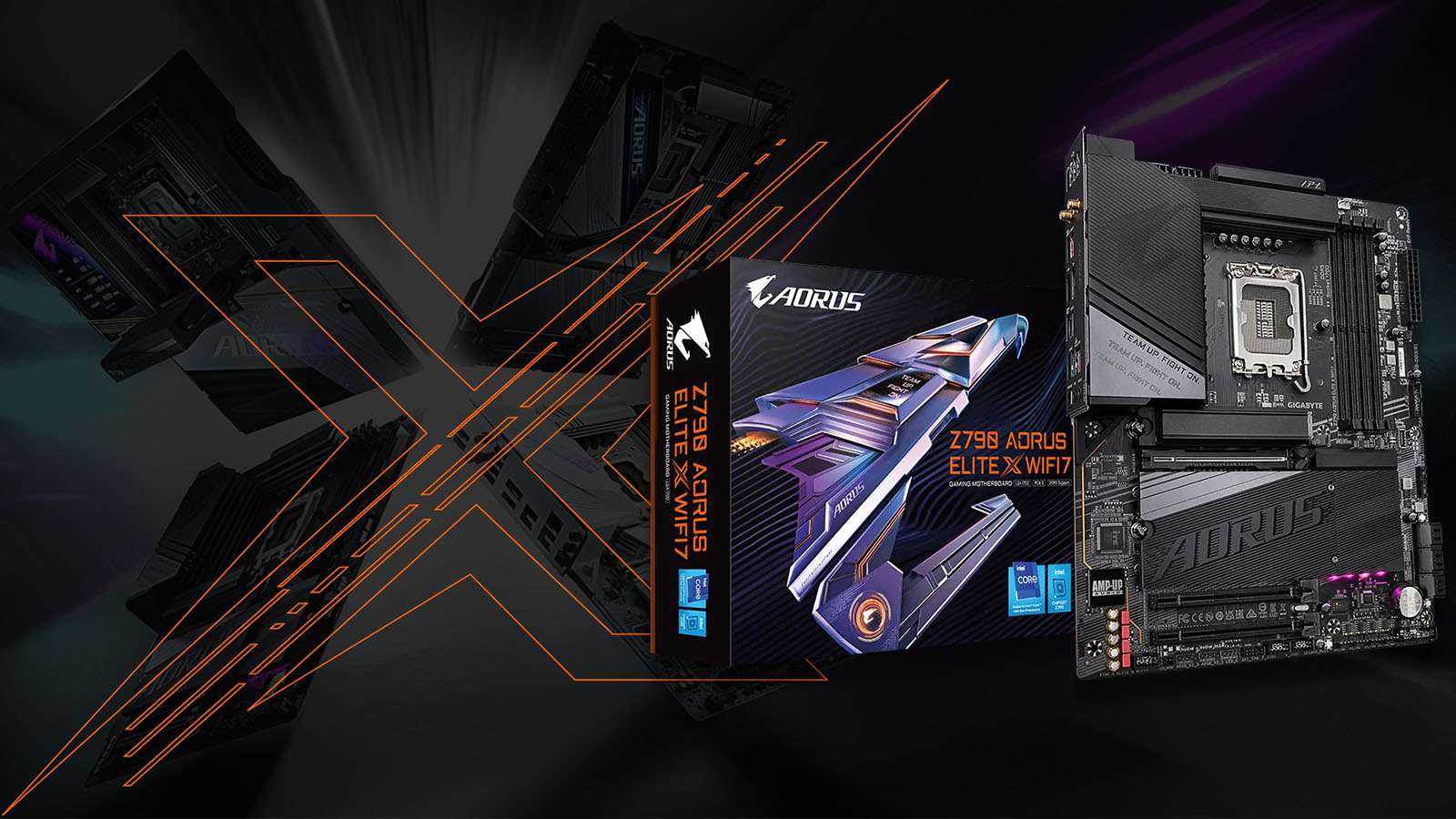
Gigabyte, like other board vendors, announced several new motherboards coinciding with the launch of Intel’s 14th Gen Core processors. These boards don’t encompass the entire Z790 product stack, but Gigabyte has chosen key price points to refresh for the new generation CPUs.
Before the WiFi7 model, my favourite mid-range Z790 motherboard from Gigabyte was the Elite AX. It included all the standard features but stood out for its exceptional memory overclocking capabilities. This was particularly remarkable considering it was a 6-layer PCB (Printed Circuit Board) motherboard, which, theoretically at least, wasn’t expected to excel in this aspect.
Gigabyte defied expectations by delivering a capable DDR5 motherboard that could support DRAM frequencies of up to DDR5 7600, a feat no other 6-layer board could claim. Due to this and many other features, the Z790 Aorus Elite X WiFi7 has high expectations to meet. Thankfully, Gigabyte has put in the work, and even with this early BIOS version (F4), the AORUS WIFI7 model is, by all measures, an improvement over the Elite AX.
While the board shares many similarities with the Elite AX, it differs substantially by using an 8-layer PCB. This escalates production costs and contributes to the higher price of this model. Nevertheless, with this added cost, you also gain WiFi7 connectivity and a wholly revamped UEFI/BIOS interface, which has now become an asset.

In contrast to the advances in WiFi connectivity, which may or may not impact your computing experience, the UEFI/BIOS is something all users of this motherboard will inevitably interact with, and this is where most of the dissatisfaction with the Gigabyte experience has historically originated. Gigabyte took years to address its UEFI interface shortcomings. Now that it has been thoroughly overhauled, I’m comfortable stating that it was previously the worst among all tier-one motherboard vendors. The user interface was so disappointing that it tarnished the entire Gigabyte experience and likely deterred many potential customers from the brand.
Thus, you can imagine my surprise when I encountered the new user interface, arguably one of the best in the business today. This doesn’t imply it has all the functionality and options; instead, it’s that what’s currently available is far more user-friendly and usable. The UEFI is presented in full HD, the graphics are crisp, and the theme remains mostly consistent (although some minor remnants of the old interface persist) across all the various menus.

Features that were previously overlooked but have always been there now stand out, and in some areas, they are easier to understand and utilise. One such example is the auto-overclocking profile menu. These profiles may not offer anything beyond what an experienced user could achieve manually, but they streamline the entire process into a single-button operation. While I still hope to see improvements in several areas of their functionality, their presentation is unparalleled. This, on its own, marks a significant step forward for Gigabyte.
The entire experience has become more enjoyable thanks to the new UEFI interface and, of course, the new Control Centre Windows software. The PC DIY enthusiast community can finally move beyond the disappointments of RGB Fusion and the old Gigabyte UEFI interface, as Gigabyte has, in slang terms, “levelled up.”

Setting aside the user experience, the Elite X WiFi7 makes a compelling case for itself based solely on its onboard features and general usability options. For example, installing M.2 hard drives is the simplest of all motherboards I know. No screwdriver is needed, as there are no screws to deal with. The heatsink and the drive employ a latch mechanism, making it the quickest and easiest M.2 drive installation I’ve ever encountered.
The heatsinks are substantial, capable of efficiently cooling all three M.2 drives to prevent thermal throttling. The primary M.2 socket, directly connected to the CPU, features a similar latching system but boasts an even larger heatsink, roughly two to 2.5 times thicker than the other M.2 heatsink. This socket is clearly targeted at the highest-speed and hottest Gen4 drives on the market. While I’d like to claim that this heatsink would suffice for Gen5 M.2 drives, it’s worth noting that the Elite X WiFi7 does not support Gen5 SSDs.

Regarding motherboard performance, Gigabyte has made significant progress, particularly where DDR5 memory profiles are concerned. Building upon the foundation laid by the Elite AX, the WiFi7 model has been validated to work with cutting-edge DDR5 8266 memory kits—a first for a 4-DIMM board. This high-speed DRAM compatibility supports Intel’s claim about their 14th Gen Core CPUs featuring an improved IMC (Integrated Memory Controller). This improvement should enable higher-density memory and frequencies across a broader range of motherboards.
Gigabyte has embraced this change and delivered an astonishing 28 DRAM profiles within the DDR5 XMP Booster menu. These profiles primarily encompass DRAM ICs from Hynix, with the inclusion of Micron and Samsung IC memory profiles as well. The confidence that Gigabyte places in this motherboard is evident in the QVL (Qualified Vendor List) and, more significantly, in the DDR5 8266 profile tailored for 24GB DIMMs, similar to the recently reviewed G.Skill Trident Z5 RGB kit.

Nonetheless, it’s essential to acknowledge that any board vendor can include a profile they know might not function well outside their controlled environment. Therefore, it fell on me to test this profile.
Although the memory I used was not on the QVL and wasn’t officially rated for this speed, it is capable of DDR5 8200, requiring only 1.35V, while operating on a dedicated 2-DIMM overclocking motherboard. Armed with this knowledge, I loaded up the profile, and to my sheer amazement, it operated smoothly at DDR5 8266 on a four DIMM non-overclocking motherboard.

What Gigabyte has achieved here can only be described as miraculous, as these high frequencies were traditionally associated with expensive overclocking motherboards. While diving into the complexities of performance tuning and stabilizing the DDR5 8266 speed was beyond the scope of my testing, the successful operation of this profile was ample evidence to affirm Gigabyte’s ambitious claims regarding DDR5 8266 support.
Considering the new UEFI interface, Windows software, quality-of-life enhancements, performance tuning profiles, and DRAM overclocking capabilities, the Z790 Aorus Elite X WiFi7 emerges as one incredible motherboard. It is possibly the best Gigabyte motherboard experience I’ve ever encountered. While the board is not without its faults, it comes closer to perfection than any previous Gigabyte motherboard. Achieving this level of excellence at such an aggressive price point is nothing short of brilliant. If you plan to purchase a Gigabyte motherboard for your 14th Gen Core CPU upgrade, I strongly recommend the Z790 Aorus Elite X WiFi7.