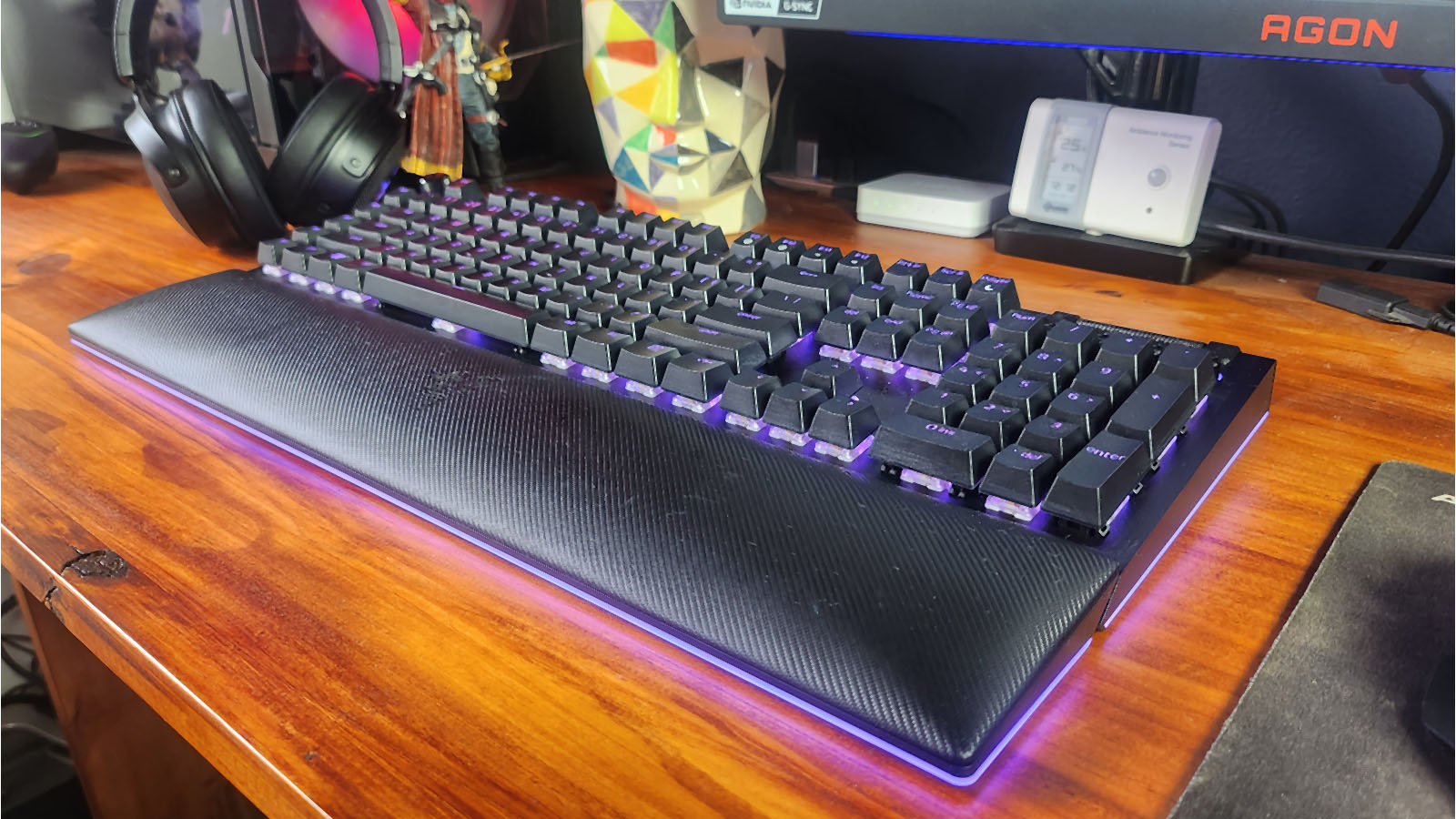
I’ve had a few keyboards come across my desk, and I still think the Mountain Everest is my all-time favourite keyboard, but that is being closely contested now that the Razer Blackwidow V4 Pro decided to show up.
At first glance, you may just think it’s another full-size keyboard with a decent enough build and a couple of extra keys on the side, but when you actually start using it and letting it become a part of your setup, the keyboard really starts to wow you.
The keyboard has a solid, aluminium build, which just exudes quality. It’s sturdy on your desk and doesn’t move around when you’re full-on gaming. It has the typical adjustable feet that can be one of three levels: none, little-bit-high and the-perfect-height, and its detachable USB cable means it’s pretty easy to transport should you need to.

The keyboard comes with 2x USB-C cables, at 2m each: one to power the keyboard and one to activate the USB pass-through. I always find it super handy to have an available USB port just at the top of my keyboard.
The Razer Blackwidow V4 Pro has the standard media buttons on the top right, along with a roller that can be programmed for different functions but works by default as the volume control. On the left, Razer has also included five Macro keys, which too can be programmed to your liking; however, they’ve snuck in an extra three macro keys on the side of the keyboard. It might not seem like much, but it was cool to see something a little bit different to the norm. The Razer Blackwidow V4 Pro also comes with the Razer Command Dial, which is a handy macro dial that can be used for a multitude of things. By default, it has eight modes that you can cycle through by clicking down the dial. Things like switching browser tabs, track jogging, vertical scrolling and zooming are all easily done by simply turning the dial. Of course, you can program your own macros to the dial and pull off crazy stunts like spell spamming by assigning that spell key to the dial. At first, it takes a little while to get the hang of it, but once you’re used to the convenience, you miss it when it’s gone.
While we’re on smart keys and their features, a neat thing that the Razer Blackwidow V4 Pro does when you hit the FN key is it dims all the RGB on every key except the ones that will be affected by the FN key. It’s these small things that show the amount of work put into the keyboard, and it gives the product that little bit of an ‘X’ factor over its rivals.

Keycaps are double-shot ABS and let through a decent amount of RGB. The RGB is controllable per-key, so you are able to create lighting patterns that will suit any of your wildest dreams. The Razer Blackwidow V4 Pro also includes an RGB under glow. It may sound cheesy or perhaps too Need For Speed, but in reality, it really elevated the keyboard. The under glow helps the keyboard almost melt into your desk, and it’s fantastically cool. The included wristrest, which is comfortable and cushiony, also has the under glow feature. You just magnetically snap it onto the keyboard, and the RGB turns on. Personally, I keep my wrist-rest slightly away from my keyboard, but I really loved that they included the RGB in the wristrest for those that do keep it closer to their keyboards.
 The only thing I didn’t enjoy about my Razer Blackwidow V4 Pro review unit was the switches. The Razer Blackwidow V4 Pro comes in two varieties: a more linear yellow switch or a more tactile green switch. The yellow switch version is what we got to review. Razor’s yellow switch is designed to be silent and smooth, with an included dampener to further reduce the noise. While some may enjoy this type of switch, to me, it felt a little off. The switch is exceptionally smooth, but then it feels like it ends with an inaudible thud. Personally, I enjoy the clickier, noisier switches, so having the Razer Blackwidow V4 Pro with green switches would’ve probably been more to my liking. Everyone’s taste differs, though, and for my only negative to be something that can easily be fixed by choosing the right switches, I find it hard to say that this is an actual flaw with the keyboard. I do appreciate that the switches have the standard cross stem on them, meaning you can easily get new or custom keycaps should you choose to.
The Razer Blackwidow V4 Pro is great for both gaming and productivity, just like a full-size gaming keyboard should be, but with all the extra features, macro keys and dials that it has, it elevates all of that to the next level. Hands down one of the best keyboards on the market and completely worth the price tag.