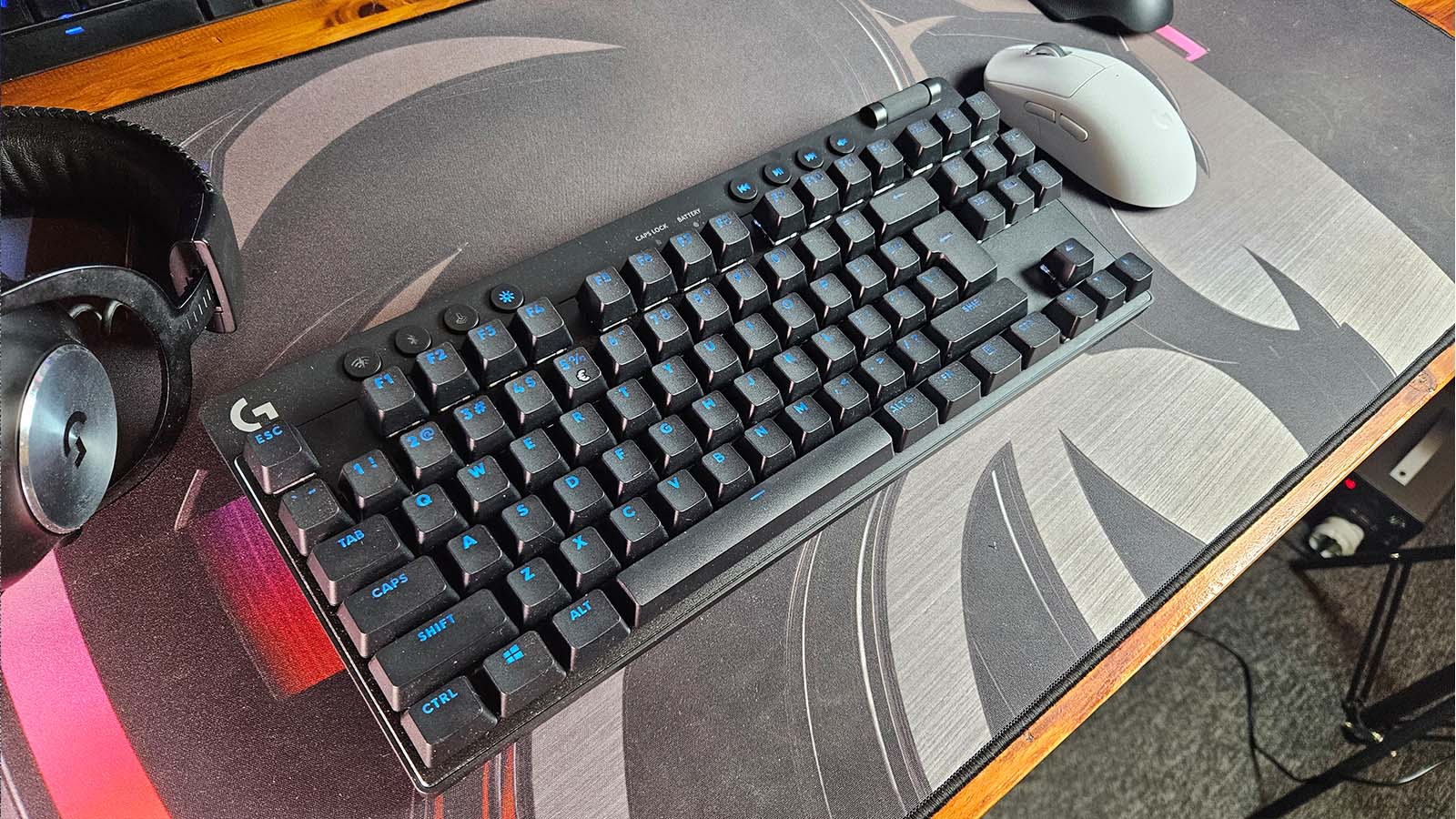
The Logitech G Pro X TKL Lightspeed has just been released for pre-order alongside the new Logitech G Pro X Superlight 2, which we already reviewed, and although it’s a great wireless gaming keyboard, I feel like it could’ve done a little more.
Let’s start with the what. The Logitech G Pro X TKL is a ten-key-less design, meaning it’s a lot more compact than your standard keyboard because they’ve chopped off the Numpad. This doesn’t mean that all the keys are squished together, though; there is still quite a bit of finger room for you to get all the keys without accidentally tapping something you shouldn’t.
This particular model comes in black, white and pink colourways, and you can purchase it with either Red GX Linear keys, Brown GX Tactile keys or Blue GX Clicky keys. Personally, I’m a fan of blue keys, but the review model I had in front of me came with the tactile browns, which I actually enjoyed using. They haven’t yet swayed me from the blue side, but when it comes to key switches, I find that it’s more of a personal choice, and it will be up to you to decide which option to go for.

Because this is a Lightspeed model from Logitech, we are able to utilise their high poll rate low latency wireless modes. Polling to 1000hz while using the Lightspeed dongle means you are able to achieve response times that match, and in some cases better, those of a wired keyboard. If you like, the keyboard does offer Bluetooth connectivity as well, but at a much lower poll rate of 125hz. Of course, eventually, the battery will run out, and you will have to plug the keyboard by using its USB-C cable, which also offers a 1000hz poll rate.
Speaking of recharging, I have been able to get five solid days, probably around 30-35 hours of actual usage time on this keyboard. That consisted of work and gaming on the keyboard and I only drained the battery to 48%. Logitech reports up to 50 hours of battery life on their website, but if I were to carry on using it as I have been, it seems like I might be able to push that number a little higher.
The keyboard comes with four media keys up top, next to a volume control scroll bar that’s always a pleasure to use. There is a button to switch connectivity modes, as well as a RGB brightness control button. We also have the game mode button, which will disable keys, like the Windows key, so you don’t cause an accidental mishap while you’re in an intense battle.
The Logitech G Pro X TKL Lightspeed is pretty standard, all things considered, there’s nothing super exciting about it once you’ve got the keyboard on your desk, which I find a little disappointing. When I opened the box for the first time, I was immediately blown away because the keyboard comes with an epic carry case. It almost feels like your most prized possession being handed to you in this bullet proof box, lined in soft, cushy sponge to ensure its safety, but once you’ve removed it from that case that excitement wears off.

Don’t get me wrong, this keyboard is absolutely fantastic at it’s job, which is a wireless pro gaming keyboard that easily matches the performance of any wired gaming keyboard out there, but I felt like it just lacked a little oomph. My current keyboard, the Logitech G815, comes with almost everything the TKL Lightspeed has and more. Yes, I know it’s a full-size keyboard, but if you have to ignore the numpad for a second, I get five programmable function buttons and three memory options to switch between for the keyboard. Once you factor in that the TKL Lightspeed will also cost you around R5,199 you might start to think about your purchase before just buying it outright.
There’s a lot that’s great about this keyboard. It’s solid, it’s wireless at wired performance, the battery life has been outstanding, and it works well for both work and play, but it’s not extraordinary. With so many options out there that allow you to fully customise your own keyboard across almost every aspect of it, I feel like Logitech could’ve, just ever so slightly, upped their game on this TKL. Yes, you can swap out the kay caps for third-party keys if you’d like, but the switches are not hot swappable, so once you’ve committed, you’ve committed, and at R5,199, you’ve got to be real sure you’re ready for that commitment.