A good couple of years ago, I decided to switch things up from a gaming notebook as my general work machine to one of those typical thin, lightweight notebooks because lugging around a 56 kilogram device was no longer my vibe.
Then, just a few weeks ago, the new Acer Nitro 16 popped up on my desk, and I actually had one of the best times I’ve had on a notebook in years.
The Acer Nitro 16 is essentially the new Acer Nitro 5; they have just rebranded it as the 16, and the 17 to align with the two different sizes this notebook model will be available in. The one we’re reviewing has a 16-inch screen, while the other model has a 17-inch screen. Incidentally, the screen size is the only difference between the two models.
The 16-inch model features a 16:10 screen aspect ratio with a resolution of 1920 x 1200 pixels. This is kind of nice in terms of screen real estate, but it does mean you get black bars when you view 16:9 content in full screen. In comparison, the 17-inch model has a 16:9 screen aspect ratio with a resolution of 2560 x 1440 pixels. Both models feature a refresh rate of 165hz.

The Acer Nitro 16 we had in for review featured an Intel Core i7-13700H processor, a PCIe Gen 4 512GB SSD drive, 16GB of DDR5 4800 RAM, and an Nvidia GeForce RTX4050 graphics card, not a bad loadout if you ask me. In case you are curious, you are able to upgrade the RAM, and it supports a maximum of 32GB.
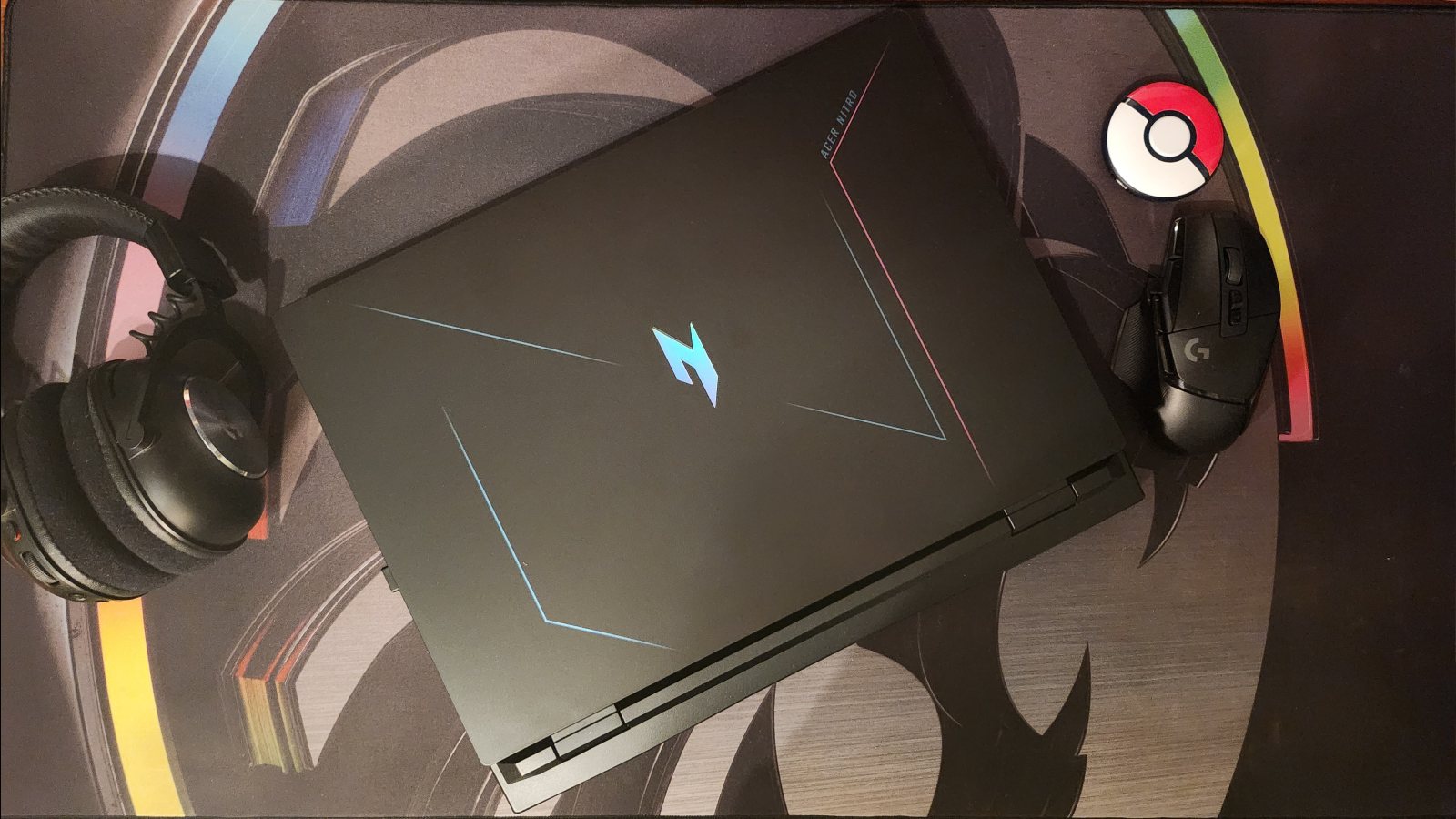
For the gamer on the move, this notebook weighs around 3 kg. It’s a little heavier than we thought it would be, considering the outer shell is plastic. I also wasn’t a huge fan of the subtle blue and pink, neon vibes that Acer was going for with the decals on the lid, but the holographic logo does appeal to my inner card collector.

Looking at this notebook’s I/O ports, on the left, you’ll find a 1Gbps Lan Port, a USB 3.2 port, a MicroSD card reader and a 3.5mm audio jack that takes both a microphone and headphones. On the right, we have two more USB 3.2 ports and LED notification lights. On the back of the notebook, we have an HDMI 2.1 port, a Thunderbolt USB 4 (USB-C) port and a USB 3.2 Gen 2 USB-C port, oh and the power connection port, of course.
Because this bad boy is made for gaming, you get a 330W power supply, meaning no USB-C charging for us fancy folk. Just a note I was never able to get the power draw above 230W when using the notebook in full-turbo mode. This was tested via the power graph on my EcoFlow and running the Laptop through Time Spy Extreme on 3DMark.
In terms of RGB lighting, the Keyboard is split horizontally into four zones that can each be customized to a different colour. While it’s not per-key specific, it is still quite cool to be able to create something a little personal on your keyboard.

That should cover everything from a specs perspective, so let’s put this notebook through its paces.
The keyboard has a bit of a sponginess to it compared to other laptops that also have that ticky-tacky-sounding chiclet keyboard. I personally enjoyed it. The feedback from the keyboard had an almost cushion-like feel to it that others might not like. The trackpad was perfectly normal, nothing to rave about, but I don’t think there are any trackpads out there that anyone is currently raving about. It does offer a more tactile, matted feel to it than the plastic case it is surrounded by, so at the very least, your fingers won’t get stuck if they are a little sweaty. While it’s my personal preference to use an external keyboard when gaming on a laptop, I was happy to be using the one built into the Acer Nitro without actually feeling the need to go and grab my spare. Of course, gaming on a trackpad is only for the super-pro’s out there, so I’d still recommend an external mouse when it comes to gaming.
The notebook comfortably played Apex Legends, Fortnite and Call of Duty without any massive frame drops or lag issues. League of Legends had no issues either, and, of course, every indie game I threw at it ran smoothly. All games were played in FHD (1920×1800 resolution) with the laptop in Turbo mode. Apex Legends, which I play on max settings, played comfortably at 130-140fps.
Looking at Fortnite, where I have everything set to Epic, the frame rate was a little lower, running at around 110fps. Call of Duty was set to “Recommended” in the settings menu, and it had everything set to high. Here my frame rate was a lot lower but still constant at just over 50fps. Playing League of Legends, I had the game set to maximum settings, but I like to cap the frame rate at 240 in the game’s settings, which the Acer Nitro had no problems hitting and staying at. Of course, the screen was limited to display only 165 of those frames, fortunately with no screen tearing.

When it comes to screen quality and fidelity, I found the screen to be awesomely bright, and the colours were great.
Next up, I put the Acer Nitro through 3DMark’s Time Spy benchmark to see how much of a beast this laptop really is. With a score of 9,379, the Acer Nitro 16 sits on the top end of devices in the same range and scores just under a “high-end gaming PC”. If you’d like to check out the full details of the result, you can click here. I also tested the laptop on the 4K version of the Time Spy test, and we managed to squeeze out a 4,334, again, just under the “high-end gaming PC” mark on the list. For the full details on that test, click here.

The notebook does have four performance modes to help get all the work done. Quiet mode for the quietest fan operation. Balanced for, well, a balance between noise and performance. Performance mode for doing more intensive tasks and Turbo mode for making everyone deaf in the room. Both Performance mode and Turbo mode can only be activated while the notebook is plugged in and above 40% battery. The fans really spin up in these modes, and you will need a good set of headphones to block it out; it’s very loud, but these modes are handy when gaming.
Speaking of 40% battery, it’ll probably help to give an idea of how long this thing runs on that battery. While on balanced mode, I was able to get just past lunchtime before having to plug in the laptop. For those of you who don’t know what a typical NAG morning looks like, getting to just past lunchtime means I was able to get around four hours of work done using web browsing and text editing apps while having music playing in the background and then squeezing in about an hour of watching videos while we slurp down some noodles. That was around five to six hours before I had to whip out the power brick.
Everything I was able to do with the notebook began adding up, and the more I used it, the more I enjoyed having it around. It’s a beast of a workhorse, and when I felt like grabbing a few games of Apex, I didn’t have to leave the coffee shop to go home to play, well, until they asked me to quieten down after shouting at my teamies. I was quite sad when I had to go back to my regular, old, slim and lightweight notebook. The Acer Nitro was fun.