I am surprised that my right hand has not yet been permanently moulded into a claw from gripping a mouse over the years. Perhaps it’s a testament to how well the ergonomics of the modern gaming mouse work or perhaps we have already evolved to battle with the mouse in hand, and not yet realised it.
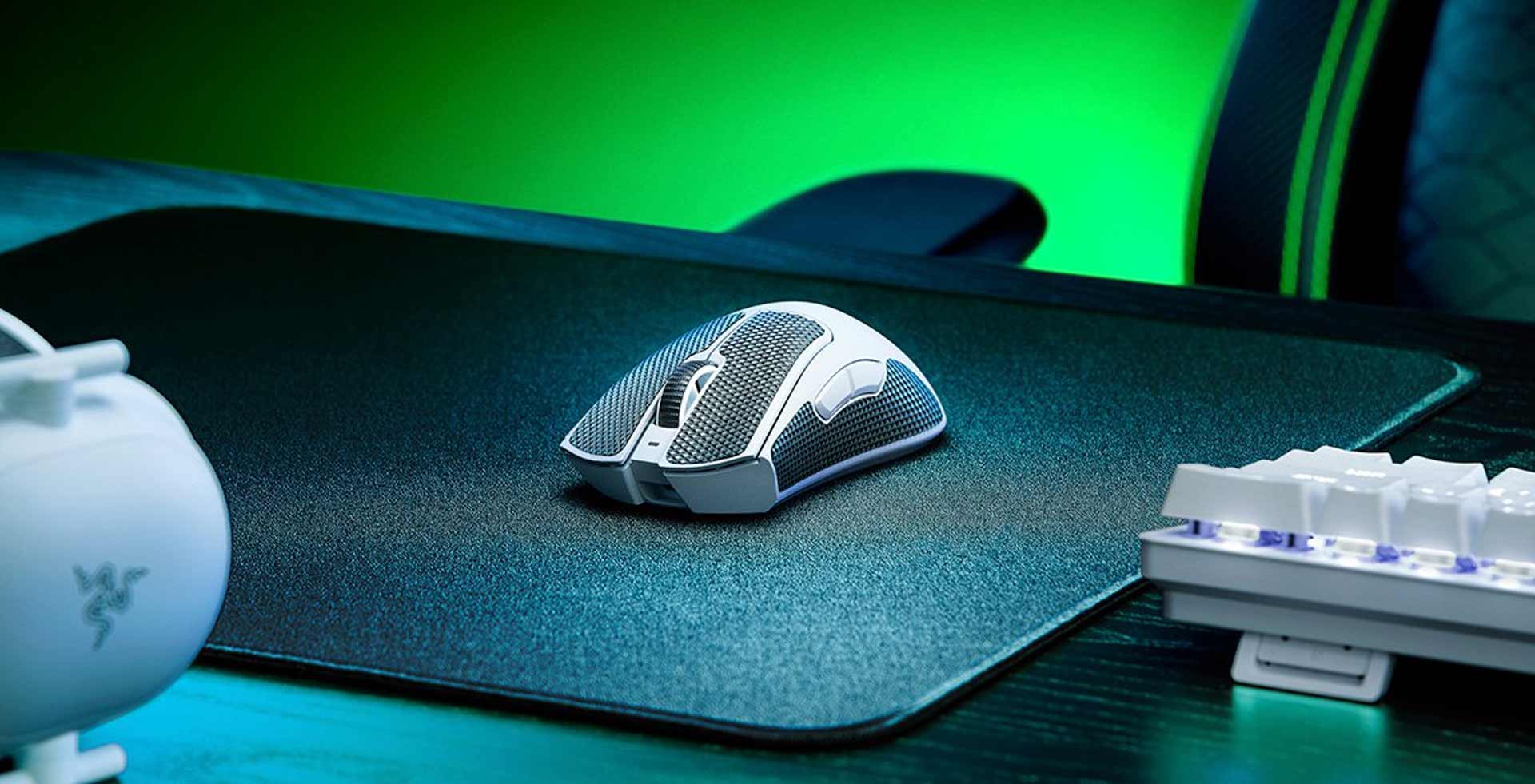
The Razer DeathAdder V3 Pro wireless gaming mouse landed on my desk in December and I adopted it as my partner for the next few weeks as I game, edit videos and muck about online. While it may look like just another generic mouse, it’s by design, and let me tell you, it works.
The first thing you’ll notice when picking up the Razer DeathAdder V3 Pro is that is incredibly light, almost too light. When I’m intensely focused on a game and the headshots ring like a ’90s telephone, it feels like I’m gripping a fluffy cloud. As someone who is used to gaming with a heavy mouse, this took some time to get used to. Getting accurate shots while tracking an enemy player was the most challenging.
The Razer DeathAdder V3 Pro feels good in the hand but if you want more grip on the top surface, Razer also includes a set of custom-cut grip tape that you can easily stick on and remove. I loved using these grips on the mouse and it added a nice rugged look to the white version we had for review too.
The mouse features 5 programmable buttons which include the clickable mouse wheel and your two main mouse buttons. You can unlock a secondary set of customisable buttons using the Razer Hypershift shortcut system, which essentially overlays a second set of functions over the existing buttons that you can unlock with a key press. The scroll wheel feels tactile thanks to the soft rubber grip and geared feedback as you scroll.

There is another button hidden underneath the mouse, where the optical sensor is, this is the Power/DPI switch. Impressively this mouse has a sensitivity of 30,000 dpi which, to be honest, is far too sensitive for most gamers. Unfortunately, it’s not easy to switch between dpi settings in the heat of battle without lifting your mouse, so you’ll have to choose your starting sensitivity carefully. Using the Razer Synapse software, you can configure each of the Sensitivity stages (there are 5) and decrease the polling rate (Hz) of your mouse from 1,000 down to 125. I also liked that you can set the sleep mode of the mouse and select when to kick into low-power mode.

As a wireless mouse, the Razer DeathAdder V3 Pro offers a respectable battery life of about a week’s worth of use when used, for most of the day, as I have been.
After a few days of intense gaming, I felt right at home with the featherlight Razer DeathAdder V3 Pro. The mouse glides effortlessly and the lightweight design of the mouse feels very responsive as you manoeuvre around a game.
Compared to its predecessor, the Razer DeathAdder V3 Pro feels like a streamlined version with fewer features, but the result is a mouse that is more focused on its purpose.