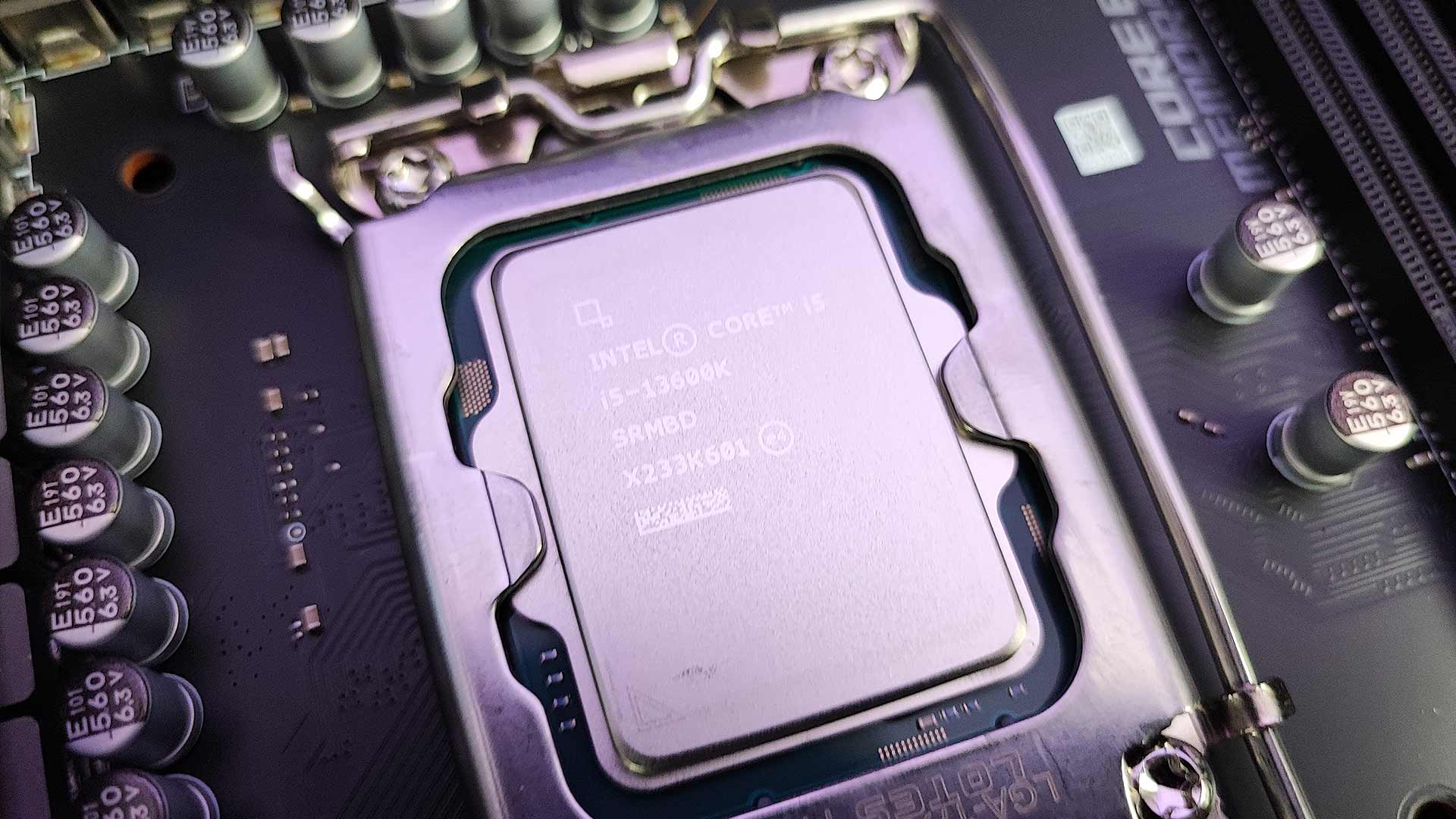
Intel’s Raptor Lake CPU is the 13th generation of Intel Core processors that bring with it a number of new features and of course, a generous helping of improved performance. Even though it feels like we barely had time to get used to Intel’s 12th gen processors, which launched about a year ago, this new CPU opens up some really interesting upgrade options for gamers. As to be expected, the launch also brought with it the age-old platform debate, do you game on team red or team blue? Now, we all know that most gamers strive for a balance between value and performance and this time around, there seems to be a lot more value here, than there.
Earlier this month, the Intel 13th gen press kit arrived at the NAG Studios in a gloriously inconspicuous box, resembling more a coffee table book than something that’s holding one of the hottest new technologies on the market. The Intel Core i5 13600k and the drool-worthy Intel Core i9 13900k. Just in case you did not know, the K in the product name indicates that these are unlocked processors and can be overclocked if you have a motherboard that supports the capability. The Intel CPUs also feature a KF variant which simply indicates that the series has no integrated graphics capabilities. Even though our two review CPUs do have integrated graphics, don’t expect to do much high-end gaming on them, the Intel UGH Graphics 770 is an entry-level graphics processor with not much headroom for performance.
You can see my first reaction in the unboxing video to get a sense of what the kit looks like but for this review, we are going to take a closer look at the features of Intel’s 13th gen processors and benchmark the hardware for comparison.
The new kids on the block
Each of the new processors offers an impressive spec upgrade compared to the last generation, most notably an increase in Performance (P) and Efficiency (E) Cores. In fact, 12th gen Core i5 processors did not have any efficiency cores and now sport eight of them. The core count and processor threads across the line-up also increased with a healthy margin resulting in more powerful processors across the board. The only real downside? Higher power consumption, which ranges from just over 10w for the Core i5 and over 60W for the Core i9. Granted, these are not massive numbers but certainly play a role for those of us who run on battery inverters when the power goes out. This also makes me think about the mobile line-up launching in a few weeks, I wonder how they will handle the bigger power draw.

As seems to be a positive trend these days, Intel’s 13th gen CPUs are backwards compatible with Intel’s 12th gen which gives budget gamers like me an easy upgrade path to the latest technology without breaking the bank. Looking at the supporting chipsets for Intel’s 12th-gen (Z690) and 13th-gen (Z790) CPUs, there isn’t a massive difference between the two. The latest Z790 chipset gives us more performance headroom to match the new CPU’s capabilities with faster DDR5 support (up to 5600). Intel also optimised the power delivery from the motherboard to the processor on the Z790 chipset, considering that the Intel 13th gen CPUs feature more cores than the previous gen, and more volts are needed to power these CPUs. This also leads to better overclocking capabilities on the K-series processors and you can expect out-of-the-box Turbo frequencies of up to 5.8Ghz on the Core i9 series CPUs. Intel also said that one of its upcoming CPUs will run at 6GHz stock but that news was quickly overshadowed but the massive overclocking world record that was set by Allen ‘Splave’ Golibersuch, who pushed the Core i9-13900K to a whopping 8.2GHz recently.
Even though the Intel Core i9 13900k is one of the most desirable CPUs around at the moment, it’s the Intel Core i5 13600k that has me the most excited. As a mid-range budget gamer, I’ve always found a good price vs performance offering in the Core i5 CPU range. The 12th gen Core i5 12600k really impressed me in that regard and I am happy to report the Intel Core i5 13600k has really upped the ante.
I thought long and hard about how I wanted to benchmark these CPUs. Checking out the high-end stuff was not really going to answer my questions about the upgrade path to Intel’s 13th gen CPUs. Most gamers I know plan their upgrades meticulously and are very conscious about the pennies they spend. Buying a high-end gaming rig is easy, you just throw money at it, but getting that balance between price and performance is where the real art of building a gaming rig lies.
For our Intel 13th-gen review, my main aim was to check out what that Core i5 136ook would do on an Intel 12th gen motherboard with DDR4 RAM. Of course, I will compare these results with the same kit on an Intel 13th gen motherboard and DDR5 RAM.

The Builds
Our friends over at MSI South Africa were kind enough to send over some supporting hardware for our Intel 13th gen gaming rig. The two motherboards we’ll be benchmarking with are the MSI MAG Z790 Carbon WiFi and the MSI MSG Z690 Edge WiFi DDR4. We also have the mid-range MSI GeForce RTX 3070Ti to bring the party together. Housing all of this beautiful kit is the Cooler Master HAF 500 case while cooling is provided by the Cooler Master Masterliquid ML360P Silver Edition. We also have Kingston HyperX DDR5 RAM as well as some older XPG DDR4 RAM.
A point to note if you’ll be doing a similar build to this, you’ll need to update your 12th gen motherboard bios to be able to use the Intel 13th gen CPUs. More specifically, you should update your bios before you install the new CPU.
We decided to run two sets of benchmarks to get a good overall view of Intel’s 13th gen processors. The trusty 3DMark provided us with a base result for a CPU profile while Cinebench R23 really showed us the CPUs rendering performance. Both benchmarks provide a result for single-core and multi-core performance and we ran these benchmarks across both the 12th and 13th gen motherboards from MSI.

Benchmark Results on the Z690 chipset
Without a doubt, the sweet spot for most of us budget-conscious gamers is a Z690 chipset and DDR4 RAM. The MSI MSG Z690 Edge WiFi DDR4 exemplified this with really impressive benchmark results. Although it does not have the same VRM power capabilities as the Z790, with a 16+1+1 phase power design it still has plenty of power for the Intel 13th gen CPUs and lets you do some overclocking if you’re into that sort of thing.
| Benchmarks | Intel Core i5 12600k | Intel Core i5 13600k | Intel Core i9 12900k | Intel Core i9 13900k |
| 3DMark CPU (Single thread) | 1,023 | 1,090 | 1,090 | 1,225 |
| 3DMark CPU (Max thread) | 7,879 | 10,327 | 11,563 | 16,468 |
| Cinebench R23 (Single core) | 1,884 | 1,986 | 1,983 | 2,204 |
| Cinebench R23 (Multi core) | 17,096 | 23,583 | 27,045 | 34,416 |
Benchmark Results on the Z790 chipset
Checking out the Intel 13th gen CPU’s performance on the latest Z790 chipset with DDR5 RAM was really impressive. But this was to be expected. The MSI MAG Z790 Carbon WiFi motherboard really held its own not only in terms of performance but also aesthetically. There are heat shields covering the five M.2 slots that not only look nice but also fulfil a very useful function. Of course, there is also some RGB on board by way of a light-up dragon and a whopping six USB 3.2 Gen2 ports on the rear panel of the motherboard. Ensuring the 13th gen CPUs get all those watts they need (especially when overclocking), the 19+1+1 phase power capabilities will produce enough volts to keep things stable and allow you to overclock your CPU. As you can see from the benchmark results, the Intel Core i9 really shines on the Z790 chipset with DDR5 RAM, and if you are brave enough, you’ll even be able to overclock supporting RAM up to 7600.
| Benchmarks | Intel Core i5 13600k | Intel Core i9 13900k |
| 3DMark CPU (Single thread) | 1,091 | 1,228 |
| 3DMark CPU(Max thread) | 10,305 | 16,653 |
| Cinebench R23 (Single core) | 1,987 | 2,206 |
| Cinebench R23 (Multi core) | 23,653 | 38,442 |
Conclusion
The performance improvements on the new Intel 13th gen processors are really impressive and if you can afford a big upgrade to include DDR5 RAM you’ll certainly be a happy gamer. If you are on a budget, however, you don’t need to fork out your hard-earned shekels to enjoy the performance upgrade of Intel’s latest processors. The performance of both the Intel Core i5 13600k and Core i9 13900k processors is really impressive on the Z690 chipset and the benchmark results answered my biggest question; Do I need to upgrade more than just the CPU to get in on Intel 13th gen? The answer, I am happy to report is no.