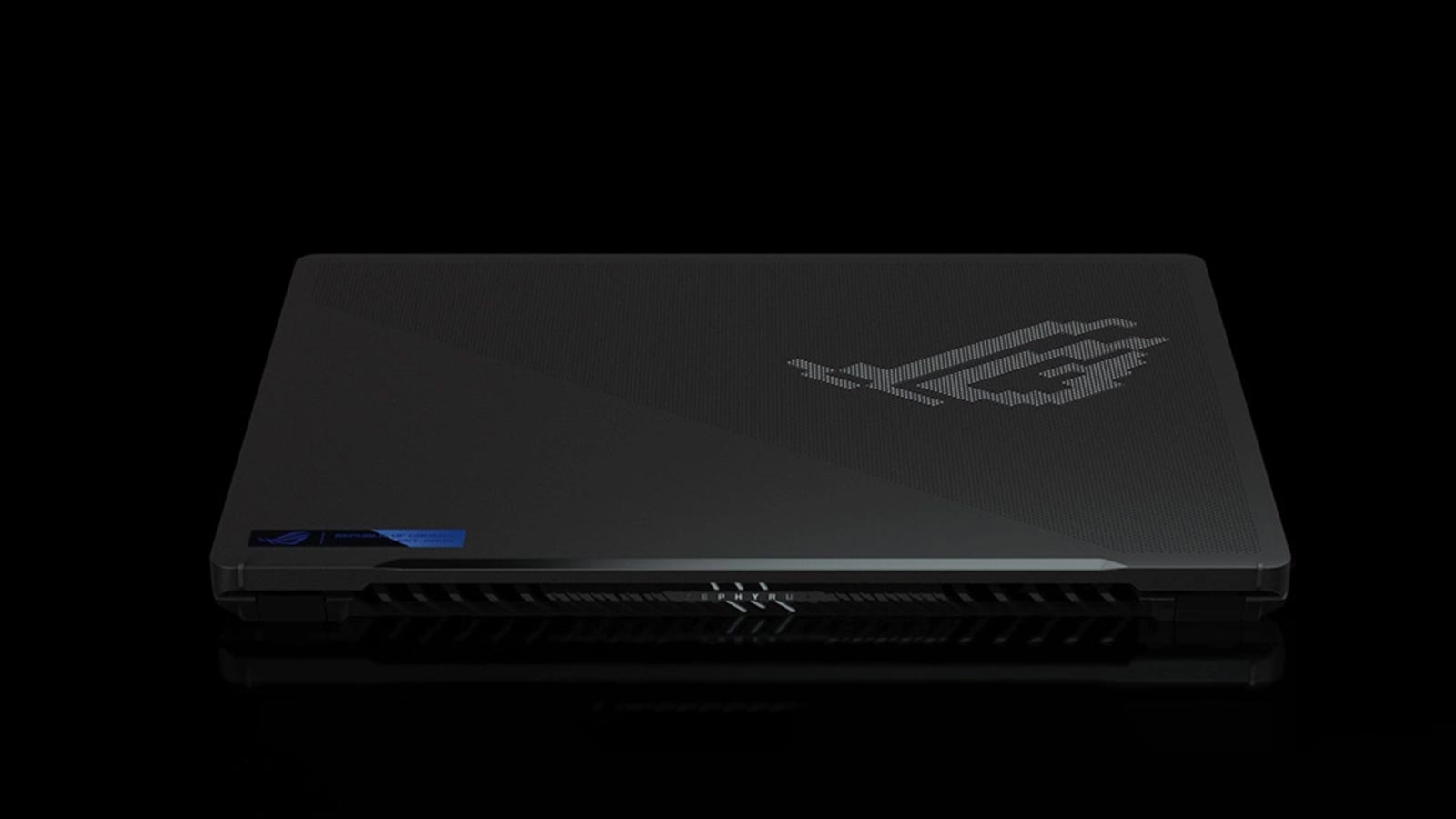
Today in Why I love Gaming Notebooks, I look at reason number #8 as to why these little furnaces are my all-time favourite gaming devices: AniMe Matrixes
It’s always exciting to receive a new product for review, it’s almost like Christmas morning but you have to return the gifts after you’re done playing with them. Usually, this is not an issue as I love all my own toys, but every now and then something comes along that makes me a little jealous of the next kid who gets to play with it.
The ASUS ROG Zephyrus G14 is that toy, and I am that soon-to-be jealous kid.
What struck me first as I opened the box was the small size of this gaming-grade notebook. Compared to my beast of a machine, the ASUS ROG Zephyrus G14 feels too small to be a capable gaming computer and I won’t lie, I was sceptical. What really excited me though was the AMD Ryzen 9 6900HS Mobile Processor and the AMD Radeon RX 6700S graphics card. Now before you ask… this is a killer combo of some of AMD’s finest mobile technology, that’s why.
Attributing its size is the 14-inch display that has a resolution of 2560 x 1600 pixels at an aspect ratio of 16:10. Dubbed the ROG Nebula Display, it has a refresh rate of 120hz, which equates to 120fps if the conditions are right. Equally impressive for its size is the trackpad. It’s double the size of last year’s ROG Zephyrus G14 and as far as notebook trackpads go, one of the nicest ones I’ve used in a long time, it feels very responsive with a solid click when you press down on it. The keyboard features white LED backlighting with fast actuating keys and typing this review on it feels comfortable. In fact here is another reason why I loved this small form factor gaming notebook – it’s impressively portable. Not that my beast of a notebook isn’t portable but there is a lot to be said for 14-inch notebooks if you’re the type to travel light; To the office, coffee shop, LAN party, or abroad.
Sitting in a busy coffee shop in the middle of the week, the ASUS ROG Zephyrus G14 feels right at home. To those sitting around me, I could be completing writing my TPS reports but I am about to whip out the charging brick so that I can game. Yes, I am that guy.

Interestingly enough, this gaming notebook comes with two power bricks, a big 240w version and a smaller 100w USB-C power brick. The idea is so that you don’t always have to lug the bigger power adapter everywhere and still get great good performance from your notebook, I really like this idea for those of us that have to work in various locations. Of course, the 100w power brick will not be sufficient to charge your notebook while you game, the battery will deplete faster than it can recharge. For work-related tasks though, it will offer plenty of power to keep your notebook powered and charging.
To demonstrate the impressive performance throttling of this notebook, I ran the 3DMark Time Spy benchmark with both of the power bricks and then also on battery.
ASUS ROG Zephyrus G14
3DMark Time Spy benchmark
On 240w power adapter: 7,480
On 100w USB-C power adapter: 5,036
On battery: 5,493 (Performance mode)
On battery: 2565(Integrated graphics)
Port Royale Benchmark: 3,497
I was pleasantly surprised by the performance of the ASUS ROG Zephyrus G14 using its integrated Radeon graphics. While you’ll be able to enjoy certain games – the ones that don’t have killer spec requirements – you will be able to get decent performance from the integrated graphics for design and video work, or the odd retro game.
Using the ASUS ROG Zephyrus G14 as intended, plugged-in-while-gaming, I was impressed with the performance of this machine. The AMD Ryzen 9-6900HS performs really well in most of today’s games and even Cyberpunk 2077 looked really good while World War 3, Fornite and even a little Call of Duty Warzone proved to be no match for this machine.

Depending on the setting you choose, you can either run in performance mode all the time or at the opposite end, you can have the notebook automatically switch over to the integrated Radeon graphics when on battery. This is thanks to the MUX (multiplexer) switch, a microchip that lets you switch between GPUs in real-time. I found that letting the system switch automatically when on battery, gave me the best of both worlds and it really helped increase the battery life. To manage this switching you can use the built-in Armoury Crate software to help manage the notebook’s performance and when it switches – if at all. The software also allows you to see system performance, set profiles for games, and let you configure the AniMe Matrix display on the top of the notebook lid.
Made up of 14,969 precision drilled holes and 1,449 mini-LEDs, this matrix display lets you add a very cool customisable animation to the back of your screen to annoy your co-workers or fellow gamers. There are loads of animations to download and you can create text effects to promote your website or live stream. It’s something I never thought I wanted but it is an unnecessarily cool feature.
Another interesting design feature is the screen hinge. When you open the screen, the notebook body lifts slightly as it rests on the bottom of the screen. I like that it lifts the bottom of the notebook to allow it to suck in more air but the downside is that the fan exhausts blow onto the bottom of the screen. This hinge mechanism also blocks the back of the notebook where one would expect the I/O ports to be. Instead, these are moved to the side of the notebook. Also worth noting is that there is no RJ-45 network port on this machine, its Wi-Fi only connectivity, but on the upside, you can swap out the Wi-Fi card for something better or newer.
Also worth noting is that there is just a single RAM slot, 8Gb of DDR5 RAM built-in on the motherboard with an additional 8GB in the SO-DIMM slot available to upgrade. According to the spec sheet, the maximum supported memory capacity on this notebook is 24GB.
Hardware specs aside, the gaming experience on this little gaming rig is really impressive. The AMD hardware offers great performance for a notebook of this calibre. The battery life of this machine is also impressive, depending on the performance mode you set, you can expect a battery life of between two and eight hours.
Overall, the ASUS ROG Zephyrus G14 is a solid gaming notebook with a surprisingly good value-for-money offering. If you are looking for a small-screen notebook then look no further.