Intel launched its 12th generation processors late last year and the first samples have finally hit our shores. Known as Alder Lake amongst the geeks who love to stick to development codenames, this new CPU brings with it a number of new features that are aimed at reducing power consumption – which is great news for notebook users – and improving performance.
It’s been many years since I’ve last been this excited about new CPU and RAM technology. In fact, it has been nearly 8 years since DDR4 launched, can you believe it? So when the good folks at MSI South Africa offered me some hands-on time with Intel’s latest CPU and some DDR5 RAM modules, I grabbed the opportunity with both hands.
Before we get to the hardware, this is what you need to know about these new technologies.
One of the best new features of Intel’s 12th gen CPUs is the new core architecture. While CPUs have had multiple cores for a while now, Intel has changed the way it uses cores. By introducing two new core types, P (Performance) and E (Efficiency) cores, the CPU can fire up performance cores when it needs to give power to the user and run the efficiency cores for day-to-day tasks, operating system functions and so on. There is a desktop SKU and a Laptop SKU with various products ranging from entry-level to high-end under each. At the high-end, the Intel desktop CPU with the biggest punch is the Core i9 12900k process that has 8 E-cores and 8 P-cores while on the other end, the low-powered Core i3 1210U, aimed at ultraportable computers has 2 P-cores and 8 E-cores.

Celeron is also back with a very low powered version that has only 1 P-core and 4 E-cores.
To manage this fancy new core system Intel also developed Thread Director, a hardware-based technology that manages the core’s efficiency by scheduling tasks to either the P- or E-cores. Thread Director is only supported in Windows 11 but Intel 12th gen technology can easily run Windows 10 too, it just won’t run as efficiently.
Intel 12th gen CPUs also support integrated graphics which means most motherboards have discreet graphics built-in. This is handy should your GPU go boom and you need basic graphics to check your warranty status online.
The other major new feature that Intel introduced with 12th gen is DDR5 support. Yes, we finally have a new RAM spec that gives us access to more memory bandwidth than we’ll know what to do with (famous last words). If you like numbers, you’ll love that the new DDR5 memory will see us enjoy data rates of 4800MHz up to 7200Mhz from day 1. While DDR4 is technically specced at 3200Mhz it is often overclocked to reach higher bandwidth speeds out of the box.
Then, even more exciting is the realisation that the DDR5 spec also allows more memory capacity per DIMM. Where DDR4 was limited to 16GB memory chips, DDR5 can accommodate 64GB memory chips, so expect higher capacity RAM modules to hit your local computer shop in the coming years. Say hello to 512GB RAM per PC and a zero balance bank account.
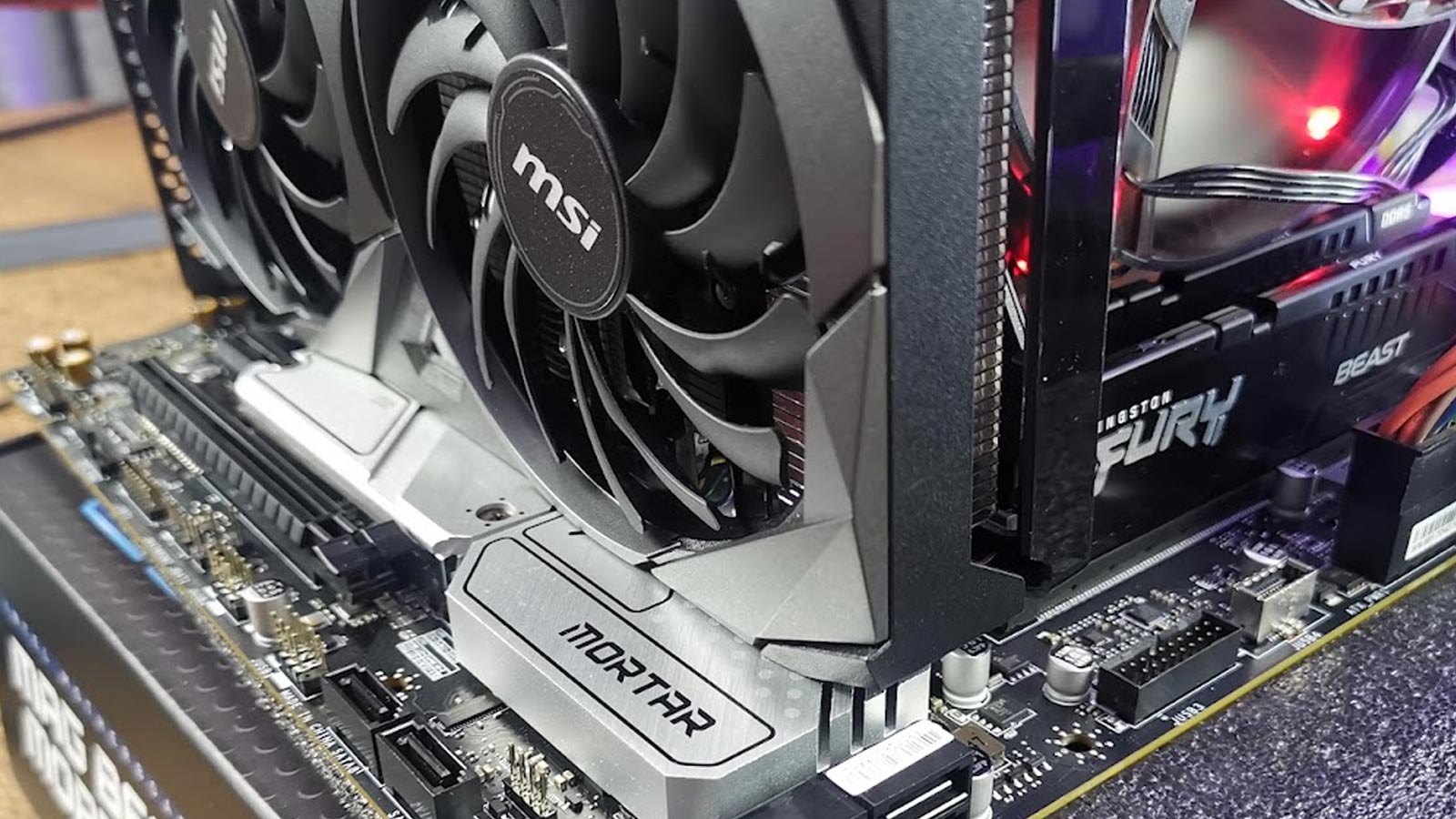
The review kit contained the MSI MAG B660M Mortar WIFI motherboard, two 16GB Kingston FURY Beast DDR5 RAM sticks running at 5200Mhz, and at the heart of this beauty, the Intel Core i5-12400 CPU. I also used my cool, limited edition 1TB Western Digital WD Black SN750 SE M.2 NVME drive, yes, that infamous Battlefield 2042 Edition. What a drive!

MAG B660M Mortar WIFI is a Micro-ATX form factor motherboard so it does not have as many PCIe slots as a full ATX board. Not to worry, we only need one in any case. It is to house the brand new NVIDIA GeForce RTX 3050 VENTUS 2X 8GB graphics card that I got some early hands-on time with. As a budget RTX graphics card, I’ve been curious about its performance in a desktop setting. I’ve been using the mobile variant on my HP Victus D16 for a couple of months now and I’m blown away by its performance.
If you are still reading and these specs don’t mean much to you, here’s some context, this test bench will be considered a good mid-range machine. Most notably, is the Intel Core i5-12400 CPU which offers superb value for money in the new 12th gen line-up.
For the operating system, I did a quick install of Windows 11, a pre-requisite if you want to get the most performance from any Intel 12th gen CPU. At this point, I was very happy to find the built-in wireless capabilities of the MSI MAG B660M Mortar WIFI motherboard so downloading updates, drives and benchmarks did not require me to roll out the network cable. I also found it novel to see the HDMI and DisplayPort on the back of the motherboard but was equally puzzled to still see an optical S/PDIF out, does anyone still use those?
Back to gaming, I can’t say I was surprised that this machine ran as well as it did. I had high expectations but honestly, in real-life, this combination is great to game on, with loads of potential for upgrading various parts in the coming years.

I played hours of PUBG, a few evenings of Cyberpunk 2077, and absolutely destroyed hordes of zombies in Dying Light. Not the second game mind-you, I’ve not yet had to urge to buy it – I’ll wait for a Steam sale.
Suffice it to say, every element of this machine purred like a kitten and handled even the most complex After Effects graphic with ease. Our benchmarks would agree.
3DMark produced a very respectable score of 6,587. For a fun comparison, my HP Victus D16 which has an 11th gen Core i7-1195G7 CPU and GeForce RTX 3050 (notebook) delivered a score of 4,887.
To make this machine sweat a bit harder, I also loaded Cinebench R23 and got a score of 12,323 pts on the Multi Core benchmark. This is impressive and places this mere Core i5 hot on the heels of many high-end CPUs from both current AMD and last-gen Intel CPUs.

This build, overall, is a pretty kick-ass combination in my opinion. I’ve long been a fan of mid-range gaming hardware over spending money on the high-end stuff. This test bench so far is looking to be my next upgrade, that is for sure.
Even though the performance improvements of the brand new tech are evident, that does not mean it will be worth your while to upgrade everything just yet. The DDR5 memory is still very expensive with prices around double of current DDR4 memory. Fortunately, you can get a DDR4 variant of the MSI MAG B660M Mortar WIFI motherboard and use your existing RAM.
The MSI Nvidia GeForce RTX 3050 Ventus 2X 8GB graphics card is also a lot more affordable than the high end cards. At around R10,000 this card offers a lot of value for money in the current RTX line-up.
Then Intel, bless them, have not pushed up prices to silly levels for their 12th gen CPUs, there’s only a few hundred rands difference between generations at the high-end of the CPU scale.