When did gaming notebook prices drop so low? The last time I checked, a decent gaming notebook would set you back R40k, but it seems I missed the memo on this one. The HP Victus 16-d0007ni i7 landed on my desk about 2 months ago and I was really impressed with the spec list, when I found out this notebook retails for under R25k, I just had to put it through its paces.
In fact, I’ve been meaning to upgrade my old gaming notebook which is now around 4 years old. It still works great but it started to show its age a bit when it comes to the newer game titles, and I was looking for something that can handle 4K video a bit better.
One of the first things on the spec list that caught my eye was the NVIDIA GeForce RTX 3050 Laptop GPU under the hood. Of course, like the Laptop nomenclature indicates this is not quite the same GPU as the desktop version but both are budget GPUs and offer you the same awesome features that come with the NVIDIA GeForce RTX series, such as NVIDIA Broadcast – a great tool for content creators.
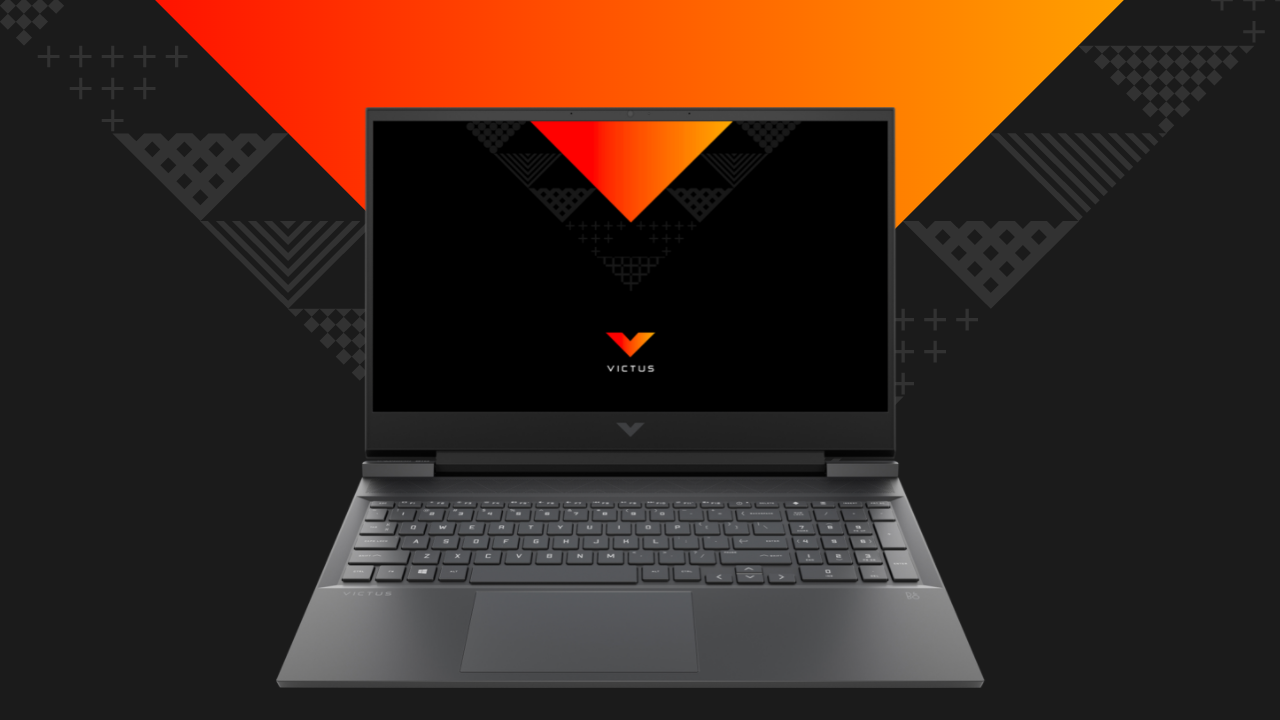
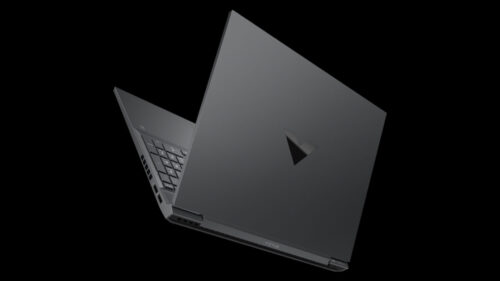
At first glance, the HP Victus 16-d0007ni i7 is an unassuming notebook that you could easily mistake for just another workhorse. There is no visible HP branding, just a V on the lid and the words Victus, visible at the bottom end of the lid, and just below the keyboard when you open it up.
The keyboard is backlit but there is no RGB, making this ideal as a sleeper notebook for office workers looking to get some game time in between meetings.
This budget gaming notebook also has all the ports you need, including 4x USB Type-A ports, 1x USB Type-C port, and an SD card reader for those of us in content production.
With the formalities out of the way, I was really excited to see how this notebook would perform in my daily grind routine. Looking at its specs, I knew I’d have to add an additional hard drive for my work content and I would prefer 32GB of RAM over the standard 16GB. But that would be an upgrade for another time.
Sadly, my old 1TB SSD, which is a standard 2.5-inch solid-state drive would not work on the HP, this machine only accepts NVMe M.2 drives but after a quick search, I found a superbly priced 1TB Mushkin MKNSSDHL1TB-D8 Helix-L drive for under R1,700 at Wootware and promptly installed it. (spoiler: it works like a charm and performs superbly)

The installation was pretty quick as the M.2 port is easily accessible, even memory upgrades are easily done on this notebook.
With all my data synced and the apps I need, loaded, I set off to edit a video using some 4K footage. From the moment I loaded Premier Pro I could feel a responsiveness to the editing process I’ve not had for a while, especially when scrubbing through the video timeline. Needless to say, rendering times were also impressive.

From a gaming point of view, I immediately loaded my favourites to see how performance is, compared to my other machines of a similar spec, albeit older hardware. PUBG, GTA V, Apex Legends, and Battlefield V all ran very well. Of course, keep in mind that as a budget gaming notebook, the latest AAA titles will not all run as well on high settings and you’ll need to configure game graphics to give you better performance where it is needed. Still, for what you get with the HP Victus 16-d0007ni i7, I was impressed with the price/performance trade-off.
One of the most noticeable and enjoyable aspects of this notebook configuration is the 144Hz screen, it makes a big difference in games that support the higher refresh rate.
I also enjoyed the quality of the dual Bang & Olufson speaker, while your headset will still offer you the best audio experience, the built-in speakers on the HP Victus 16-d0007ni i7 were more than sufficient for basic audio use, music listening and videos.
When it comes to battery performance, the HP Victus 16-d0007ni i7 delivers a respectable performance of 5-6 hours if you don’t do anything resource intensive. For gaming and rendering video, you’ll get around an hour’s worth of battery time but your usage may vary slightly.
With HP’s Omen range still delivering the high-end gaming hardware, the newly launched Victus range has comfortably found its place, catering to the gamer on a budget who needs an affordable gaming notebook. It’s also perfectly suited for content production and I’m enjoying every minute editing videos on this machine.

It’s hard to find fault with a notebook that offers this much value for the price. Most notebooks in this price class only offer 8GB of RAM and there aren’t many 144Hz panels available on notebooks in this range.
Until I discover a better specced, lower-priced notebook, I’ll be crowning this one as my top recommendation for a budget gaming notebook in 2021.